
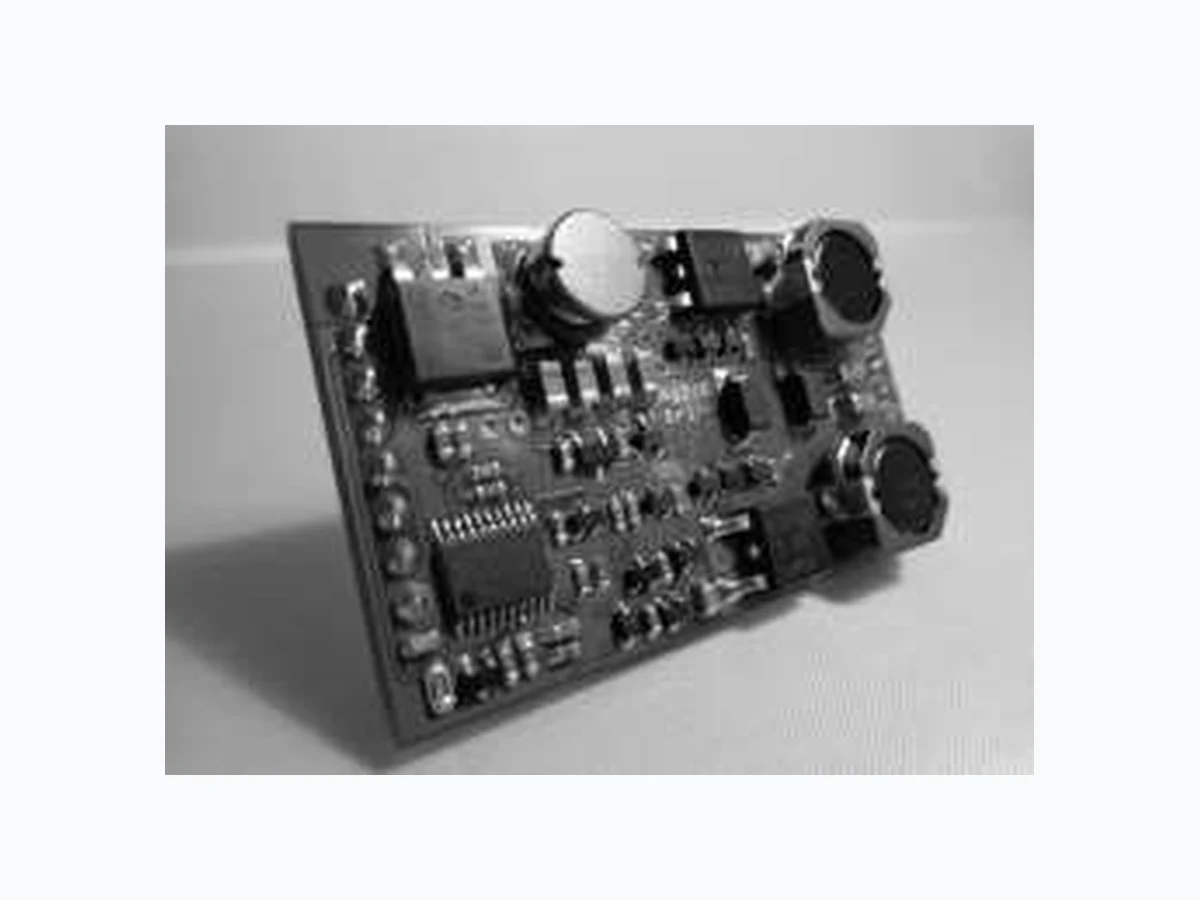
AG210 SILVERTEL
Document overview
- Manufacturer or author: Provided By www.digicamel.com(FREE DATASHEET DOWNLOAD SITE)
- PDF pages: 17
Technical content
Features
Adjustable Constant Current LED Driver IEEE802.3bt compliant with up to 60W Power High efficiency (90%) Up to 1000mA LED Drive current Wide LED String Voltage (4V-40V) 0.5V-10V Dimmable capability I2C interface Open Circuit/Short-circuit/Over- Voltage protection Under-voltage protection Very Long Life - No external electrolytic capacitors required Low cost Silvertel “design-in” assistance
Description
Small DIL package Silvertel’s Ag210 PoE constant-current LED driver module is designed to combine high power LED lighting applications with PoE connectivity. Conforming to the latest IEEE802.3bt Power-over-Ethernet (PoE) standard the module provides an easily implemented solution for designers/integrators of LED lighting systems. The Ag210 is pre-configured as a Type 3 Class 6 PD device and capable of extracting a maximum of 60W (measured at the module input) from the PSE. Its wealth of features are all delivered in a tiny package, with an LED drive output capable of driving LEDs with a forward voltage of up to 40V. The Ag210 also provides for an auxiliary DC output to power any external circuitry such as a microprocessor. The Ag210 incorporates a simple-to-use I2C interface allowing users access to lighting features such as “Brightness on Start-up”, “Scene” programming and a “Broadcast” mode to control other LEDs. PWM Dimming can also be performed via the I2C interface.
V1.0 February 2020 Datasheet © Silver Telecom 2020 Ag210 POE LED Driver
1 Product Overview
Part Number1 Function Output Maximum Continuous Output Power2 Date code3 Marking Ag210 LED Drive 300-1000mA 40 Watts WWYY Auxiliary 5V to 12V 12 Watts Note 1: Complies with the European Directive 2011/65/EU for the Restriction of use of certain Hazardous Substances (RoHS) including Directive 2015/863 published in 2015, amending Annex II of Directive 2011/65/EU. Moisture Sensitive Level 1 and HBM 1. Note 2: At 25°C with VIN = 48V Note 3: Date code format: “WW” = Week Number, “YY” = Year. Table 1: Ordering Information Figure 1: Block Diagram Package Format Figure 2: Ag210 Package Format Spare Pair Data Pair μ-Controller DIM Signature Class & UVLO VIN+ VIN- - + - + Ag210 + Vout - Vout VIN - SDA SCL I2C LED - LED + Voltage Monitor ADJ 0.5 - 10V DC/DC Converter DC/DC Converter Ag210
V1.0 February 2020 Datasheet © Silver Telecom 2020 Ag210 POE LED Driver Pin Description Input Connector Pins Pin # Name Description
1 VIN+ Direct Input + This pin connects to the positive (+) output of the input bridge
rectifier. 2 BT-DET Type 4 IEEE802.3bt Detect Output This pin indicates if an IEEE802.3bt PSE is supplying Class 6 power to both inputs; 3 IC Internal Connection Do not connect to this pin.
4 I2C - SDA
Serial Data Analogue Input This high impedance input pin is used in conjunction with the SCL pin to for the I2C bus.
5 I2C - SCL
Serial Clock Input This high impedance input pin connects to the I2C bus clock. 6 IC Internal Connection Do not connect to this pin. 7 IC Internal Connection Do not connect to this pin.
8 VIN- Direct Input - This pin connects to the negative (-) output of the input bridge
rectifier. Output Connector Pins Pin # Name Description
9 LED+ DC Output This pin provides the regulated output from the DC/DC
converter to the customers LED. 10 LED- DC Return This pin is the return path for the LED+ output. 11 CA Current Adjust This pin connects internally to Pin 8 (the negative (-) output of the input bridge rectifier). By connecting a resistor between this pin and the LED- Pin, the LED constant current can be altered.
12 DIM
0.5-10V Dimming control This pin can be connected directly to a positive power supply (0-10V), connected to a potentiometer (25K) or a standard shunt dimmer to set the required brightness.
13 OPT Option Control This pin can be either left open circuit for I2C control or
connected directly to –VAUX for 1-10V dimming. 14 +VAUX DC Output Positive This pin provides the main auxiliary regulated output from the DC/DC converter.
15 VA DC Voltage Adjust The output voltage can be adjusted from its nominal
value, by connecting an external resistor from this pin to the +VOUT pin. 16 & 17 -VAUX DC Output Negative The ground return for the auxiliary VOUT output as well as the GND reference for the I2C bus Table 2: Pin Description
V1.0 February 2020 Datasheet © Silver Telecom 2020 Ag210 POE LED Driver
2 Functional Description
The Ag210 has a single input that can be connected to two external bridge rectifiers (see Figure 3: Typical System Diagram). The Ag210 is designed to be powered by any IEEE802.3bt compliant PSE such as Silvertel's Ag6800 or Ag6120 PSE modules. Figure 3: Typical System Diagram Ag6800 Ag210 VIN+ VIN- POWERED DEVICE (PD) POWER SOURCING EQUIPMENT (PSE) - + - + BR1 BR2 Vin+ Port 1+ Port 1-0V 57V Port 2+ Port 2- Auxiliary DC OUTPUT LED Drive OUTPUT
V1.0 February 2020 Datasheet © Silver Telecom 2020 Ag210 POE LED Driver PD Signature 2.1.1 The Ag210 input complies with the IEEE802.3bt specification and provides signature and control circuitry to give full backwards compatibility with IEEE standards. When the inputs are connected to a Power Sourcing Equipment (PSE), they will automatically present a powered Device (PD) signature to the PSE (when requested). The equipment will then recognise that a PD is connected to that line and supply power. Power Classification 2.1.2 The Ag210 is Type 3 - Class 6 PD requesting 60W of power from an IEEE802.3bt PSE by displaying the correct class pulses shown in Table 3 below. If the Ag210 is connected to a IEEE802.3at PSE, the PSE will recognise the initial Class 4 pulse from the Ag210 as a Type 2 PD and provide ~25W. PD Type Requested Class Class Pulse A Class Pulse B Minimum Requested Power (W) 1 1 1 3.84 2 2 2 6.49 3 3 3 13 4 4 4 25.5 5 4 0 40 6 4 1 51 7 4 2 62 8 4 3 71.3 Table 3: Classification Table PSE Type Detection 2.1.3 The Ag210 has an output pin to visually indicate, via use of an LED, that it has been connected to a PSE that can supply enough power to operate at its full power output. This information can additionally to obtained by interrogating the PSE type detect field over the I2C communication protocol. See Section 3.1 I2C Interface for more details. Output The maximum output power of the Ag210 is limited by the available power at the input pins of the module. An IEEE802.3bt PSE suppling Class 6 power levels shall provide a minimum of 60W at a lowest voltage of 50V from its output, however with connector, cable and diode bridge losses the available power and voltage at the input pins of the Ag210 can vary considerably. The Ag210 implements buck converter topology; as a result the maximum LED string voltage should always be lower than the input voltage, which will be determined by the cable length and PSE choice. The maximum LED drive current may be reduced if the input voltage is not sufficient.
V1.0 February 2020 Datasheet © Silver Telecom 2020 Ag210 POE LED Driver LED Output Connection 2.2.1 The Ag210 has been designed to operate with no electrolytic capacitor connected to its LED output. In order to avoid undesirable operation no capacitor should be fitted across the LED+ and LED- pins. LED Output Current Setting 2.2.2 The Ag210 has a nominal output current of 300mA but this can be adjusted by connecting additional resistors between the LED- and CA Pins as shown in Figure 4: Constant Output Current Adjustment. Table 4 shows common output currents and its associated resistor values. The resistors must be fitted as close as possible to the LED- and CA pins. Figure 4: Constant Output Current Adjustment Increase the constant output current, connect CSx between LED- and CA Iout CSxa Value (Ohms)* CSxb Value (Ohms)* 300mA Not Fitted Not Fitted 400mA 5R1 Not Fitted 500mA 2R49 Not Fitted 600mA 3R9 3R 700mA 2R49 2R49 750mA 3R 1R8 800mA 2R 2R 900mA 1R8 1R6 1000mA 1R0 2R49 *We would recommend a resistor package size of 1206 for the appropriate power dissipation. To set an output current other than listed above please contact Silvertel for information Table 4: Output Current Adjustment Resistor Values Ag210 LED + CA CSxb Increasing the nominal output current CSxa LED -
V1.0 February 2020 Datasheet © Silver Telecom 2020 Ag210 POE LED Driver Auxiliary Output Voltage Setting 2.2.3 The Ag210 has an auxiliary DC supply (VAUX) that can be used to power the customers’ external circuitry such as a microcontroller. The nominal output voltage +VAUX is 12V, however this can be reduced to any voltage down to a minimum of 5V. Table 5 below shows the output voltage and its associated resistor value. Figure 5: Output Voltage Adjustment Decrease Output Voltage (connect VSx between +VAUX and VA) VAUX VSx Value (Ohms)* 12V No Fit 5V 6K34 *To set an output voltage other than listed above please contact Silvertel for information Table 5: Output Voltage Adjustment Resistor Values Ag210 +VAUX VA Decreasing the nominal output Voltage VSx -VAUX
V1.0 February 2020 Datasheet © Silver Telecom 2020 Ag210 POE LED Driver
3 Control
The Ag210 can control the brightness of an LED from 100% down to 5% via its internal digital PWM controller which runs at ~1.25KHz. LED brightness can be set in a number of ways, via the I2C interface, connecting a positive supply voltage, a 25K potentiometer or a standard shunt dimmer directly at the DIM (12) pin. I2C Interface The Ag210 is a slave device using two pins to connect to the I2C interface SCL (serial clock) and SDA (serial data). The interface connections should be referenced to the negative auxiliary supply of the Ag210. The I2C interface is implemented with use of a controller, to decode any chosen protocol carried over the network, being installed alongside the Ag210, as such; the interface signals are unbuffered prior to the microcontroller on the Ag210. If a long cable is to be used to carry the I2C signals, buffering should be added in order to protect the Ag210 from damage. I2C Parameters 3.1.1 Table 6: I2C Parameters I2C Protocol 3.1.2 To write to a field on the slave the data should be sent as per Figure 6. Figure 6: Writing to a Register Field ID Default Value Data Range Read/Write Stored in EPROM Notes 0x00 0x00 0 - 255 Read/Write No 0x01 0xFF 0 - 255 Read/Write Yes 0x02 0x10 0 - 255 Read/Write Yes Time taken to transition to the target diming value. Approximate time = DimTimeValue x 32ms Defualt value approx. 0.5 seconds 0x03 0x50 1-127 Read/Write Yes MSB to reset to default 0x04 0x77 1-127 Read/Write Yes MSB to disable general address 0x05 - Read - Connected PSE type detected Run 0x1x 1 field value for setting and one for recalling Setup 0x2x 0xFD 1 - Read No Fixed info on modules firmware version. 0xFE 0x0A - Read No Fixed info on modules firmware version. 0xFF - Write - Reset all fields to defaults for testing and debug purposes Field name LED Brightness Power up LED Brightness Diming Time I2C Address Major Firmware Version Minor Firmware Version Memory Reset Yes 0 = LED off, 1 = 5%, 255 = 100% I2C General Address Pre settable scenes 0 - 255 Read/Write0x00 PSE Type Detect A4 A3 A2A5 SCL A1 A0 R/W ACK F7 F6 F5 F4 F3 F2 F1 F0 ACK D7 D6 D5 D4 D3 D2 D1 D0 ACK Module Address Byte Field ID Byte Data Byte SDA A6
V1.0 February 2020 Datasheet © Silver Telecom 2020 Ag210 POE LED Driver To read a field from the slave the following should be sent. Figure 7: Reading a Register I2C Module Address 3.1.3 The Ag210 can be addressed using one of two addresses, the module address and the general address. The module address is for communicating with a particular slave, and is by default set to 0x50 and can be changed to any value between 0x01 and 0xEF. Setting the MSB high will reset the module address to 0x50. The general address is used to broadcast to all slaves listening to that address, as a result should only be used to perform write calls. The general address can be set just as the module address; however setting the MSB high will disable the use of the general address. I2C Dimming 3.1.4 To dim the LED via I2C, first send the module address of the desired dimmer, then send the field ID, 0x00, followed by the desired dimming value sent as 1 Byte, where 0 is off and 1 to 255 is 5% to 100%. To calculate the Dim Value to use for percentages between 5% and 100% use the formula: 𝐃𝐢𝐦 𝐕𝐚𝐥𝐮𝐞 = 𝐃𝐢𝐦%−𝟓 𝟗𝟓 × 𝟐𝟓𝟒 + 𝟏 In addition to dimming the I2C provides a number of other functions as detailed in Table 6. I2C Scenes 3.1.5 The Ag210 has the ability to store and recall up to 16 scenes. Each scene contains a single brightness value. To save a new scene, a brightness value should be written to field ID 0x2x, where the final four bits denote the scene number that is to be written to. To recall a scene, a read command should be sent to field ID 0x1x, where the final four bits denote the scene number that is to be recalled R/W ACK ACK R/W ACK D7 D6 D5 D4 D3 D2 D1 D0 ACK Module Address Byte Field ID Byte Module Address Byte + 1 Data Byte Repeat S t art SCL SDA SlaveMaster A4 A3 A2A5 A1 A0A6 F7 F6 F5 F4 F3 F2 F1 F0 A4 A3 A2A5 A1 A0A6
Figure 9. This allows the LED to be dimmed from 100% to 0% using the modules internal
4 Protection
Tranzorb diode across the input; see Apps Note “ANX-POE-Protection”. clamped to 48.5V if the output is left unloaded. operating temperature is not exceeded.
V1.0 February 2020 Datasheet © Silver Telecom 2020 Ag210 POE LED Driver
5 Operating Temperature Range
The Ag210 is a power component and will generate heat so it is important that this is taken into consideration at the design stage. The core of the Ag210 is a DC/DC converter, which like any other power supply will generate heat. The amount of heat generated by the module will depend largely on the output current the device is supplying. The Ag210 can operate up to a maximum of 85˚C ambient, however the maximum LED current at temperatures over 70˚C may need to be reduced to 900mA in order to prevent damage to the module. This derating is independent of the load applied to the auxiliary output. These results were performed in an environment chamber - Associated Environmental System SD-302, without any heat-sinking. The thermal performance of the Ag210 can be improved by forcing the airflow directly over the part or by using thermal relief pads to draw heat away from the module. The Ag210 does not have thermal protection so it is important that the maximum operating temperature is never exceeded. Figure 10: Operating temperature -20 -10 0 10 20 30 40 50 60 70 500 LED Output Current (A) Ambient Temperature (°C) 700 Output Power Vin = 57V Auxiliary Output 12W continuous 1000 100 300 -30-40
V1.0 February 2020 Datasheet © Silver Telecom 2020 Ag210 POE LED Driver
6 Typical Application
Figure 11: Typical Connection Diagram
7 Efficiency
The Ag210 achieves an efficiency of 90% when both supplies are fully loaded with the Auxiliary supply set to 12V
8 Isolation
The Ag210 is a non-isolated module and in order to fully conform to the IEEE 802.3bt 1500V isolation requirements, the module and its associated circuitry (including the LED) must be isolated from the user. This is normally achieved without additional components and by using a suitable enclosure. Contact Silvertel for further details
9 EMC
The Ag210 has been designed to pass EN55032 Class B, however the Ag210 will only be one component within the system so we would always advise that provisions are put in place in case further noise reductions are needed. From our extensive experience we would recommend an inexpensive but effective solution to reduce emissions as shown in Figure 11. Ag210 VIN +1 IC
8 VIN -
CSxCSx - Resistance vs Output Current 6 5MCU 0.5-10V Dimming IC IC DIM SDA SDC 470uF - + - + Spare Pair Data Pair POE Input +VAUX -VAUX 16,17 11VIN - OPT 13 VA 15 VSx VSx - Resistance vs Output Voltage (nominal 12V) Adjust down from 12V to 3.3V *If LK1 is fitted the LED brightness can be controlled via the DIM pin or if left open circuit the brightness can be controlled via the I2C. Please see Section 6 - Dimming Control LK1 Fuse SMAJ58A LED1 3 x FBMH3225HM102NT 3 x FBMH3225HM102NT
V1.0 February 2020 Datasheet © Silver Telecom 2020 Ag210 POE LED Driver Absolute Maximum Ratings Parameter Symbol Min Max Units 1 DC Supply Voltage VCC -0.3 60 V
2 Storage Temperature TS -40 +100 °C
Note: Exceeding the above ratings may cause permanent damage to the product. Functional operation under these conditions is not implied. Maximum ratings assume free airflow. Recommended Operating Conditions Parameter Symbol Min Typ Max Units
1 Input Supply Voltage VIN 36 50 57 V
2 Input Under Voltage Lockout VLOCK 32 36 V
3 Operating Temperature TOP -40 25 85 Ta / °C
Auxiliary Supply 10.3.1 DC Characteristic Sym Min Typ1 Max Units Comments
1 Nominal Aux DC Output
Voltage +VOUT 4.75 12 12.5 V
2 Continuous Aux Current
output IAUX 1 1.5 A @12V Max 1A @5V Max 1.5A 3 Aux Line Regulation ILINE1 0.1 % 4 Aux Load Regulation ILOAD1 1.0 %
5 Aux Ripple and Noise IRN 81 mVp-p @ Max load
6 Minimum Load IMIN 0 mA
Note 1: Typical figures are at 25°C with a nominal output voltage = 40V and are for design aid only. Not Guaranteed.
V1.0 February 2020 Datasheet © Silver Telecom 2020 Ag210 POE LED Driver LED Driver 10.3.2 DC Characteristic Sym Min Typ1 Max Units Comments
1 LED Open Circuit Clamp
Voltage VCLAMP 48.5 V
2 Nominal Output Voltage +VDC 4 40 V
3 Idle Current IIDLE 29 41 mA
4 LED Output Current2 ILED 300 1000 mA
5 Dimming Range VDIM 5 100 %
6 DIM Voltage (Injected) VDMax 10.5 V voltage injected into the module for dimming 7 Dimming Frequency FDIM 1.25 KHz
8 LED Line Regulation
(36V-57V) ILINE2 0.2 0.5 %
9 LED Load Regulation -
Min to Max (2V–40V) ILOAD2 1.5 2.0 % 10 LED Output Current Drift IREG 0 1.1 %
11 Max Output Current
Deviation (combined) IDEV 0 3.6 %
12 Output Ripple and
Noise3 Ratio VRN 1:1.1 5 1:1.34 mVp- IAv Ratio of peak to average current
13 Short-Circuit Protection TSC Iout A Current held at
14 Peak Efficiency
(combined) Eff 90.0 % 40W LED power, 12V 1A Auxiliary Note 1: Typical figures are at 25°C with a nominal output voltage = 40V and are for design aid only. Not Guaranteed. Note 2: See Table 4 Note 3: Measurements made on a Picoscope with a 200MHz (x1) probe. Note 4: Measured with a 30V LED running at 300mA
V1.0 February 2020 Datasheet © Silver Telecom 2020 Ag210 POE LED Driver Figure 12: Package Dimensions Information published in this datasheet is believed to be correct and accurate. Silver Telecom assumes no liability for errors which may occur or for liability otherwise arising out of use of this information or infringement of patents which may occur as a result of such use. No license is granted by this document under patents owned by Silver Telecom or licensed from third parties by Silver Telecom. The products, their specification and information appearing in this document are subject to change by Silver Telecom without notice. 2.44 Dimensions (in mm) are nominal ± 0.25 unless otherwise stated 0.64 1.6 5.54 2.54 1.4 5 2.2 3.7 1013 2.54 4.9 50.6 ± 0.5 30.0 ± 0.5 45.72 Ag210