
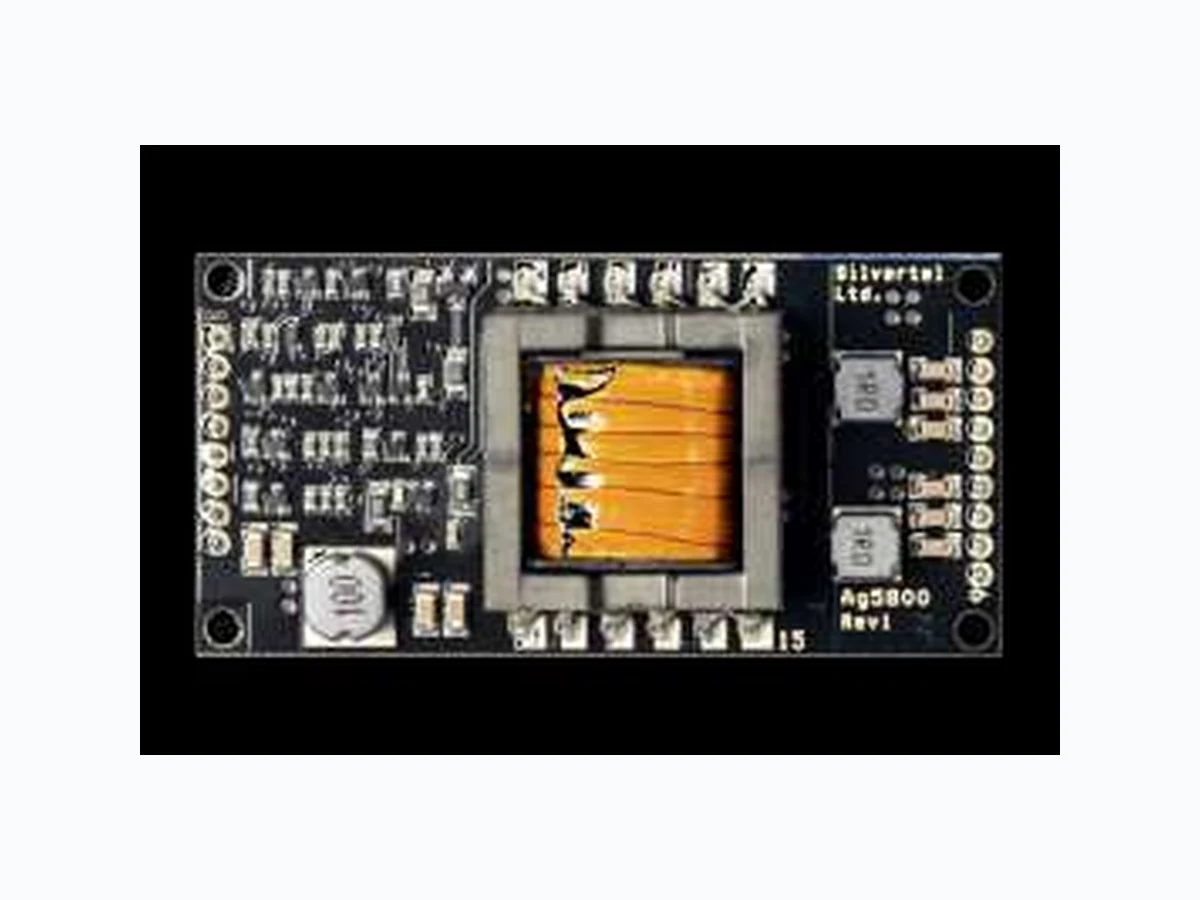
AG5800 SILVERTEL
Document overview
- Manufacturer or author: Provided By www.digicamel.com(FREE DATASHEET DOWNLOAD SITE)
- PDF pages: 22
Technical content
Features
Type 4 PD Compliant with IEEE802.3bt 85 Watt Output Power 12V or 24V output with a wide adjustable output voltage range High efficiency DC/DC converter Overload, thermal and short-circuit protection 1500V isolation (input to output) Input voltage range 36V to 57V Low output ripple and noise Compact DIL package - 70mm(L) x 35mm(W) x 17mm(H) Complete PD solution with minimal (low cost) external components required Silvertel “design-in” assistance
Description
The Ag5800 is an IEEE802.3bt Power over Ethernet module that can deliver up to 85 Watts* of output power when connected to IEEE802.3bt compliant power sourcing equipment. Suitable for applications such as PTZ IP cameras, LED lighting, door access systems, intelligent displays and sensors, monitors and projectors. The module’s input conforms to the IEEE 802.3bt standard for signature recognition and class programming. It has been designed to work with IEEE802.3bt and existing high power PSE’s from leading manufacturers. The high efficiency DC/DC converter operates over a wide input voltage range and provides a regulated low ripple and low noise output. The DC/DC converter also has built-in overload, thermal and short-circuit output protection. *See section 2.4.4 - Output Power
V1.5 March 2020 Datasheet © Silver Telecom 2020 Ag5800 IEEE802.3bt PD Module
1 Product Overview
Part Number1 Nominal Output Voltage2 Maximum Output Power3 Ag5800 12V / 24V 85W Note 1: Complies with the European Directive 2011/65/EU for the Restriction of use of certain Hazardous Substances (RoHS) including Directive 2015/863 published in 2015, amending Annex II of Directive 2011/65/EU. Moisture Sensitive Level 1 and HBM 1. Note 2: Voltage depending on output configuration (Parallel or Series), see Section 2.4.2. Note 3: Will operate up to 100W when used with a DC Power Supply at 25°C with adequate thermal management Table 1: Ordering Information Figure 1: Block Diagram Figure 2: Ag5800 Package Format Signature Class & UVLO Spare Pair VIN+ VIN- - + Data Pair - + DC:DC Converter Output Output Ag5800 VOUT1 0V1 VOUT2 0V2 ADJ SA1 SA2 Ag5800
V1.5 March 2020 Datasheet © Silver Telecom 2020 Ag5800 IEEE802.3bt PD Module Pin Description Input Connector Pins Pin # Name Description 1 SA1 Signature resistance adjustment (see section 5.2) - Default No connect 2 SA2 Signature resistance adjustment (see section 5.2) - Default No connect 3 AT-Det AT Detect Output This pin indicates if an IEEE802.3at PSE is supplying power to its inputs; see Section 5.4 for more details.
4 TYP3-Det
TYPE 3 IEEE802.3bt Detect Output This pin indicates if a Type 3 IEEE802.3bt PSE is supplying power to both inputs; see Section 5.4 for more details. 5 TYP4-Det Type 4 IEEE802.3bt Detect Output This pin indicates if an IEEE802.3bt PSE is supplying power to both inputs; see Section 5.4 for more details.
6 PoH_En
PoH_Enable Connection If the PD is connecting to an existing HDBaseT PoH or UPOE* system then this pin should be connected to VIN- to enable the PSE to provide full power.
7 VIN- Direct Input - This pin connects to the negative (-) output of the input bridge
rectifier.
8 VIN+ Direct Input + This pin connects to the positive (+) output of the input bridge
rectifier. *When used with the Data Link Layer. Output Connector Pins Pin # Name Description 9 & 10 VOUT2 DC Output This pin provides the secondary output from the DC/DC converter. 11 & 12 0V2 Ground The ground return for the VOUT2 output. 13 & 14 VOUT1 DC Output This pin provides the main regulated output from the DC/DC converter. 15 & 16 0V1 Ground The ground return for the VOUT1 output.
17 ADJ
Output Adjust The output voltage can be adjusted from its nominal value, by connecting an external resistor from this pin to either the VOUT1 pin or the 0V1 pin.
V1.5 March 2020 Datasheet © Silver Telecom 2020 Ag5800 IEEE802.3bt PD Module
2 Functional Description
The Ag5800 has a single input that can be connected to two external bridge rectifiers (see Figure 1: Block Diagram). The Ag5800 was developed to be powered with the Silvertel Ag6800 IEEE802.3bt PSE or with IEEE802.3bt compliant PSEs from other leading manufactures. It can also be used with other high Power PSE’s i.e. PoH PSE’s and Figure 3: Typical System Diagram Power Supply The Ag5800 is a Class 8 Type 4 IEEE802.3bt powered device, and as such should be powered with the appropriate power supply, this being either an IEEE802.3bt compliant PSE or a DC power supply with a minimum power specification of 52V at 3A. This minimum power supply rating must be chosen regardless of the customers load as the inrush and power limits of the Ag5800 are designed to provide >85W out. If the customer is designing their own PSE to use with the Ag5800 they must also ensure that the power supply to the PSE is capable of this minimum power capability. IEEE802.3bt PSE (e.g. Ag6800) Ag5800 DC OUTPUT VIN+ VIN- +/- +/- POWERED DEVICE (PD) POWER SOURCING EQUIPMENT (PSE) RX TX TX RX - + - + BR1 BR2 57V
V1.5 March 2020 Datasheet © Silver Telecom 2020 Ag5800 IEEE802.3bt PD Module Input PD Signature 2.3.1 The Ag5800 input complies with the IEEE802.3bt specification and provides signature and control circuitry to give full backwards compatibility on PoE standards. When the inputs are connected to a Power Sourcing Equipment (PSE), they will automatically present a valid signature to the PSE. The equipment will then recognise that a valid PD is connected to that line and commence classification. Note: The SA1 and SA2 pins must be connected together when used with a Phihong 12.5K signature resistance PSE i.e. POE80U/POE60U PSE. For all other PSE’s these pins should be left unconnected. Power Classification 2.3.2 The Ag5800 is a Type 4 - Class 8 PD requesting the highest nominal amount of power from an IEEE802.3bt PSE by displaying the correct class pulses as shown in Table 2 below. If the Ag5800 is connected to an IEEE802.3at PSE, the PSE will recognise the initial Class 4 pulse from the Ag5800 as a Type 2 PD and provide ~25W. PD Type Requested Class Class Pulse A Class Pulse B Minimum Requested Power (W) 1 1 1 3.84 2 2 2 6.49 3 3 3 13 4 4 4 25.5 5 4 0 40 6 4 1 51 7 4 2 62 8 4 3 71.3 Table 2: Classification Table
V1.5 March 2020 Datasheet © Silver Telecom 2020 Ag5800 IEEE802.3bt PD Module Legacy Classification 2.3.3 If the Ag5800 is connected to a PoH PSE and the user requires the full amount of power then the user can connect Pin 6 (PoH_En) to Pin 7 (VIN-) providing the correct classification and achieving full power draw while connected to a PoH PSE - See Figure 4. Figure 4: PoH Enable Connection Ag5800 VIN- VIN+ PoH_En
V1.5 March 2020 Datasheet © Silver Telecom 2020 Ag5800 IEEE802.3bt PD Module PSE Type Detection 2.3.4 The Ag5800 has three output pins which are used to indicate the PSE type that has been detected through the Physical Layer Classification. This is so that the powered device can either adjust its highest power state or renegotiate its power classification if required via the Data Link Layer, as detailed in the IEEE802.3bt specification. Each output pin can be connected directly to an opto-coupler in order for the PSE type indication to cross the isolation barrier, as shown in Figure 5. Figure 5: Physical Layer Detect Configuration If an IEEE802.3af PSE is connected, the Ag5800 will power up but none of the detect outputs will be active. If a standard IEEE802.3at PSE is connected, the AT-DET pin will be active and Opto1 will turn ON. If a Type 3 IEEE802.3bt PSE is connected, the TYP3-DET pin will be active and Opto2 will turn ON. If a Type 4 IEEE802.3bt PSE is connected, the TYP4-DET pin will be active and Opto3 will turn ON. It is important to remember that Ag5800’s output is limited to the capability of the PSE. Note: If the connected PSE does not support the Data Link Layer (DLL) Opto 1 to 3 do not need to be fitted and the Ag5800 will still draw the maximum power available from the PSE Ag5800 VIN- VIN+ AT-DET Isolation Barrier Opto1 To Controller * * Pull-up resistors required to controller power rail 27K Type 4 Switch Type 3 Switch AT-DET Switch 27K27K TYP3 DET TYP4 DET Type 3 PSE Type 4 PSE PC817 or equivalent Opto2 Opto3 AT- DET To Bridge Rectifiers VOUT1 VOUT2 0V1 0V2 1000µF 1000µF C2 12V Load
V1.5 March 2020 Datasheet © Silver Telecom 2020 Ag5800 IEEE802.3bt PD Module Output DC/DC Converter 2.4.1 The Ag5800’s DC/DC converter provides a regulated low ripple and low noise output that has built-in output over-load and short-circuit protection. Output Configuration 2.4.2 The Ag5800 has two outputs which must be connected either in parallel to provide 12V or in series to provide 24V, as shown in Figure 6: Output Configurations. Output 2 voltage (VOUT2) tracks the output 1 voltage (VOUT1). The use of the two outputs separately is not recommended due to voltage regulation issues. It is important that C1 and C2 are both used and connected as close to the output pins of the Ag5800 as possible (in both configurations). Figure 6: Output Configurations Ag5800 VOUT1 VOUT2 0V1 0V2 Ag5800 VOUT1 VOUT2 0V1 0V2 1000µF 1000µF 1000µF 1000µF C212V 24V Parallel Output Configuration Series Output Configuration Load Load + + 0V1 must always be the Ag5800 0V output
V1.5 March 2020 Datasheet © Silver Telecom 2020 Ag5800 IEEE802.3bt PD Module Output Adjustment 2.4.3 The Ag5800 has an ADJ pin, which allows the output voltage to be increased or decreased from its nominal value. The adjustment range allows the Ag5800 to provide an output voltage from 10.5V up to 30.2V. Voltage must not be adjusted to less than 10.5V or permanent damage may be caused to the module. Contact Silvertel for further details. Figure 7: Output Adjustment Reducing the output voltage, connect R between ADJ and VOUT1 Value of RA1 VOUT Parallel VOUT Series Open Circuit 12V 24V 91K * 10.5V 21.V Increasing the output voltage, connect R between ADJ and 0V1 Value of RA2 VOUT Parallel VOUT Series Open Circuit 12V 24V 8K2 15V 30.2V * RA1 must not be less than 91K. Adjusting Vout to less than 10.5V may cause permanent damage Note: When used with a DC supply the output load current must be reduced to keep the maximum power output at 100W or below. Table 3: Output Adjustment Resistor (R) Value Ag5800 VOUT1 0V1 ADJ Ag5800 VOUT1 0V1 ADJ Increasing the output voltage from nominal Reducing the output voltage from nominal RA1 RA2
V1.5 March 2020 Datasheet © Silver Telecom 2020 Ag5800 IEEE802.3bt PD Module Output Power 2.4.4 The maximum available output power of the Ag5800 is limited by the available power supplied to the module, as a result, when powered by a DC supply the Ag5800 will be able to supply the rated 100W*. However, when used with an IEEE802.3bt PSE, which can only provide a maximum of 99W from its output, then the maximum achievable output power will be 85W. * When the output voltage is adjusted to its maximum the power must be limited to 100W. e.g. with Vout set to 30V the output current must be reduced to 3.4A. When calculating the output power, the following factors must be taken into account: -
- Ag5800 efficiency
- PSE output power
- Cable and connector losses
- Input bridge rectifier losses The graph shown in Figure 8 shows the maximum power output of the Ag5800 when connected to Silvertel’s Ag6800 IEEE802.3bt PSE and also the losses using different category cables. Note: This was calculated using typical cable resistances and with schottky bridge rectifiers part number: SS36 (Vf of 0.5V at the operating current) - Ag6800 supply voltage of 55V. Figure 8: Available Output Power with an IEEE802.3bt PSE Connection 67.00 W 69.00 W 71.00 W 73.00 W 75.00 W 77.00 W 79.00 W 81.00 W 83.00 W 85.00 W 87.00 W 0 m 10 m 20 m 30 m 40 m 50 m 60 m 70 m 80 m 90 m 100 m Output Power (W) Cable Length (m) Graph of PD output power against cable length for the Ag5800 (PD) being powered by the Ag6800 (PSE) worst case cat5e cat6
V1.5 March 2020 Datasheet © Silver Telecom 2020 Ag5800 IEEE802.3bt PD Module Typical Connections As shown in Figure 9: Typical Connection Diagram, a minimum of 1000µF must be connected across each output, positioned as close to the output pins as possible. These capacitors are needed for output filtering and step load change performance and can be a standard low cost electrolytic; they do not need to be a low ESR type. The Signature and the Output Adjust inputs are optional and are provided to give greater flexibility to the Ag5800. Further information on using these inputs can be found in sections Figure 9: Typical Connection Diagram Ag5800 RX TX VIN+ VIN- ADJ RJ-45 - + - + BR1 BR2 VOUT1 VOUT2 0V1 0V2 1000µF 1000µF C2 12V Load SMAJ58A Typical Schottky Diode Bridge: 4 x SS36- Package SMC 3 x FBMH3225HM102NT 3 x FBMH3225HM102NT
V1.5 March 2020 Datasheet © Silver Telecom 2020 Ag5800 IEEE802.3bt PD Module
3 Operating Temperature Range
It is important to remember that Ag5800 is a power supply, and as such careful consideration should be taken over the mechanical design of the host product, with provision for heat sinking and/or forced air cooling. The Ag5800 will generate heat and has been designed to be soldered into the customers PCB which thermally connects the Ag5800 through the use of thermal pad or thermal paste such as thermally conductive oxime cure paste. The customer’s PCB can then be thermally mounted (using a Bergquist 0.1” ultra soft gap pad) to the chassis of the host equipment. Further thermal relief can be in the form of cooled or forced air, improving the power output. Each application is different so it is impossible to give fixed and absolute thermal recommendations. However to obtain maximum power it is important that any enclosure used has sufficient heatsinking, ventilation and airflow over the Ag5800. Figure 11 shows the maximum ambient temperature under continuous load conditions. The Ag5800 is capable of handling 85W up to 70°C with continuous airflow while thermally heatsinked to the customers PCB and enclosure. A suggested mounting method is shown in Figure 16. Figure 11: Operating Temperature Output Power (W) Continuous Continuous Airflow Whilst Heatsinked to PCB & Enclosure Operating Temperature (°C ) -20 -10 0 10 20 30 40 50 60 70 8580-30-40
V1.5 March 2020 Datasheet © Silver Telecom 2020 Ag5800 IEEE802.3bt PD Module Heatpad Footprint Figure 15: Suggested Heatpad Footprint 12.8 6.9 38.5 45.7 54.5 6.1 13.3 23.0 29.2 Heat pad 1 Heat pad Heat pad 3 ± 0.25 Suggested Heatpad Footprint (Top View) Dimensions (in mm) are nominal +/- 0.25 unless otherwise stated Top View 3mm Ø fixing hole Heat pad 36.6 14.1 62.0 28.3 22.1 35.03
V1.5 March 2020 Datasheet © Silver Telecom 2020 Ag5800 IEEE802.3bt PD Module Heat Sink Assembly Figure 16: Suggested Heat Sink Assembly Heat Sink/Enclosure Nylon Nut Nylon M3 bolt Bergquist 0.1" Ultra soft (gap pad) Nylon Nut Customer PCB Thermally conductive Oxime Cure paste
V1.5 March 2020 Datasheet © Silver Telecom 2020 Ag5800 IEEE802.3bt PD Module
4 Isolation
To meet the isolation requirements of IEEE802.3bt section 145.4.1 a Powered Device (PD) must pass the electrical strength test of IEC 60950 sub clause 6.2. This calls for either a) 1500VAC test or b) 2250V dc for 60s or c) 1500V impulse test. The Ag5800 has been designed to meet c) 1500V impulse test. When mounting the module to the heat sink, you must ensure a clearance of 1.5mm minimum between the pins of the connectors and the heat sink or use some form of isolation such as at least two layers of 3M#56 insulating tape. Figure 17 shows the position of the isolation barrier on the bottom of the Ag5800. Figure 17: Position of the Isolation Barrier
5 Protection
The Ag5800 must be protected from over-voltages exceeding the 80V maximum rated surge input voltage. An inexpensive but effective solution can be achieved by connecting a tranzorb diode across the input; see apps note “ANX-POE-Protection”. Ag5800 3mm 21.0mm Keep out area
V1.5 March 2020 Datasheet © Silver Telecom 2020 Ag5800 IEEE802.3bt PD Module
6 EMC
The Ag5800 has been designed to pass EN55032 Class B, however the Ag5800 will only be one component within a system so we would always advise that provisions are put in place in case further noise reductions are needed. From our extensive experience we would recommend the inexpensive but effective solution to reduce emissions shown in Figure 18. Figure 18: EMC Filtering Ag5800 RX TX VIN+ VIN- ADJ RJ-45 - + - + BR1 BR2 VOUT1 VOUT2 0V1 0V2 12V Load 1000uF 1000uF SMAJ58A 3 x FBMH3225HM102NT 3 x FBMH3225HM102NT C1, C2 -1000µF C5, C6 - 4.7nF 2kV* * For use in systems which require enhanced noise reductions i.e. HDBaseT applications BR1: 4 x SS36 Schottky Diodes BR2: 4 x SS36 Schottky Diodes
V1.5 March 2020 Datasheet © Silver Telecom 2020 Ag5800 IEEE802.3bt PD Module
7 Electrical Characteristics
Parameter Symbol Min Max Units 1 DC Supply Voltage VCC -0.3 60 V 2 DC Supply Voltage Surge for 1ms VSURGE -0.6 80 V
3 Storage Temperature TS -40 +100 OC
Note 1: Exceeding the above ratings may cause permanent damage to the product. Functional operation under these conditions is not implied. Maximum ratings assume free airflow. Recommended Operating Conditions Parameter Symbol Min Typ Max Units
1 Input Supply Voltage 1 VIN 36 52 57 V
2 Under Voltage Lockout VLOCK 30 36 V
3 Operating Temperature 2 TOP -40 25 85 Ta / OC
Note 1: Output power limited by PSE current limit and supply voltage. Note 2: See Section 3- Operating Temperature Range. DC Characteristic Sym Variant Min Typ1 Max Units Test Comments 1 Nominal Output Voltage +VDC 12V 11 12 12.6 V 24V 23 24 25.2
2 Voltage Adjust Range VADJ 12V 11 15 V See Output
Adjustment 24V 21 30.2 3 Continuous Output Current2 ICONT 12V 7.1 A VIN = 52V Min 24V 3.6
4 Output Ripple and Noise VRN 12V 26 mVp-p @ Max load 24V 41
5 Line Regulation VLINE 0.1 % @ 50W Load 6 Load Regulation VLOAD 0.1 % @ VIN=52V
7 Minimum Load3 IMIN 0 mA
8 Short-Circuit Duration TSC ∞ sec
9 Efficiency Eff 89 % Vin = 52V @4A
10 Isolation Voltage (I/O) VISO 1500 VPK Impulse Test
Note 1: Typical figures are at 25°C with a nominal 57V supply, parallel output configuration (unless otherwise stated) and are for design aid only. Not Guaranteed Note 2: The output can operate up to 100W with a DC Supply but must not exceed 100W or 8.4A Parallel / 4.2A Series. Note 3: The Ag5800 has been designed to work normally when no load is connected, however a small load maybe required in order to keep the PSE on during its MPS check.
V1.5 March 2020 Datasheet © Silver Telecom 2020 Ag5800 IEEE802.3bt PD Module
8 Package
The latest revision of all application notes referenced in this document can be found on the Silver Telecom website” www.silvertel.com”. Information published in this datasheet is believed to be correct and accurate. Silver Telecom assumes no liability for errors which may occur or for liability otherwise arising out of use of this information or infringement of patents which may occur as a result of such use. No license is granted by this document under patents owned by Silver Telecom or licensed from third parties by Silver Telecom. The products, their specification and information appearing in this document are subject to change by Silver Telecom without notice. 0.64 Top View 7.32 (Recommended PCB hole diameter = 1.1 ± 0.05) Dimensions (in mm) are nominal +/- 0.25 unless otherwise stated 2.0 66.04
2.54 TYP
35.03 7.32 2.543 1.6
14 MAX
3mm Ø fixing hole 3mm Ø fixing hole 2.49 TYP 9.88
2.49 TYP
± 0.25 ± 0.25 ± 0.25 ± 0.25