
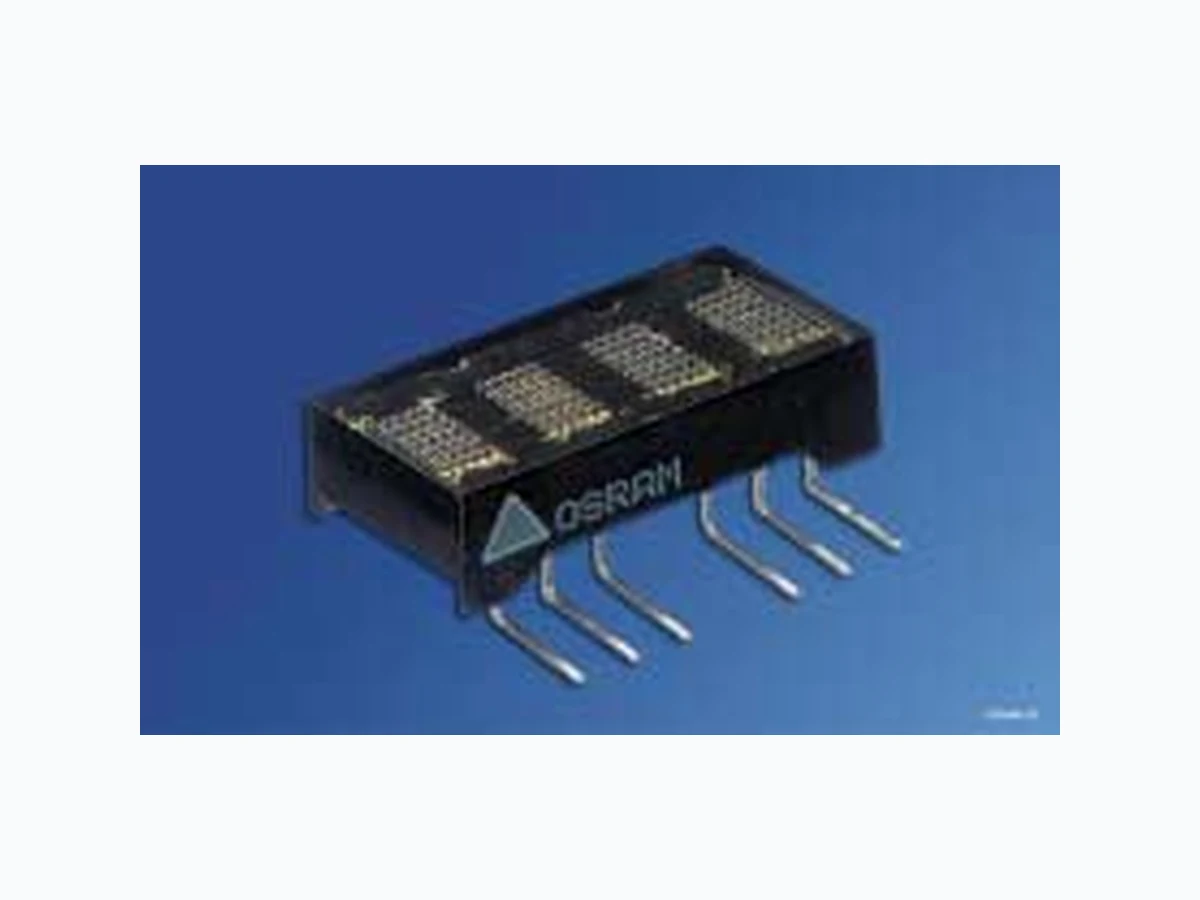
SCE5740 OSRAM
Document overview
- Manufacturer or author: Provided By www.digicamel.com(FREE DATASHEET DOWNLOAD SITE)
- PDF pages: 16
Technical content
0.180’’ 4-Character 5x7 Dot Matrix Serial Input Dot Addressable Intelligent Display® Devices SCE574xP-SIP SCE574xQ-SIP with right angle bends 2006-03-30 1 Lead (Pb) Free Product / RoHS Compliant Standard Red SCE5740 Yellow SCE5741 Super-red SCE5742 Green SCE5743 High Efficiency Green SCE5744 Orange SCE5745
DESCRIPTION
The SCE574x is a four digit, dot addressable 5 x 7 dot matrix, serial input, alphanumeric Intelligent Display device. The four digits are packaged in a rugged, high quality, optically transparent, plastic 14 pin DIP with 2.54 mm (0.1") pin spacing. The SCE574xP is a SIP version of SCE574x. The SCE574xQ is also a SIP version of the SCE574x but the leads are at right angles to the package so that the part can be mounted vertically. The SIP version parts have only 7 pins. The SIP parts do not have the option of using an external clock. All the electrical descriptions for the SCE574x apply to the SIP versions except the allusions to the external clock. The on-Board CMOS has a 140 bit RAM, one bit associ- ated with one LED, each to generate User Defined Char- acters. In Power Down Mode, quiescent current is < 50 µA. The SCE574x is designed for work with the serial port of most common microprocessors. Data is transferred into the display through the Serial Data Input (DATA), clocked by the Serial Data Clock (SDCLK), and enabled by the Load Input (LOAD). The SCE574x Clock I/O (Clk I/O) and Clock Select (CLK- SEL) pins offer the user the capability to supply a high speed external multiplex clock. This feature can minimize audio in-band interference for portable communication equipment or eliminate the visual synchronization effects found in high vibration environments such as avionic equipment. A divide by 16 prescalar is built into the part and can be accessed by software to reduce the multiplex frequency if a high speed external clock is used. ALSO AVAILABLE WITH OPTIONS (see page 8)
- SCE574xP-SIP SCE574xQ-SIP with right angle bends
FEATURES
Four 4.57 mm (0.180") 5 x 7 Dot Matrix Characters in Red, Y ellow, Super-red, Green, High Efficiency Green, Orange Optimum Display Surface Efficiency (display area to package ratio) High Speed Data Input Rate: 5.0 MHz ROMless Serial Input, Dot Addressable Display Ideal for User Defined Characters Built-in Decoders, Multiplexers and LED Drivers Wide Viewing Angle, X Axis ± 55°, Y Axis ± 55° ATTRIBUTES – 140 Bit RAM for User Defined Characters – Eight Dimming Levels plus eight fine dimming lev - els. – Power Down Model (< 250 mW) – Hardware/Software Clear Functions – External Clock-SCE574x only
SCE5740, SCE5741, SCE5742, SCE5743, SCE5744, SCE5745 Package Outlines Dimensions in mm (inch)
Ordering Information
Type Color of Emission Character Height mm (inch) Ordering Code SCE5740 standard red 4.57 (0.180) Q68100A1369 SCE5741 yellow Q68100A1370 SCE5742 super-red Q68100A1371 SCE5743 green Q68100A1372 SCE5744 high efficiency green Q68100A1373 SCE5745 orange Q68100A1374 IDOD5006 10.16 (0.400) 19.91 (0.784) 4.57 (0.180) ±0.38 (0.015)
SCE5740, SCE5741, SCE5742, SCE5743, SCE5744, SCE5745 2006-03-30 3 Maximum Ratings Parameter Symbol Value Unit Operating temperature range Top – 40 … + 85 °C Storage temperature range Tstg – 40 … + 100 °C DC Supply Voltage VCC -0.5 to + 7.0 V Input Voltage Levels Relative to GND -0.5 to VCC +0.5 V Solder Temperature 1.59 mm (0.063“) below seating plane, t < 5.0 s TS 260 °C Relative Humidity 85 % ESD (100 pF, 1.5 kΩ) VZ 2.0 kV Input Current 130 mA Maximum Number of LEDs on at 100% Brightness 64 Maximum Power Dissipation 0.6 W Optical Characteristics at 25°C (VCC=5.0 V at 100% brightness level, viewing angle: X axis ± 55°, Y axis ± 65°) Description Symbol Values Unit Red SCE5740 Yellow SCE5741 Super-red SCE5742 Green SCE5743 High Efficiency Green SCE5744 Orange SCE5745 Luminous Intensity (min.) (typ.) IV 30 150 150 150 180 150 µcd/dot µcd/dot Peak Wavelength (typ.) λpeak 655 583 630 565 568 605 nm Dominant Wavelength (typ.) λdom 639 585 620 573 574 610 nm Notes: 1. Dot to dot intensity matching at 100% brightness is 1.8:1. 2. Displays within a given intensity category have an intensity matching of 1.5:1 (max.).
SCE5740, SCE5741, SCE5742, SCE5743, SCE5744, SCE5745 2006-03-30 4 Input/Output Circuits Figures „Inputs“ and „Clock I/O“ show the input and output resis- tor/diode networks used for ESD protection and to eliminate sub- strate latch-up caused by input voltage over/under shoot. Inputs Clock I/O (SCE574X only) Electrical Characteristics (over operating temperature) Parameter Min. Typ. Max. Units Conditions VCC 4.5 5.0 5.5 V — ICC (Power Down) 1) 2) — — 50 µA VCC=5.0 V, all inputs=0 V or VCC ICC 4 digits 20 dots/character3) 90 115 130 mA VCC=5.0 V, “#” displayed in all 4 digits at 100% brightness at 25°C IIL Input current — — –10 µA VCC=5.0 V, VIN=0 (all inputs) IIH Input current — — 10 µA VCC=VIN=5.0 V (all inputs) VIH 3.5 — — V VCC=4.5 V to 5.5 V VIL — — 1.5 V VCC=4.5 V to 5.5 V Row Multiplex Rate 375 768 1086 Hz — θJC-pin — — 45 °C/W — Notes: 1) Unused inputs must be tied high. 2) External oscillator must be stopped. 3) Peak current 5/3 x ICC. Parameter Min. Typ. Max. Units Conditions IOH (CLK I/O) — –28 — mA VCC=4.5 V, VOH=2.4 V IOL (CLK I/O) — 23 — mA VCC=4.5 V, VOL=0.4 V Fext External Clock Input Frequency 120 — 3 MHz VCC=5.0 V, CLKSEL=0 Fosc Internal Clock Input Frequency 120 — 347 kHz VCC=5.0 V, CLKSEL=1 Clock I/O Bus Loading — — 240 pF — Clock Out Rise Time — — 500 ns VCC=4.5 V, VOH=2.4 V Clock Out Fall Time — — 500 ns VCC=4.5 V, VOH=0.4 V IDCD5021 GND 1 kΩInput CCV VCC 1 KΩ GND input/output
SCE5740, SCE5741, SCE5742, SCE5743, SCE5744, SCE5745 2006-03-30 5 Timing Diagram—Data Write Cycle Timing Diagram—Instruction Cycle Switching Specifications (over operating temperature range and VCC=4.5 V to 5.5 V) Symbol Description Min. Units Symbol Description Min. Units TRC Reset Active Time 600 ns TSDCW Clock Width 70 ns TLDS Load Setup Time 50 ns TLDH Load Hold Time 0 ns TDS Data Setup Time 50 ns TDH Data Hold Time 25 ns TSDCLK Clock Period 200 ns TWR Total Write Time 2.2 µs TBL Time Between Loads 600 ns Note: TSDCW is the minimum time the SDCLK may be low or high. The SDCLK period must be a minimum of 200 ns. SDCLK SDCLKT SDCWT DATA LOAD DST LDST TDH LDHT LOAD LOAD DATA DATA SDCLK SDCLK D0 D1 D2 D3 D4 D5 D6 D7 D0 D1 D2 D3 D4 D5 D6 D7 BLT WRT OR
SCE5740, SCE5741, SCE5742, SCE5743, SCE5744, SCE5745 2006-03-30 6 Top View Dot Matrix Format Pin Assignment Pin Function Pin Function
1 VCC 14 CLK SELECT
2 LOAD 13 no pin
3 DATA 12 no pin
5 SDCLK 10 no pin
6 RST 9 no pin
7 GND 8 CLK I/O
Digit 0 Digit 1 Digit 2 Digit 3 Pins17 Pins14 8 Dimensions in inches (mm) Tolerance: ±0.25 (0.010) 1.14 (0.045) typ. 4.45 (0.175) C1 C2 IDOD5013 6.86 (0.270) C3 C4 Pin Definitions Pin Function Definitions
1 VCC Power supply
2 LOAD Low input enables data clocking into 8-bit
serial shift register. When LOAD goes high, the contents of 8-bit serial Shift Register will be decoded.
3 DATA Serial data input
4 N/C no connection
5 SDCLK for loading data into the 8-bit serial data
6 RST Asynchronous input, when low clears the
Multiplex Counter, Control Word Register, User RAM and Data Register. Control Word Register is set to 100% brightness. The display will be blank.
7 GND Supply ground
8 CLK I/O Outputs master clock or inputs external clock.
9 N/P No pins
10 N/P No pins
11 N/P No pins
12 N/P No pins
13 N/P No pins
14 CLKSEL H=internal clock, L=external clock
Display Column and Row Format C0 C1 C2 C3 C4 Row 0 1 1 1 1 1 Row 1 0 0 1 0 0 Row 2 0 0 1 0 0 Row 3 0 0 1 0 0 Row 4 0 0 1 0 0 Row 5 0 0 1 0 0 Row 6 0 0 1 0 0 1= Display dot „ON“ 0=Display dot „OFF“ Column Data Ranges Row 0 00H to 1FH Row 4 00H to LFH Row 1 00H to LFH Row 5 00H to LFH Row 2 00H to LFH Row 6 00H to LFH Row 3 00H to LFH
SCE5740, SCE5741, SCE5742, SCE5743, SCE5744, SCE5745 2006-03-30 7 Block Diagram Operation of the SCE574x The SCE574x display consists of a CMOS IC containing control logic and drivers for four 5 x 7 characters. These components are assembled in a compact plastic package. Individual LED dot addressability allows the user great freedom in creating special characters or mini-icons. The serial data interface provides a highly efficient interconnection between the display and the mother board. The SCE574x requires only three lines as compared to 14 lines for an equivalent four character parallel input part. The on-board CMOS IC is the electronic heart of the display. The IC accepts decoded serial data, which is stored in the internal RAM. Asynchronously the RAM is read by the character multi- plexer at a strobe rate that results in a flicker free display. Figure „Block Diagram“ (page 7) shows the three functional areas of the IC. These include: the input serial data register and control logic, a 140 bits two port RAM, and an internal multiplexer/display driver. The following explains how to format the serial data to be loaded into the display. The user supplies a string of bit mapped decoded characters. The contents of this string is shown in Figure „Loading Serial Character Data a“ (page 8). Figure „Loading Serial Charac- ter Data b“ (page 8) shows that each character consist of eight 8 bit words. The first word encodes the display character location and the succeeding five bytes are row data. The row data repre sents the status (On, Off) of individual column LEDs. Figure „Load- ing Serial Character Data c“ (page 8) shows that each 8 bit word is formatted to represent Column Data or Character Address. Figure „Loading Serial Character Data d“ (page 8) shows the sequence for loading the bytes of data. Bringing the LOAD line low enables the serial register to accept data. The shift action occurs on the low to high transition of the serial data clock (SDCLK). The least significant bit (D0) is loaded first. After eight clock pulses the LOAD line is brought high. With this transition the OPCODE is decoded. The decoded OPCODE directs D4–D0 to be latched in the Character Address register, stored in the RAM as Column data, or latched in the Control Word register. The control IC requires a minimum 600 ns delay between successive byte loads. IDBD5063 Memory Y Address Decode User RAM Drivers Digit Column 0 to 47 x 20 bits X Address Decode 3-bit Address Register 6-bit Control Word Register Control Word Logic Column 0 to 20 Display 12 3 and Row Drivers Row Control Logic Counter 764 CounterOSC8-bit Serial Register Rows 0 to 6 MUX Rate DATA SDCLK LOAD CLKSEL CLK I/O RST
SCE5740, SCE5741, SCE5742, SCE5743, SCE5744, SCE5745 2006-03-30 8 Loading Serial Character Data Table „Character ’D’“ (page 8) shows the Row Address for the example character “D.” Column data is written and read asynchro- nously from the 140 bit RAM. Once loaded the internal oscillator and character multiplexer reads the data from the RAM. These characters are row strobed with column data as shown in Figures „Row and Columns Locations for a Character ’D’“ (page 8) and „Row Strobing“ (page 9). The character strobe rate is determined by the internal or user supplied external MUX Clock, the IC’s counter and the prescaler. Row and Column Locations for a Character “D” Character 0 Character 1 Character 2 Character 3 352 Clock Cycles, 70.4 µs Example: Serial Clock=5.0 MHz, Clock Period=200 ns Time between Loads LOAD Serial Clock DATA Clock Period D0 D1 D2 D3 D4 D5 D6 D7 11 Clock Cycles, 2.2 µs Time Between Loads 600ns(min) OPCODECharacter Address OPCODEColumn Data D D D D D 11 Clock Cycles, 2.2 µs Character 0 Address Row 0 Column Data Row 1 Column Data Row 2 Column Data Row 3 Column Data Row 4 Column Data Row 5 Column Data Row 6 Column Data 88 Clock Cycles, 17.6 µs Time Between Loads 600ns(min) Character “D” Op code D7 D6 D5 Column Data D4 D3 D2 D1 D0 C0 C1 C2 C3 C4 Hex Row 0 00 0 1 1 110 1E Row 1 00 0 1 0 001 11 Row 2 00 0 1 0 001 11 Row 3 00 0 1 0 001 11 Row 4 00 0 1 0 001 11 Row 5 00 0 1 0 001 11 Row 6 00 0 1 1 110 1E IDXX5183 Row 2 Row 3 Row 4 Row 5 Row 6 01234 On LED Off LED Columns Row 0 Row 1
SCE5740, SCE5741, SCE5742, SCE5743, SCE5744, SCE5745 2006-03-30 9 Row Strobing Multiplexer and Display Driver The four characters are row multiplexed with RAM resident column data. The strobe rate is established by the internal or external MUX Clock rate. The MUX Clock frequency is divided by a 448 counter chain. This results in a typical strobe rate of 768 Hz. By pulling the Clock SEL line low, the display can be operated from an external MUX Clock. The external clock is attached to the CLK I/O connection (pin 8). The maximum external MUX Clock frequency should be limited to 3 MHz. When a high speed external clock is used the frequency can be further divided down by 16 by using the built in prescaler. In the control word format data bit D4 is set high (D4=1). It is not recom- mended to use the prescaler with the internal clock. An asynchronous hardware Reset (pin 6) is also provided. Bring- ing this pin low will clear the Character Address Register, Control Word Register, RAM, and blanks the display. This action leaves the display set at Character Address 0, and the Brightness Level set at 100%. The user can activate four Control functions. These include: LED Brightness Level, IC Power Down, Prescaler, or Display Clear. OPCODEs and six bit words are used to initiate these functions. The OPCODEs and Control Words for the Character Address and Loading Column Data are shown in Tables „Load Character Address“ ( page 10) and „Load Column Data“ (page 10). Control Word Format Columns 1234 Load Row Load Row 0 Columns 01 234 Columns 012 34 Load Row 1 Load Row 2 Load Row 5 ColumnsColumns 0123 40 Columns 1234 01 Load Row 4Load Row 3 Columns IDXX5184 234 012 34 Load Row 6 Basic Instruction Set Instruction Opcode Address/Data Comments LCD 000 D4 D3 D2 D1 D0 Load Column Data LDA 101 X X A2 A1 A0 Load Digit Address SCL 110 PS B3 B2 B1 B0 Software Clear LCWD 111 PS B3 B2 B1 B0 Load Control Word Data IDCW5162 PS 6.6% 100% 27% 40% 20% 13% 53% BrightnessB1 01 0 010 10 1 11 1 Blank Display & Power Down Full Reduce to 12.5% Pre-Scalar MUX Clock/16
0 No Divide
SCE5740, SCE5741, SCE5742, SCE5743, SCE5744, SCE5745 2006-03-30 10 The user can select eight specific LED brightness levels (Table „Display Brightness“ (page 10)) by changing the peak current driv- ing the LEDs. The peak current is varied by varying the ON time of the row drivers. Note that data line 3 is low (logic 0). If dimming is required with finer control between 12.5% brightness and 0.0% brightness, data line 3 can be set high (logic 1). The 12.5% peak current is now the brightness reference (100%-E8) for further dimming and as shown in Table “Display Brightness“ (page 10) eight levels of dimming are provided. For example the hex code EC in Table “Display Brightness“ (page 10) will provide a brightness level 29% lower than the 12.5% brightness level. The SCE574X offers a unique Display Power Down feature which reduces I CC to less than 50 µA. When EFHEX is loaded, as shown in Table „Power Down“ (page 10), the display is set to 0% brightness. When in the Power Down mode data may still be written into the RAM. The display is reactivated by loading a new Brightness Level Control Word into the display. The Software Clear (C0HEX), given in Table „Software Clear“ (page 10), clears the Address Register and the RAM. The display is blanked and the Character Address Register will be set to Char- acter 0. The internal counter and the Control Word Register are unaffected. The Software Clear will remain active until the next data input cycle is initiated. Load Character Address Op code D7 D6 D5 Character Address D4 D3 D2 D1 D0 Hex Operation Load 101 00 0 0 0 A0 Character 0 101 00 0 0 1 A1 Character 1 101 00 0 1 0 A2 Character 2 101 00 0 1 1 A3 Character 3 Load Column Data Op code D7 D6 D5 Column Data D4 D3 D2 D1 D0 Operation Load
000 C0 C1 C2 C3 C4 Row 0
000 C0 C1 C2 C3 C4 Row 1
000 C0 C1 C2 C3 C4 Row 2
000 C0 C1 C2 C3 C4 Row 3
000 C0 C1 C2 C3 C4 Row 4
000 C0 C1 C2 C3 C4 Row 5
000 C0 C1 C2 C3 C4 Row 6
111 00 0 0 0 E0 100% 111 00 0 0 1 E1 53% 111 00 0 1 0 E2 40% 111 00 0 1 1 E3 27% 111 00 1 0 0 E4 20% 111 00 1 0 1 E5 13% 111 00 1 1 0 E6 6.6% 111 00 1 1 1 E7 0.0% Power Down Op code D7 D6 D5 Control Word D4 D3 D2 D1 D0 Hex Operation Level 111 01 1 1 1 EF 0% brightness Software Clear Op code D7 D6 D5 Control Word D4 D3 D2 D1 D0 Hex Operation Level 110 00 0 0 0 C0 CLEAR
SCE5740, SCE5741, SCE5742, SCE5743, SCE5744, SCE5745 2006-03-30 11 Electrical and Mechanical Considerations Thermal Considerations Optimum product performance can be had when the following electrical and mechanical recommendations are adopted. The IC is constructed in a high speed CMOS process, consequently noise on the SERIAL DATA, SERIAL DATA CLOCK, LOAD and RESET lines may cause incorrect data to be written into the serial shift reg- ister. Adhere to transmission line termination procedures when using fast line drivers and long cables (> 10 cm). Good ground and power supply decoupling will insure that ICC (< 400 mA peak) switching currents do not generate localized ground bounce. Therefore it is recommended that each display package use a 0.1 µmF and 0 µF capacitor between VCC and ground. When the internal MUX Clock is being used connect the CLKSEL pin to VCC. In those applications where RESET will not be con- nected to the system’s reset control, it is recommended that this pin be connected to the center node of a series 0.1 µF and 100 kΩ RC network. Thus upon initial power up the RESET will be held low for 10 ms allowing adequate time for the system power supply to stabilize. ESD Protection The input protection structure of the SCE574x provides significant protection against ESD damage. It is capable of withstanding dis- charges greater than 2.0 kV. Take all the standard precautions, normal for CMOS components. These include properly grounding personnel, tools, tables, and transport carriers that come in con tact with unshielded parts. If these conditions are not, or cannot be met, keep the leads of the device shorted together or the parts in anti-static packaging. Soldering Considerations The SCE574x can be hand soldered with SN63 solder using a grounded iron set to 260 °C. Wave soldering is also possible following these conditions: Pre- heat that does not exceed 93°C on the solder side of the PC board or a package surface temperature of 85°C. Water soluble organic acid flux (except carboxylic acid) or rosin-based RMA flux without alcohol can be used. Wave temperature of 245°C ± 5°C with a dwell between 1.5 sec. to 3.0 sec. Exposure to the wave should not exceed temperatures above 260°C for five seconds at 1.59 mm (0.063") below the seating plane. The packages should not be immersed in the wave. Post Solder Cleaning Procedures The least offensive cleaning solution is hot D.I. water (60 °C) for less than 15 minutes. Addition of mild saponifiers is acceptable. Do not use commercial dishwasher detergents. For faster cleaning, solvents may be used. Exercise care in choos- ing solvents as some may chemically attack the nylon package. For further information refer to Appnotes 18 and 19. An alternative to soldering and cleaning the display modules is to use sockets. Naturally, 14 pin DIP sockets 7.62 mm (0.300”) wide with 2.54 mm (0.100") centers work well for single displays. Multi- ple display assemblies are best handled by longer SIP sockets or DIP sockets when available for uniform package alignment. Optical Considerations The 4.57 mm (0.180") high character of the SCE574x gives read - ability up to five feet. Proper filter selection enhances readability over this distance. Using filters emphasizes the contrast ratio between a lit LED and the character background. This will increase the discrimination of different characters. The only limitation is cost. Take into consider ation the ambient lighting environment for the best cost/benefit ratio for filters. Incandescent (with almost no green) or fluorescent (with almost no red) lights do not have the flat spectral response of sunlight. Plas tic band-pass filters are an inexpensive and effective way to strengthen contrast ratios. The SCE5740 is a red display and should be used with long wavelength pass filter having a sharp cut-off in the 600 nm to 620 nm range. The SCE5742 is a super-red display and should be used with long wavelength pass filter having a sharp cut-off in the 570 nm to 600 nm range. The SCE5744 is a high efficiency green display and should be used with long wavelength pass filter that peaks at 565 nm. Additional contrast enhancement is gained by shading the displays. Plastic band-pass filters with built-in louvers offer the next step up in contrast improvement. Plastic filters can be improved further with anti-reflective coatings to reduce glare. Optimal filter enhancements are gained by using circular polar- ized, anti-reflective, band-pass filters. The circular polarizing fur- ther enhances contrast by reducing the light that travels through the filter and reflects back off the display to less than 1%. Several filter manufacturers supply quality filter materials. Some of them are: Panelgraphic Corporation, W. Caldwell, NJ; SGL Homa lite, Wilmington, DE; 3M Company, Visual Products Division, St. Paul, MN; Polaroid Corporation, Polarizer Division, Cambridge, MA; Marks Polarized Corporation, Deer Park, NY , Hoya Optics, Inc., Fremont, CA.One last note on mounting filters: recessing dis plays and bezel assemblies is an inexpensive way to provide a shading effect in overhead lighting situations. Several Bezel manu- facturers are: R.M.F . Products, Batavia, IL; Nobex Components, Griffith Plastic Corp., Burlingame, CA; Photo Chemical Products of California, Santa Monica, CA; I.E.E.-Atlas, Van Nuys, CA. The trade-off is fuzzy characters. Mounting the filters close to the dis play reduces this effect. Take care not to overheat the plastic filter by allowing for proper air flow. Microprocessor Interface The microprocessor interface is through the serial port, SPI port or one out of eight data bits on the eight bit parallel port and also con trol lines SDCLK and LOAD. Power Up Sequence Upon power up display will come on at random. Thus the display should be reset at power-up. The reset will set the Address Regis ter to Digit 0, User RAM is set to 0 (display blank) the Control Word is set to 0 (100% brightness) and the internal counters are reset.
SCE5740, SCE5741, SCE5742, SCE5743, SCE5744, SCE5745 Display Interface to Siemens/Intel 8031 Microprocessor (using serial port in mode 0) Display Interface to Siemens/Intel 8031 Microprocessor (using one bit of parallel port as serial port) Display Interface with Motorola 68HC05C4 Microprocessor (using SPI port) IDCD5027 XTAL2 RxD18 10
19 XTAL1
17P3.7 13P3.3 P3.4 14 8031 TxD 11 SDCLK RST LD GND CLKSEL CLK I/O CCV DATA CCV ID 0.01 µF TAN 22 µF CCV VCC IDCD5028 XTAL2 P3.018 10 0.01 µF TAN 22 µF CCV VCC P1.09 P3.1 11 P3.6 16 P0.0 39 IDCD5029 OSC1 PA038 11
39 OSC2
0.01 µF TAN 22 µF CCV VCC PA29 PA1 10 SCLK 33 MOSI 32
SCE5740, SCE5741, SCE5742, SCE5743, SCE5744, SCE5745 2006-03-30 13 Cascading Multiple Displays using only the SCE574x. Multiple displays can be cascaded using the CLK SEL and CLK I/O pins (Figure „Cascading Multiple Displays using only the SCE574X“ (page 13)). The display designated as the MasterClock source should have its CLK SEL pin tied high and the slaves should have their CLK SEL pins tied low. All CLK I/O pins should be tied together. One display CLK I/O can drive 15 slave CLK I/Os. Use RST to synchro- nize all display counters. Loading Data into the Display Use following procedure to load data into the display: 1. Power up the display. 2. Bring RST low (600 ns duration minimum) to clear the Multi- plex Counter, Address Register, Control Word Register, User Ram and Data Register. The display will be blank. Display brightness is set to 100%. 3. If a different brightness is desired, load the proper brightness opcode into the Control Word Register. 4. Load the Digit Address into the display. 5. Load display row and column data for the selected digit. 6. Repeat steps 4 and 5 for all digits. IDCD5030 RST CLK SEL Intelligent Display CCV DATA SDCLK LOAD 14 more displays in between DATA SDCLK Decoder Address Address Decode 1-14 RST CLK I/O Intelligent Display DATA RST SDCLK CLK I/O LOAD CLK SEL Chip 15A2 LD CE Data Contents for the Word “ABCD” Step D7 D6 D5 D4 D3 D2 D1 D0 Function A B (optional) 1 1 0 1 1 1 00 0 0 0 00 0 0 0 CLEAR 100% BRIGHTNESS 10 1 00 0 0 0 0 0 0 0 0 0 0 0 0 0 0 0 0 0 0 0 00 0 0 0 0 0100 01 0 1 0 10 0 0 1 11 1 1 1 1 0001 1 0001 10 0 0 1 DIGIT D0 SELECT ROW 0 (A) ROW 1 (A) ROW 2 (A) ROW 3 (A) ROW 4 (A) ROW 5 (A) ROW 6 (A) 1 0 1 00 0 0 0 0 0 0 0 0 0 0 0 0 0 0 0 0 0 0 0 0 0001 1 1111 1 0001 10 0 0 1 11 1 1 0 10 0 0 1 10 0 0 1 11 1 1 1 DIGIT D1 SELECT ROW 0 (B) ROW 1 (B) ROW 2 (B) ROW 3 (B) ROW 4 (B) ROW 5 (B) ROW 6 (B) 1 0 1 0 0 0 0 0 0 0 0 0 0 0 0 0 0 0 0 0 0 0 0 0 00 0 1 0 0 0111 0 1000 10 0 0 0 10 0 0 0 1 0000 01 0 0 0 00 1 1 1 DIGIT D2 SELECT ROW 0 (C) ROW 1 (C) ROW 2 (C) ROW 3 (C) ROW 4 (C) ROW 5 (C) ROW 6 (C) 1 0 1 0 0 0 0 0 0 0 0 0 0 0 0 0 0 0 0 0 0 0 0 0 0 0011 11 1 1 0 10 0 0 1 1 0001 10 0 0 1 10 0 0 1 1 0001 1 1110 DIGIT D3 SELECT ROW 0 (D) ROW 1 (D) ROW 2 (D) ROW 3 (D) ROW 4 (D) ROW 5 (D) ROW 6 (D)
SCE5740, SCE5741, SCE5742, SCE5743, SCE5744, SCE5745 Detail Drawing of SCE574x Dimensions in inch (mm) Pin Functions for SCE574x Pin # Function Pin # Function Top View Typical Character
1 VCC 6 RESET
2 Load 7 GROUND
3 Data 8 CLK I/O
4 No Pin 9—13 No Pins
5 SDCLK 14 CLK
inches (mm) Tolerance: .XXX = ±.010 (.25) IDOD5007 19.91 (0.784) 4.57 (0.180) 5.08 (0.200) ±0.05 (0.002) 0.3 (0.012) 3.81 (0.150) SCE574X Z OSRAM XXYY V 0.46 (0.018) Non cumulative Pin 1 Indicator Part Number Date Code EIA Luminous Intensity Code 3 pl. IDPA5107 Pin 1 Pin 7 Pin 14 Pin 8 IDOD5008 0.71 (0.028) 0.56 (0.022)
SCE5740, SCE5741, SCE5742, SCE5743, SCE5744, SCE5745 2006-03-30 15 IDOD5011 0.71 (0.028) 0.56 (0.022) IDOD5011 0.71 (0.028) 0.56 (0.022) IDOD5011 0.71 (0.028) 0.56 (0.022) Detail Drawing of SCE574xP (SIP configuration) Dimensions in inch (mm) Detail Drawing of SCE574xQ (SIP configuration with right angle bend Dimensions in inch (mm)) Pin Functions for SCE574xP and SCE574xQ Pin # Function Top View Typical Character
1 VCC
2 Load
3 Data
4 No Pin
5 SDCLK
6 RESET
7 GND
10.16 (0.400) 19.91 (0.784) 4.57 (0.180) 2.54 (0.100) 4 pl. 5 (0.197) 3 pl. 5.08 (0.200) 0.3 (0.012) 6 pl. 3.81 (0.150) SCE574XP Z OSRAM XXYY V 0.46 (0.018) 8 pl. 2.54 (0.100) 4 pl. Tol. Non Accum. Pin 1 Indicator Part Number Date Code EIA Luminous Intensity Code 5.08 (0.200) 1.22 (0.048) Unless otherwise specified, tolerance on dimensions is ±0.25 (0.010) IDOD5010 10.16 (0.400) 19.91 (0.784) SCE574XQ Z OSRAM XXYY V Pin 1 Indicator Number EIA Luminous Intensity Code Unless otherwise specified, 0.46 (0.018) 6 pl. Tol. Non Accum. Date Code 3.81 (0.150) 5.08 (0.200) 3 pl. 4.57 (0.180) 2.54 (0.100) 4 pl. Part tolerance on dimensions is ±0.25 (0.010) IDPA5108 Pin 1 Pin 7 IDOD5011 0.71 (0.028) 0.56 (0.022)
SCE5740, SCE5741, SCE5742, SCE5743, SCE5744, SCE5745 Published by OSRAM Opto Semiconductors GmbH Wernerwerkstrasse 2, D-93049 Regensburg www.osram-os.com © All Rights Reserved. Attention please! The information describes the type of component and shall not be considered as assured characteristics. Terms of delivery and rights to change design reserved. Due to technical requirements components may contain dangerous substances. For information on the types in question please contact our Sales Organization. If printed or downloaded, please find the latest version in the Internet. Packing Please use the recycling operators known to you. We can also help you – get in touch with your nearest sales office. By agreement we will take packing material back, if it is sorted. You must bear the costs of transport. For packing material that is returned to us unsorted or which we are not obliged to accept, we shall have to invoice you for any costs incurred. Components used in life-support devices or systems must be expressly authorized for such purpose! Critical components1) may only be used in life-support devices or systems2) with the express written approval of OSRAM OS. 1) A critical component is a component used in a life-support devi ce or system whose failure can reasonably be expected to cause t he failure of that life-support device or system, or to affect its safety or the effectiveness of that device or system. 2) Life support devices or systems are intended (a) to be implanted in the human body, or (b) to support and/or maintain and susta in human life. If they fail, it is reasonable to assume that the health and the life of the user may be endangered. Revision History: 2006-03-30 Previous Version: 2005-01-10 Page Subjects (major changes since last revision) Date of change all Lead free device 2006-01-23