
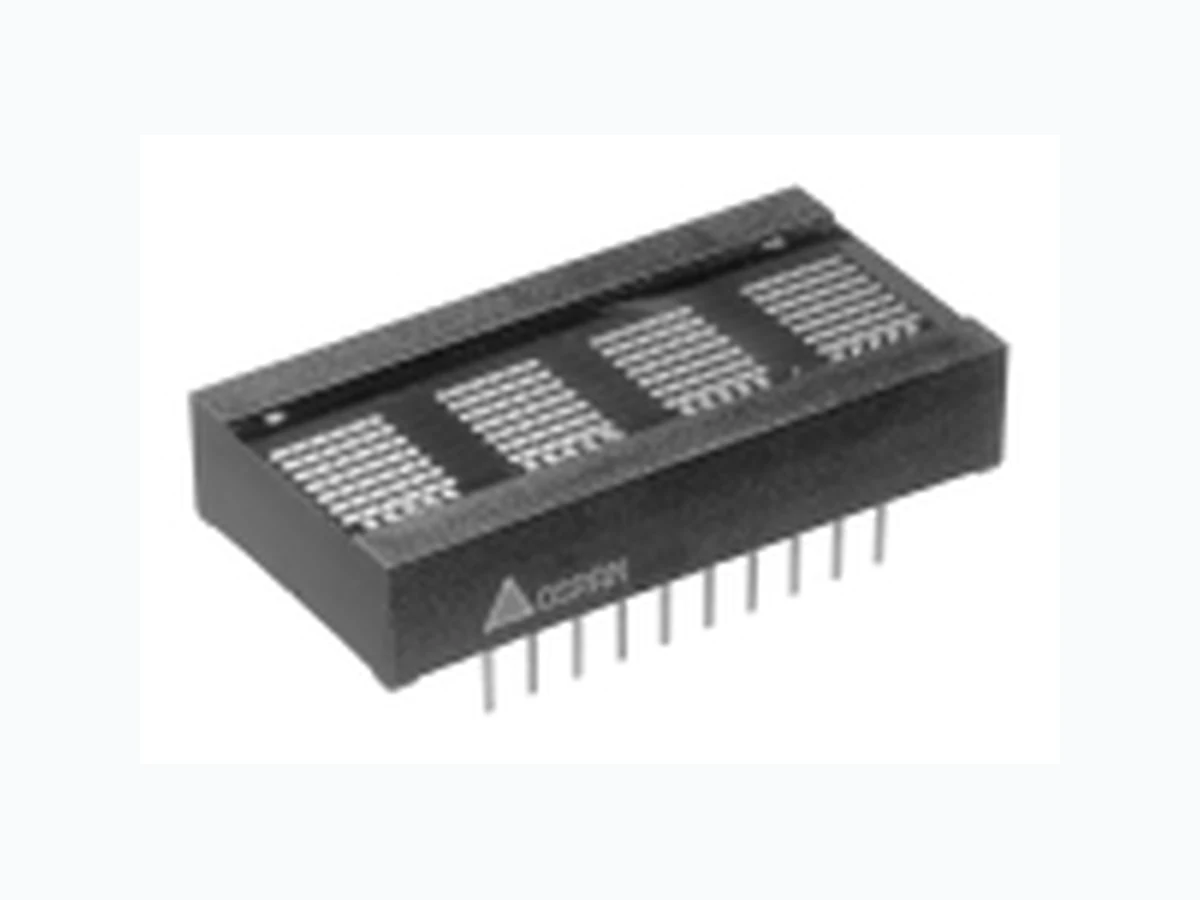
PD2435 OSRAM
Document overview
- Manufacturer or author: Provided By www.digicamel.com(FREE DATASHEET DOWNLOAD SITE)
- PDF pages: 11
Technical content
2001 OSRAM Opto Semiconductors Inc.• San Jose, CA www.infineon.com/opto • 408-456-4000 OSRAM Opto Semiconductors GmbH & Co. OHG • Regensburg, Germany www.osram-os.com • +49-941-202-7178 1 July 5, 2001-14 HER PD2435/PD3535/PD4435 RED PD2436/PD3536/PD4436 BRIGHT GREEN PD2437/PD3537/PD4437 0.200" Character, PD2435/6/7 0.270" Character, PD3535/6/7 0.45" Character, PD4435/6/7 4-Character 5 x 7 Dot Matrix Alphanumeric Programmable Display™ with Built-in CMOS Control Functions
FEATURES
- Four Dot Matrix Characters in High Efficiency Red, Red, and Bright Green – PD2435/6/7, 0.200" High – PD3535/6/7, 0.270" High – PD4435/6/7, 0.45" High
- Built-in Memory, Decoders, Multiplexer and Drivers
- Wide Viewing Angle, X Axis ±55 , Y Axis ±65
- Categorized for Luminous Intensity
- 128 Character ASCII Format (Upper and Lower Case Characters)
- 8 Bit Bidirectional Data BUS
- READ/WRITE Capability
- Dual In-Line Package Configuration, 0.600" Wide, 0.100" Pin Centers
- End-Stackable Package PD243X PD353X PD443X
- Internal or External Clock
- Built-in Character Generator ROM
- TTL Compatible
- Easily Cascaded for Multidisplay Operation
- Less CPU Time Required
- Software Controlled Features: – Programmable Highlight Attribute (Blinking, Non-Blinking) – Asynchronous Memory Clear Function – Lamp Test – Display Blank Function – Single or Multiple Character Blinking Function – Programmable Intensity Three Brightness Levels
- Extended Operating Temperature Range: – PD243X, PD353X: –40 C to +85 C – PD443X: –40 C to +70 C
2001 OSRAM Opto Semiconductors Inc.• San Jose, CA PD2535/6/7, PD3535/6/7, PD4435/6/7 www.infineon.com/opto • 408-456-4000 OSRAM Opto Semiconductors GmbH & Co. OHG • Regensburg, Germany www.osram-os.com • +49-941-202-7178 2 July 5, 2001-14
DESCRIPTION
These Programmable Displays are four digit display sys- tem modules. The characters are 0.20" by 0.14" (PD443X) 5 x 7 dot matrix arrays constructed with the latest solid state technology in light emitting diodes. Driving and controlling the LED arrays is a silicon gate CMOS integrated circuit. This integrated circuit provides all necessary LED drivers and complete multiplexing control logic. Additionally, the IC has the necessary ROM to decode
128 ASCII alphanumeric characters and enough RAM to
store the display’s complete four digit ASCII message with special attributes. These attributes, all software programmable at the user’s discretion, include a lamp test, brightness control, displaying cursors, alternating cursors and characters, and flashing cursors or charac- ters. The CMOS IC also incorporates special interface control circuitry to allow the user to control the module as a fully supported microprocessor peripheral. The module, under internal or external clock control, has asynchro- nous read, write, and memory clear over an eight bit par- allel, TTL compatible, bi-directional data bus. Each module is fully encapsulated within a package 1.0" x 0.7" x 0.82" x 0.285" (PD443X). The standard 20 pin DIP con- struction with two rows spaced at 0.6" on 0.1" centers is wave solderable. See the end of this data sheet or refer to Appnotes 18, 19, 22, and 23 for further details on handling and assem- bling OSRAM Programmable Displays. .700 (17.78) Pin 1 location .125 (3.18) .200 (5.08) PD243X OSRAM YYWW Z Luminous Intensity Code EIA date code .160 ±.020 (4.06 ±.51) .600 (15.24) .200 (5.08) Pin 1 Indicator .050 (1.27) .100 typ. (2.54) .018 x .012 typ. (.46 x .31) 1.000 max. (25.40) .140 (3.56) .070 ±.004 typ. (1.78 ±.10) .250 (6.35) at seating plane and centered on package Tolerance: .XXX=0.02 (.51)at seating plane and centered on package PD3537 OSRAM YYWW Z Luminous Intensity Code .160 ±.020 (4.06 ±.51) .600 typ. (15.24) .285 (7.24) EIA date code Pin 1 Identifier and ESD warning .250 .018 x .012 typ. (.46 x .31) .720 max. (18.29) .175 (4.45) 1.400 max. (35.56) .350 (8.89) typ. .270 typ. (6.86) .200 (5.08) typ. .450 (11.43) Part No. Tolerance: .XXX=0.010 (.25) unless max. at seating plane and centered on package PD4437 OSRAM YYWW Z Luminous Intensity Code .160 ±.020 (4.06 ±.51) .600 typ. (15.24) .285 (7.24) EIA date code Pin 1 Indicator .300 .018 x .012 ±.002 typ. (.46 x .31 ±.05) .820 max. (20.83) .050 (1.27) 1.500 max. (38.1) .375 (9.53) typ. .45 ±.010 (11.43) .270 (6.86) typ. .600 (15.24) Part No. Tolerance: .XXX=0.020 (.51) Dimensions in Inches (mm)
multiplying these values by 7. Figure 2. Timing Characteristics—Data “Write” Cycle
- These waveforms are not edge triggered.
Figure 3. Timing Characteristics—Data “Read” Cycle
0.8 VCE0, CE1
0.8 VTRS TRH
0.8 VTWS TWHWR
Figure 1. Top View
2001 OSRAM Opto Semiconductors Inc.• San Jose, CA PD2535/6/7, PD3535/6/7, PD4435/6/7 www.infineon.com/opto • 408-456-4000 OSRAM Opto Semiconductors GmbH & Co. OHG • Regensburg, Germany www.osram-os.com • +49-941-202-7178 4 July 5, 2001-14 Switching Specifications V CC =4.5 V) Switching Specifications V CC =4.5 V) Notes: Wait 1.0 µ s between any Reads or Writes after writing a Control Word with a Clear (D7=1). Wait 1.0 µ s between any Reads or Writes after Clearing a Control Word with a Clear (D7=0). All other Reads and Writes can be back to back. All input voltages are ( V IL =0.8 V, V IH =2.0 V) Data out voltages are measured with 100 pF on the data bus and the ability to source = –40 µ A and sink=1.6 mA The rise and fall times are 60 ns. V OL =0.4 V, V OH =2.4 V. Write Cycle Timing Parameter Description Specification Minimum –40 C2 5 C8 5 C Units T CLR(1) Clear RAM 1.0 1.0 1.0 µ s T CLRD(1) Clear RAM Disable 1.0 1.0 1.0 µ s T AS Address Setup 10 10 10 ns T CES Chip Enable Setup 000n s T RS Read Enable Setup 10 10 10 ns T DS Data Setup 20 30 50 ns T W Write Pulse 60 70 90 ns T AH Address Hold 20 30 40 ns T DH Data Hold 20 30 40 ns T CEH Chip Enable Hold 000n s T RH Read Enable Hold 20 30 40 ns T ACC Total Access Time = Setup Time + Write Time + Hold Time 90 110 140 ns Read Cycle Timing Parameter Description Specification Minimum –40 C2 5 C8 5 C Units T AS Address Setup 000n s T CES Chip Enable 000n s T WS Write Enable Setup 20 30 40 ns T DD Data Delay Time 100 150 175 ns T R Read Pulse 150 175 200 ns T AH Address Hold 000n s T DH Data Hold 000n s T TRI Time to Tristate (Max. time) 30 40 50 ns T CEH Chip Enable Hold 000n s T WH Write Enable Hold 30 40 50 ns T ACC Total Access Time = Setup Time + Read Time + Time to Tristate 200 245 290 ns T WAIT (1) Wait Time between Reads 000n s
2001 OSRAM Opto Semiconductors Inc.• San Jose, CA PD2535/6/7, PD3535/6/7, PD4435/6/7 www.infineon.com/opto • 408-456-4000 OSRAM Opto Semiconductors GmbH & Co. OHG • Regensburg, Germany www.osram-os.com • +49-941-202-7178 5 July 5, 2001-14 DC Characteristics at 25 C Note: D0 to D7 have no pull-up resistors so current is negligible. Pin Assignments and Definitions Parameter Limits Conditions Min. Typ. Max. Units V CC 4.5 5.0 5.5 Volts Nominal I CC (Blank) — 2.5 3.5 mA V CC =5.0 V, A2=1, all other inputs low. I CC 80 LEDs/unit (100% Bright) PD243X PD353X PD443X 115 145 150 130 165 170 mA mA mA V CC=5.0 V VCC=5.0 V VCC=5.0 V VIL — — 0.8 Volts VCC=4.5 V to 5.5 V VIH 2.0 — — Volts VCC=4.5 V to 5.5 V IIL (except D0 to D7) (1) 25 — 100 µA VCC=4.5 V to 5.5 V, VIN=0.8 V VOL — — 0.4 Volts VCC=4.5 V to 5.5 V VOH 2.4 — — Volts VCC=4.5 V to 5.5 V IOH –8.9 — — mA VCC=4.5 V, VOH=2.4 V IOL 1.6 — — mA VCC=4.5 V, VOL=0.4 V Data I/O Bus Loading — — 100 pF — Clock I/O Bus Loading — — 240 pF — Pin Function Definition 1R D Active low, will enable a processor to read all registers in the display.
2 CLK I/O If CLK SEL (pin 3) is low, then expect
an external clock source into this pin. If CLK SEL is high, then this pin will be the master or source into this pin. If CLK SEL is high, then this pin will be the master or source for all other devices which have CLK SEL low.
3 CLKSEL
CLOCK SELECT determines the action of pin 2. CLK I/O, see the sec- tion on Cascading for an example.
4 RST
Reset. Used to synchronize blinking. Will not clear the display. The reset pulse should be less than 1 ms 5 CE1 Chip enable (active high).
6 CE0
Chip enable (active low). 7 A2 Address input (MSB). 8 A1 Address input. 9 A0 Address input (LSB). 10 GND Ground. Pin Assignments and Definitions (continued) Pin Function Definition 11 WR Write. Active low. If the device is selected, a low on the write input loads the data into memory. 12 D7 Data Bus bit 7 (MSB). 13 D6 Data Bus bit 6. 14 D5 Data Bus bit 5. 15 D4 Data Bus bit 4. 16 D3 Data Bus bit 3. 17 D2 Data Bus bit 2. 18 D1 Data Bus bit 1. 19 D0 Data Bus bit 0 (LSB). 20 V CC Positive power pin.
ters (indicated by dotted lines). another display in a multiple module array. drivers so no additional logic is required for a display system. The Column Drivers are connected directly to the display. in steps of 0% (Blank), 25%, 50%, and full brightness. pulse as short as possible to avoid displaying a row of lit LEDs. , CE1), and read (RD) and write (WR) lines. operation. CE1 must be held high. enable the data as input lines.
0101100 XXXXXXXX Read Digit 0 Data to Bus
74LS244 for the control lines. Figure 4. Block Diagram Figure 5. Mode Selection
0100 None
1 X X X None
128 Char
2001 OSRAM Opto Semiconductors Inc.• San Jose, CA PD2535/6/7, PD3535/6/7, PD4435/6/7 www.infineon.com/opto • 408-456-4000 OSRAM Opto Semiconductors GmbH & Co. OHG • Regensburg, Germany www.osram-os.com • +49-941-202-7178 7 July 5, 2001-14 There are five registers within the display. Four of these regis- ters are used to hold the ASCII/attribute code of the four dis- play characters. The fifth register is the Control Word, which is used to blink, blank, clear, or dim the entire display, or to change the presentation (attributes) of individual characters. Addressing The addresses within the display device are shown below. Digit 0 is the rightmost digit of the display, while digit 3 is on the left. Although there is only one Control Word, it is duplicated at the four address locations 0–3. Data can be read from any of these locations. When one of these locations is written to, all of them will change together. Bit D7 of any of the display digit locations is used to allow an attribute to be assigned to that digit. The attributes are dis- cussed in the next section. If Bit D7 is set to a one, that charac- ter will be displayed using the attribute. If bit D7 is cleared, the character will display normally. Address Contents A2 A1 A0
0 X X Control Word
1 0 0 Digit 0 (rightmost) 1 0 1 Digit 1 1 1 0 Digit 2 1 1 1 Digit 3 (leftmost) Control Word When address bit A2 is taken low, the Control Word is accessed. The same Control Word appears in all four of the lower address spaces of the display. Through the Control Word, the display can be cleared, the lamps can be tested, display brightness can be selected, and attributes can be set for any characters which have been loaded with their most significant bit (D7) set high. Brightness (D0, D1): The state of the lower two bits of the Control Word are used to set the brightness of the entire dis- play, from 0% to 100%. The table below shows the correspon- dence of these bits to the brightness. X=don't care Attributes (D2–D4): Bits D2, D3, and D4 control the visual attributes (i.e., blinking) of those display digits which have been written with bit D7 set high. In order to use any of the four attributes, the Cursor Enable bit (D4 in the Control Word) must be set. When the Cursor Enable bit is set, and bit D7 in a char- acter location is set, the character will take on one of the fol- lowing display attributes. D7 D6 D5 D4 D3 D2 D1 D0 Operation 00XXXX00 Blank 00XXXX01 25% brightness 00XXXX10 50% brightness 00XXXX11 Full brightness Control Word Format D7 D6 D5 D4 D3 D2 D1 D0 Clear Blink Attributes BrightnessLamp test Attribute enable D7 Clear
0 Standard Operation
1 Clear Entire Display
1 Display All Dots at 50% Brightness
0 Blink Attribute Disabled
1 Blink Entire Display
0 Disable above Attributes
1 Enable above Attributes
0 0 Display Cursor instead of Character 0 1 Blink Character 1 0 Display Blinking Cursor instead of Character 1 1 Alternate Character with Cursor D1 D0 Brightness 0 0 0% (blank) 0 1 25% 1 0 50% 1 1 100%
B=Depends on the selected brightness. by clearing D4 in the Control Word. blinking is independent of the state of D7 in all character locations. described in a later section of this data sheet. (display) memory bits are reset to zero and the display goes blank. reset (D7=0) to set up attributes and brightness levels. with input loading of 15 pF each.
- Determine the correct address for each display.
to ground and use CE1 from an address.
- Select one of the displays to provide the clock for the
- Tie CLKSEL to ground on other displays.
- Use RST to synchronize the blinking between the displays.
Figure 6. Cascading Diagram
2001 OSRAM Opto Semiconductors Inc.• San Jose, CA PD2535/6/7, PD3535/6/7, PD4435/6/7 www.infineon.com/opto • 408-456-4000 OSRAM Opto Semiconductors GmbH & Co. OHG • Regensburg, Germany www.osram-os.com • +49-941-202-7178 9 July 5, 2001-14 How to Load Information Into the Display Information loaded into the display can be either ASCII data or Control Word data. The following procedure (see also Typical Loading Sequence) will demonstrate a typical loading sequence and the resulting visual display. The word STOP is used in all of the following examples. Set Brightness Step 1 Set the brightness level of the entire display to your preference (example: 100%) Load Four Characters Step 2 Load an “S” in the left hand digit. Step 3 Load a “T” in the next digit. Step 4 Load an “O” in the next digit. Step 5 Load a “P” in the right hand digit. If you loaded the information correctly, the display now should show the word “STOP .” Blink a Single Character Step 6 Into the digit, second from the right, load the hex code “CF ,” which is the code for an “O” with the D7 bit added as a control bit. Note: The “O” is the only digit which has the control bit (D7) added to normal ASCII data. Typical Loading Sequence * Blinking character † Character alternating with cursor (all dots lit) CEO CE1 RD WR A2 A1 A0 D7 D6 D5 D4 D3 D2 D1 D0 Display 1 . LH H LLXX00000011 2 . LH H LH H H 01010011S 3 . LH H LH H L01010100S T 4 . LH H LH LH 01001111S T O 5 . LH H LH LL01010000 STOP 6 . LH H LH LH 11001111 STOP 7 . LH H LLXX00010111 STO*P 8 . LH H LH H H 11010011 S*TO*P 9 . LH H LLXX00011111S †TO†P 1 0 . LH H LLXX00100011 S*T*O*P* Step 7 Load enable blinking character into the control word register. The display should show “STOP” with a flashing “O”. Add Another Blinking Character Step 8 Into the left hand digit, load the hex code “D3” which gives an “S” with the D7 bit added as a control bit. The display should show “STOP” with flashing “O” and a flashing “S.” Alternate Character/Cursor Enable Step 9 Load enable alternate character/cursor into the control word register. The display now should show “STOP” with the “O” and the “S” alternating between the letter and cursor (all dots lit). Initiate Four Character Blinking (Regardless of Control Bit setting) Step 10 Load enable display blinking. The display now should show the entire word “STOP” blinking.
ommended to avoid overstressing these built-in safeguards. devices or assemblies should also be appropriately grounded. persist (latched) until device failure or the device is turned off. and Power Down sequence should be observed.
- Float all active signals by tri-stating inputs to displays.
- Apply active signals to the displays by enabling all input
Figure 7. Character Set
- A2 must be held high for ASCII data.
- Bit D7=1 enables attributes for the
- Float all active signals by tri-stating the inputs to the display.
- Turn off the power to the display.
flux without alcohol can be used.
2001 OSRAM Opto Semiconductors Inc.• San Jose, CA PD2535/6/7, PD3535/6/7, PD4435/6/7 www.infineon.com/opto • 408-456-4000 OSRAM Opto Semiconductors GmbH & Co. OHG • Regensburg, Germany www.osram-os.com • +49-941-202-7178 11 July 5, 2001-14 Incandescent (with almost no green) or fluorescent (with almost no red) lights do not have the flat spectral response of sunlight. Plastic band-pass filters are inexpensive and effective in optimizing contrast ratios. The PD2435/3535/4435 is high efficiency red display and should be matched with a long wavelength pass filter in the 570 nm to 590 nm range. The PD2436/3536/4436 is a standard red display and should be matched with a long wavelength pass filter in the 600 nm to 620 nm range. The PD2437/3537/4437 should be matched with a yellow-green band-pass filter that peaks at 565 nm. For displays of multiple colors, neutral density grey filters offer the best compromise. Additional contrast enhancement can be gained through shad- ing the displays. Plastic band-pass filters with built-in louvers offer the “next step up” in contrast improvement. Plastic filters can be further improved with anti-reflective coatings to reduce glare. The trade-off is “fuzzy” characters. Mounting the filters close to the display reduces this effect. Care should be taken not to overheat the plastic filters by allowing for proper air flow. Optimal filter enhancements for any condition can be gained through the use of circular polarized, anti-reflective, band-pass filters. The circular polarizing further enhances contrast by reducing the light that travels through the filter and reflects back off the display to less than 1%. Proper intensity selection of the displays will allow 10,000 foot candle sunlight viewability. Several filter manufacturers supply quality filter materials. Some of them are: Panelgraphic Corporation, W. Caldwell, NJ; SGL Homalite, Wilmington, DE; 3M Company, Visual Products Division, St. Paul, MN; Polaroid Corporation, Polarizer Division, Cambridge, MA; Marks Polarized Corporation, Deer Park, NY; Hoya Optics, Inc., Fremont, CA. One last note on mounting filters: recessing display and bezel assemblies is an inexpensive way to provide a shading effect in overhead lighting situations. Several Bezel manufacturers are: R.M.F . Products, Batavia, IL; Nobex Components, Griffith Plas- tic Corp., Burlingame, CA; Photo Chemical Products of Califor- nia, Santa Monica, CA; I.E.E.Atlas, Van Nuys, CA. See Appnote 23. Post Solder Cleaning Procedures The least offensive cleaning solution is hot D.l. water (60°C) for less than 15 minutes. Addition of mild saponifiers is acceptable. Do not use commercial dishwasher detergents. For faster cleaning, solvents may be used. Carefully choose the solvents as some may chemically attack the package. Maxi- mum exposure should not exceed two minutes at elevated temperatures. Acceptable solvents are: TF (trichlorotrifluoroet- hane), TA, 111 Trichloroethane, and unheated acetone. (1) Note: 1) Acceptable commercial solvents are: Basic TF Arklone P . Genesolv D, Genesolv DA, BlacoTron TF , Blaco-Tron TA and, Freon TA. Do not use solvents containing alcohol, methanol, methylene chloride, ethanol, TP35, TCM, TMC, TMS+, TE, and TES. Since many commercial mixtures exist, you should contact your pre- ferred solvent vendor for chemical composition information. Some major solvent manufacturers are: Allied Chemical Corpo- ration, Specialty Chemical Division, Morristown, NJ; Baron- Blakeslee, Chicago, IL; Dow Chemical, Midland, Ml; E.l. DuPont de Nemours & Co., Wilmington, DE. For further information refer to Appnotes 18 and 19. An alternative to soldering and cleaning the display modules is to use sockets. Naturally, 20 pin DIP sockets 0.600" wide with 0.100" centers work well for single displays. Multiple display assemblies are best handled by longer SIP sockets or DIP sockets when available for uniform package alignment. Socket manufacturers include: Aries Electronics, Inc., Frenchtown, NJ; Garry Manufacturing, New Brunswick, NJ; Robinson- Nugent, New Albany, IN; and Samtec Electronic Hardware, New Albany, IN. For further information refer to Appnote 22. Optical Considerations The character heights of these displays allows readability up to eight feet. Proper filter selection allows the user to build a dis- play that can be used over this distance. Filters allow the user to enhance the contrast ratio between a lit LED and the character background. This will maximize dis- crimination of different characters as perceived by the display user. The only limitation is cost. So first consider the ambient lighting environment to maximize the cost benefit ratio for using filters.