
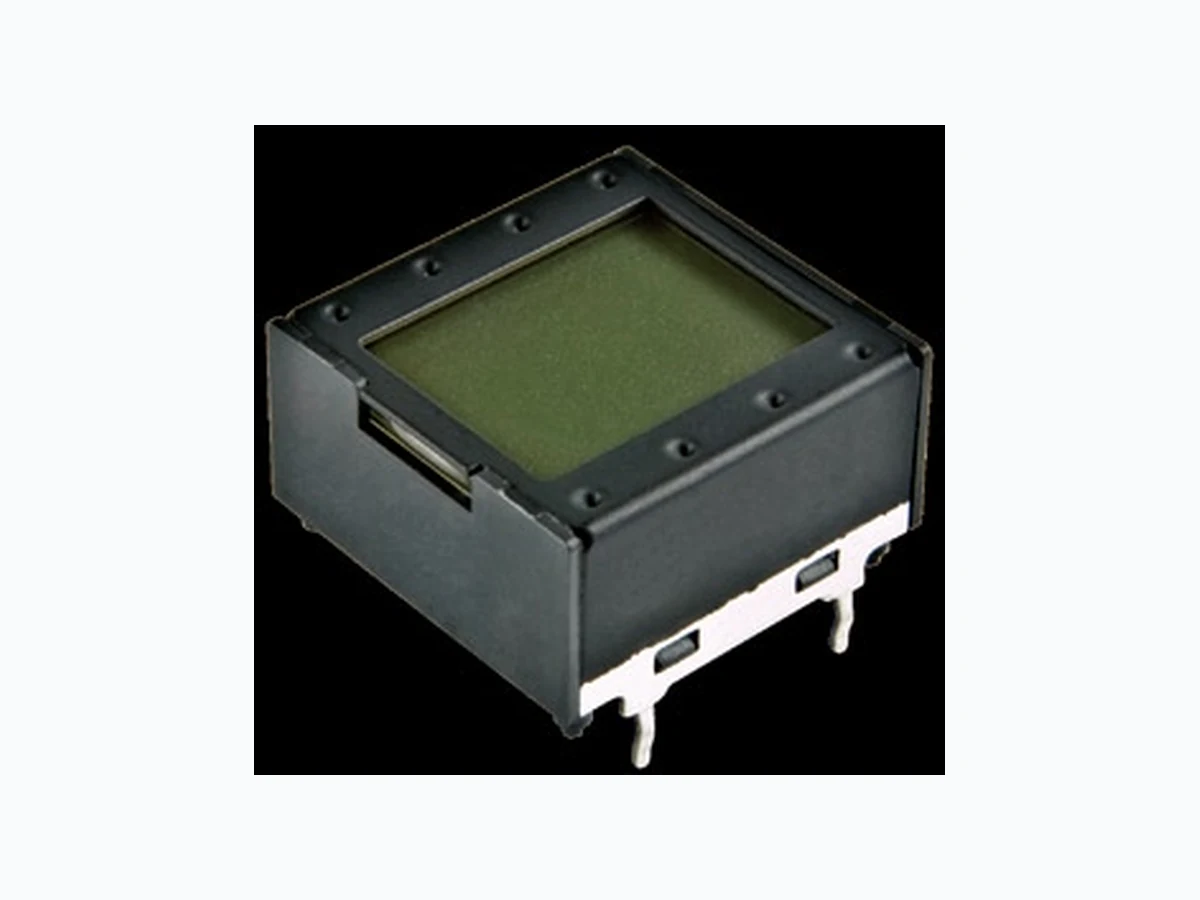
IS01DBFRGB ETC2
Document overview
- Manufacturer or author: Provided By www.digicamel.com(FREE DATASHEET DOWNLOAD SITE)
- PDF pages: 6
Technical content
IS01DBFRGB Version (1) NKK Switches • email: smartswitch@nkkswitches.com • Phone (480) 991-0942 • Fax (480) 998-1435 • www.nkksmartswitch.com 2 DISTINCTIVE CHARACTERISTICS
- High resolution of 64 x 32 pixels
- 64 colors of backlighting can be controlled dynamically
- Display with LCD, RGB LED backlighting
- General brightness of backlight is dynamically controlled in eight steps from dark to bright
- Operated by commands and data supplied via serial communications (SPI)
- Can display as many as four lines of text with ten characters each
- Incorporates bitmap display function
- Programmable display graphics for alphanumeric characters and animated sequences
- Dual image VRAM for quick change of displayed images
- Low energy consumption
- Dust tight construction Viewing area: 13.9mm x 10.6mm (horizontal x vertical) Bracket has crimped legs to ensure secure PC mounting and prevent dislodging during wave soldering Actual Size
NKK Switches • email: smartswitch@nkkswitches.com • Phone (480) 991-0942 • Fax (480) 998-1435 • www.nkksmartswitch.com 3 LCD SPECIFICATIONS Characteristics of Display Display Operation Mode FSTN positive; background colors, black & white Display Condition Transflective with built-in LED backlight Viewing Angle Direction 6 o’clock Viewing Area 13.9mm x 10.6mm (horizontal x vertical) Pixel Format 64 x 32 pixels (horizontal x vertical) Pixel Size 0.18mm x 0.24mm (horizontal x vertical) *Operating Temperature Range –15°C ~ +50°C (+5°F ~ +122°F) Storage Temperature Range –20°C ~ +60°C (–4°F ~ +140°F) Backlight LED RGB: red/green/blue * In a low temperature environment (below 0°C), speed and contrast decrease when image changes. The non-indicator dot may become dense in a high temperature environment (about +50°C). Absolute Maximum Ratings Items Symbols Ratings Supply Voltage VDD –0.3V to +7.0V Input Voltage VI –0.3V to VDD +0.3V Output Voltage VO –0.3V to VDD +0.3V Recommended Operating Conditions Items Symbols Minimum Typical Maximum Supply Voltage VDD 4.9V 5.0V 5.1V Input Voltage VI 0V –– VDD SPI Clock Frequency fSCK –– –– 8MHz Current Consumption IDD 10mA –– * 50mA 10mA: Backlighting LED is off * 50mA: Backlighting LEDs (Red, Green, Blue) are maximum brightnessOptical Characteristics (Temperature at 25°C) Items Symbols Min Typical Max Contrast Ratio Cr –– 3.0 –– Viewing Angle (Cr ≥ 1.1) DISPLAY DESCRIPTION Terminals LCD Mode LED Color LCD/LED Straight PC Black & White FSTN Positive Red/Green/Blue
NKK Switches • email: smartswitch@nkkswitches.com • Phone (480) 991-0942 • Fax (480) 998-1435 • www.nkksmartswitch.com 4 BLOCK DIAGRAM & PIN CONFIGURATIONS TYPICAL DISPLAY DIMENSIONS (17.2) .677 (10.7) .421 (17.8) .701 (14.4) .567 (12.78) .503 See Pixel Detail (13.9) .547 (8.3) .327 (10.6) .417 (9.9) .390 (3.0) .118 (16.8) .661 (0.4) .016 Typ (0.5) .020 Sq Typ (0.7) .028 (4.0) .157 (1.3) .051 (2.0) .079 Typ (2.0) .079 (15.0) .591 (14.7) .579 (0.65) .026 (10.0) .394 Typ(3.1) .122 Key CL (2.0) .079 Typ (2.0) .079 (15.0) .591 (14.7) .579 (10.0) .394 (3.1) .122 (4.0) .157 (16.8) .661 (0.9) .035 (0.9) .035 4x (0.8) .031 Dia DiaDia 56FootprintPixel Detail Terminal numbers are not on the device. Pin No. Symbol Name Function SCK Serial Clock Clock line for SPI that synchronizes commands and data SS Slave Select Chip select for SPI; line is active low SDO Data Out Data output line for SPI SDI Data In Data input line for SPI GND Ground VDD Power Power source for logic circuit and LCD6 DDV Shift Register 64bit 64 x 32 Dot Matrix Common Driver Shift Register 32bit LCD Panel Red Green Blue Display Controller Backlight LED 5GND SCK 1 SPI 2SS SDI 4 SDO Segment Driver RAM #1 256Byte RAM #2 256Byte LED Driver (0.02) .0008 (0.18) .007 Typ (0.24) .009 High Resolution SMARTDISPLAY TM with RGB LED and Black and White LCD Mode
NKK Switches • email: smartswitch@nkkswitches.com • Phone (480) 991-0942 • Fax (480) 998-1435 • www.nkksmartswitch.com 5 SPI Timing Chart (SS Using) SPI Timing Chart (SS Low Level Fixed) SDI and SCK shall be kept high when idle. ts SS tcyc CK thw CK th SS ts DI th DI td DO D7 D6 D5 D4 D3 D2 D1 D0 D7 D6 D5 D4 D3 D2 D1 D0 SS SCK SDI SDO tcyc CK thw CK ts DI th DI D7 D6 D5 D4 D3 D2 D1 D0 td DO D7 D6 D5 D4 D3 D2 D1 D0 SS SCK SDI SDO Low Circuit Example TIMING SPECIFICATIONS SPI Characteristics (See Timing Diagram) (Temperature at –15°C ~ +50°C and V DD = 5.0V ± 2%) Items Symbols Minimum Maximum SPI_SS Set Up Time ts SS 10ns SPI_SS Hold Time th SS 10ns SPI_CLK Cycle tcyc CK 8MHz SPI_CLK Width thw CK 10ns SPI_DI Set Up Time ts DI 10ns SPI_DI Hold Time th DI 10ns SPI_DO Delay Time td DO 10ns SCK SDI SS SCK SDI SS IS_2IS_1 SCK SDI SS IS_3 SCK SDI SS IS_6 SCK SDI SS IS_5 SCK SDI SS IS_4 SCK SDI SS IS_7 SCK SDI SS IS_8 SCK SDI SS IS_9 DATA_1 DATA_2 DATA_3 CLK_1 CLK_2 CLK_3 BITMAP Segment Common 1 2 3 4 5 6 7 8 9 • • • 16 • • • • • 49 • • • 56 57 58 59 60 61 62 63 64 Byte8 Byte7 • • • Byte2 Byte1 COM1 D0 D1 D2 D3 D4 D5 D6 D7 D0 • • • D7 • • • D0 • • • D7 D0 D1 D2 D3 D4 D5 D6 D7 Byte16 Byte9 COM2 D0 D1 D2 D3 D4 D5 D6 D7 D0 D1 D2 D3 D4 D5 D6 D7
- • •
- • •
- • • COM32 D0 D1 D2 D3 D4 D5 D6 D7 D0 D1 D2 D3 D4 D5 D6 D7 Transferring Display Data/Displaying LCD Command and Data Sequence Command Data (256 Bytes) 0 x 55 Byte1 Byte2 • • • Byte255 Byte256 0 1 0 1 0 1 0 1 D7 D6 D5 D4 D3 D2 D1 D0 D7 D6 • • • D1 D0 D7 D6 D5 D4 D3 D2 D1 D0 Notes: Display RAM has two screen areas. The first area is for the display on current LCD; the second area is for the data to be displayed next. The screens are changed when the second area is fully stored.
NKK Switches • email: smartswitch@nkkswitches.com • Phone (480) 991-0942 • Fax (480) 998-1435 • www.nkksmartswitch.com 6 COMMANDS & DATA Transferring Display Data/Displaying on LCD Command Data RemarksHex Binary 0 x 55 01010101 256 Bytes (64 x 32 = 2,048 bits) See below for details of bitmap data LED (Backlight) Color Set Command Data RemarksHex Binary R R G G B B 1 1 2 bits x 3 For each of RGB: 0 x 40 01000000 00 = off 01 = 1/4 10 = 1/2 11 = full LED (Backlight) Brightness Set Command Data RemarksHex Binary For leading 3bits: 0 x 41 01000001 * * * 1 1 1 1 1 3 bits 000 = 1/20 (dark) 001 = 1/10 010 = 1/7 011 = 1/5 100 = 1/3 101 = 1/2 110 = 2/3 111 = full (bright) Reset (Returning to Initial Status at Power Activation) Command Data Remarks Hex Binary 0 x 5E 01011110 00000011 Returning to initial status at power activation
- Transferring display data/displaying on LCD: command (1 Byte) + data (256 Bytes)
- Others: command (1 Byte) + data (1 Byte)
- Commands can be accepted only when all bits coincide; otherwise, they are not acknowledged
- Additional commands will not be received until the communication of commands (1 Byte) and data (256 or 1 Byte) is completed
- There is no time limit from the beginning to end of data receipt
- Commands may be executed consecutively (no need to wait between commands)
- Irregular commands or data are not recognized
- Initial status at power activation: LCD display off, LED off (brightness 1/20, color off)
NKK Switches • email: smartswitch@nkkswitches.com • Phone (480) 991-0942 • Fax (480) 998-1435 • www.nkksmartswitch.com 7 Handling 1. The IS Series devices are electrostatic sensitive. 2. The IS series devices are not process sealed. 3. If the LCD is accidentally broken, avoid contact with the liquid and wash off any liquid spills to the skin or clothing. 4. Clean cap surface with dry cloth. If further cleaning is needed, wipe with dampened cloth using neutral cleanser and dry with clean cloth. Do not use organic solvent. 5. Recommended soldering time and temperature limits: 5 seconds maximum @ 270°C maximum 6. Do not exceed 60°C at the LCD level. Storage 1. Store in original container and away from direct sunlight. 2. Keep away from static electricity. 3. Avoid extreme temperatures, high humidity, gaseous substances, and all forms of chemical contamination. PRECAUTIONS FOR HANDLING & STORAGE OF LCD DEVICES ATTENTION ELECTROST ATIC SENSITIVE DEVICES