
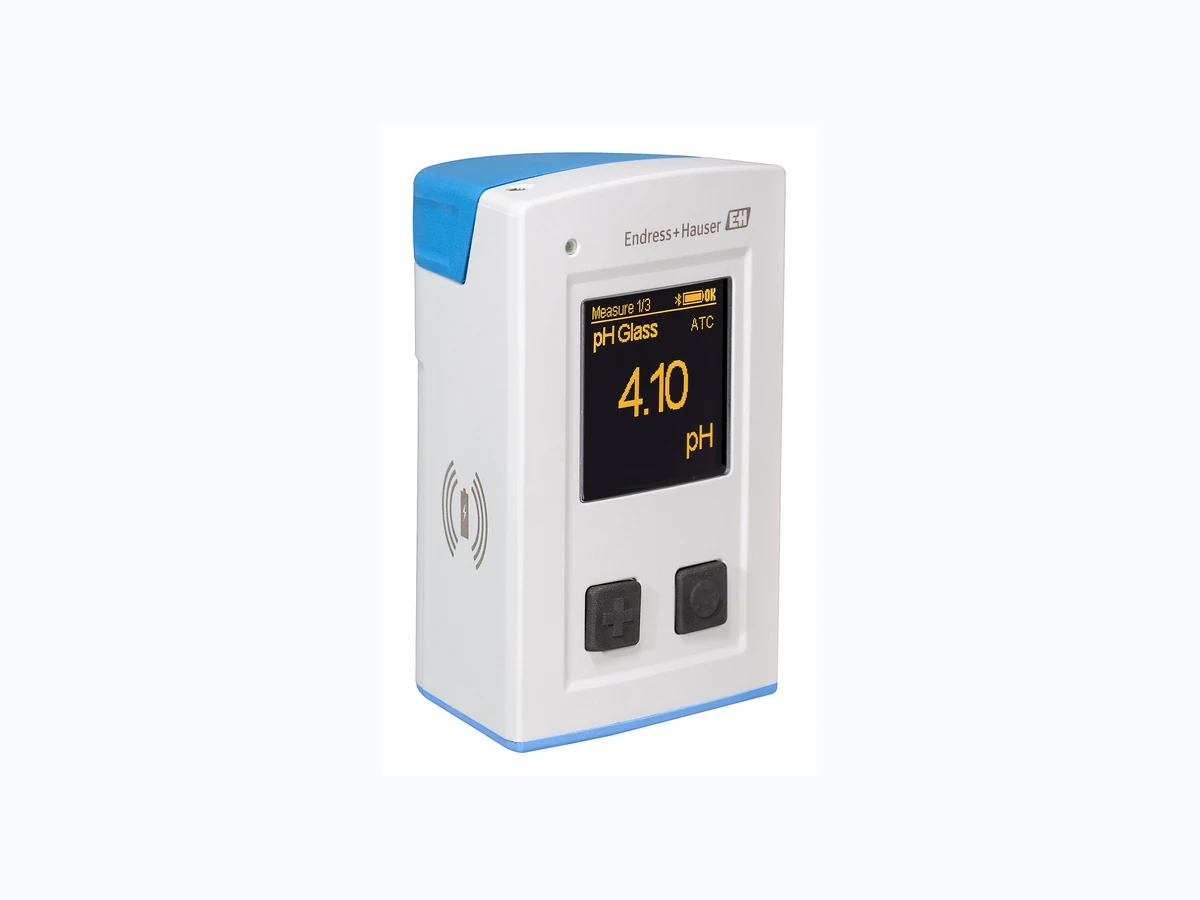
CML18 EH
Document overview
- Manufacturer or author: Provided By www.digicamel.com(free datasheet download site)
- PDF pages: 16
Technical content
Liquiline Mobile CML18 is a multiparameter mobile device for connecting digital sensors with Memosens technology and optional operation by smartphone or other mobile devices via Bluetooth. The device is designed for reliable operation in the field or laboratory and is particularly suitable for the following industries:
- Life sciences
- Chemical industry
- Water and wastewater
- Food and beverages
- Power stations
- Other industrial applications of liquid analysis Your benefits Easy operation: Use your own tablets and smartphones for operation and commissioning. Enjoy all the benefits of Memosens technology: Memosens sensors offer you the most secure method of data transmission, maximum measured value availability and easy, straightforward handling. Trust your measured values: As the same technology is used, complete consistency between process and sample measurements is guaranteed. Simplify your daily tasks: Real plug & play with pre-calibrated Memosens sensors allows you to switch quickly between parameters. Use the data logger function: Save over 10,000 measured values with a time and date stamp. Simply take it with you to any measuring point: The versatile device can be used wherever it is needed - from the laboratory to the process. Small and handy, it fits into any shirt pocket. Products Solutions Services Technical Information Liquiline Mobile CML18 Multiparameter mobile device TI01598C/07/EN/01.21 71532497 2021-03-29
2 Endress+Hauser
Function and system design Product description A0040968 1 CML18
1 Protection cap
2 Display screen with automatic screen rotation
3 "Select" button 4 "Next" button
5 Memosens connection
6 Area for wireless charging
7 Status LED
8 M12 connection
Measuring system The measuring system consists at least of a Liquiline Mobile CML18 transmitter and a Memosens sensor. Connection options:
- M12 connection
- Connection of a Memosens sensor via the M12 Memosens cable (optionally available)
- Connection of the Liquiline Mobile CML18 to a PC for data transmission or to charge the device via the M12-USB cable (optionally available)
- Bluetooth interface to connect the Liquiline Mobile CML18 to a compatible end device (not supplied) for data analysis, data transmission and device configuration via the SmartBlue app
- Memosens connection directly on the device for a Memosens sensor A0045563 2 Cable, sensor and smartphone not supplied
1 M12 connection
2 Bluetooth interface
3 Memosens connection
The simultaneous connection of 2 sensors is not supported. Measurement is interrupted during data transmission, software updates or device configuration. Communication and operation Operation and settings via:
- Internal operating menu with keys
- SmartBlue App via Bluetooth® LE wireless technology → 9 Dependability Reliability Memosens MEMO SENS Memosens makes your measuring point safer and more reliable:
- Non-contact, digital signal transmission enables optimum galvanic isolation
- No contact corrosion
- Completely watertight
4 Endress+Hauser
- Sensor can be calibrated in a lab, thus increasing the availability of the measuring point in the process
- Intrinsically safe electronics mean operation in hazardous areas is not a problem.
- Predictive maintenance thanks to recording of sensor data, e.g.:
- Total hours of operation
- Hours of operation with very high or very low measured values
- Hours of operation at high temperatures
- Number of steam sterilizations
- Sensor condition Input Input power Wireless charging 5 W M12 connection 5 V; 0.6 A Measured variables • pH
- ORP
- pH/ORP
- Oxygen
- Conductivity
- Temperature Measuring range → Documentation of the connected sensor Type of input Memosens connection for sensors with Memosens technology M12 connection for digital measuring cable CYK10, CYK20 for sensors with Memosens technology Memosens sensors CLS50D and CLS54D A complete list of supported sensors can be found on the product page of the device: www.endress.com/CML18 Output Output signal Memosens M12 (maximum 80 mA) Power supply Supply voltage Inductive charging: use Qi-certified devices (min. 5 W output power) Battery rated capacity 1 000 mAh (min. 950 mAh) Battery life Max. 48 h Overvoltage protection IEC 61 000-4-4 with 0.6 kV IEC 61 000-4-5 with 2.0 kV Sensor connection Sensors with Memosens technology Cable specification Digital measuring cable CYK10-Axx2+x Digital measuring cable CYK20-AAxxC1
Ambient temperature range Charging: 0 to +45 °C (32 to 113 °F) Operation: –10 to +60 °C (14 to 140 °F) The maximum ambient temperature depends on the process temperature and the installation position. Storage temperature –20 to +45 °C (–4 to 113 °F) Elevated storage temperatures reduce the battery capacity. Humidity 0 to 95 % Degree of protection IP66 Electrical safety EN 61010-1 Pollution degree Complete device: Pollution level 4 Internal: Pollution level 2 Radio standards The device meets the radio standards of the following countries/regions:
- Europe
- USA
- China
- Canada
- Japan
- South Korea
- Brazil
- Mexico
- Singapore
- Argentina
- Thailand
- Australia
- Indonesia
6 Endress+Hauser
54 (2.13) 48 (1.89) 86 (3.38) A0044044 3 Dimensions: mm (in) Materials Components Material Housing PBT Display window, light guide PMMA Buttons, cap TPE M12 connection CuZn, nickel-plated Materials not in contact with the medium Information according to REACH Regulation (EC) 1907/2006 Art. 33/1: The device battery contains the SVHC 1.3 propane sulton ; ethylene glycol dimethyl ether (CAS number 1) 110-71-4) with more than 0.1% (w/w). The product does not present a hazard if it is used as designated. Impact loads The product is designed for mechanical impact loads of 1 J (IK06) as per the requirements of EN61010-1. Weight Liquiline Mobile CML18 155 g (5.5 oz) 1) CAS = Chemical Abstracts Service, international identification standard for chemical substances
Operation and settings via:
- Internal operating menu with keys
- SmartBlue App via Bluetooth® LE wireless technology → 9 Display and operating elements 3 2 A0040996 4 Overview of display and operating elements
1 Display
2 "Select" button 3 "Next" button Button functions Button Device switched off On measuring screen In the menu Switching on Scroll through measuring screens Scroll down Switching on Save current measured values (Grab Sample) Confirm/select (long hold) - Open the menu Switch to previous menu level/measuring screen (pressed for longer than 7 seconds) Forced hardware reset Forced hardware reset Forced hardware reset Structure and function of the operating menu Power-off Power-off Application Data logger Data logger Log interval Cond. unit Erase data Erase continuous logs Abort Erase Erase grab values Abort Erase
8 Endress+Hauser
Power save w. charger Power save w/o charger Power-off w. charger Power-off w/o charger Regulatory information Guidance 1) 2 point calibration 1) Available only with pH or ISFET sensor Display structure A0044047 5 Schematic representation of the display structure
1 Menu path/title of measuring screen
2 Bluetooth status
3 Battery level, charging information
4 NAMUR indicator
5 Measuring screen
6 Date and time (displayed in main menu and if no sensor is connected)
Status according to NAMUR NE107 categories: NAMUR indicator Status OK The device and sensor are working reliably. F Failure of device or sensor. F status signal as per NAMUR NE107 M Device or sensor requires maintenance. M status signal as per NAMUR NE107 C Device or sensor undergoing function check. C status signal as per NAMUR NE107 S Device or sensor being operated out of specification. S status as per NAMUR NE107 Structure of the measurement window The measurement window has 3 measuring screens, which the user can scroll through: Measuring screen (1 of 3) Measuring screen (2 of 3) Measuring screen (3 of 3) Main value Main and secondary measured value All measured values of the sensor input LED status indicator The status LED is used for the quick visualization of the sensor status. LED behavior Status Solid green Sensor working correctly Solid red No sensor connected Flashes red Sensor error Operation via SmartBlue app The SmartBlue App is available for download from the Google Play Store for Android devices and from the Apple App Store for iOS devices. Download the SmartBlue App. ‣ Use the QR codes to download the app. A0033202 6 Download links System requirements
- iOS devices: iPhone 4S or higher from iOS9.0; iPad2 or higher from iOS9.0; iPod Touch 5th generation or higher from iOS9.0
- Devices with Android: from Android 4.4 KitKat and Bluetooth® 4.0
- Internet access ‣ Open the SmartBlue App.
10 Endress+Hauser
7 SmartBlue App icon Bluetooth must be enabled on both devices. Enable Bluetooth A0044142 8 SmartBlue App Livelist The Livelist displays all of the devices that are within range. ‣ Tap the device to select it. To be able to use the device with the SmartBlue App, the Bluetooth connection must be confirmed by entering a user name and password. 1. User name >> admin 2. Initial password >> device serial number Change the user name and password after logging in for the first time. The current measured values are displayed in the Home view. The device information (device tag, serial number, firmware version, order code) is also displayed.
CML18_M41073505G11 M41073505G11 M41073505G11 01.01.00-0012 CML18- A0041293 9 Home view of SmartBlue App with current measured values
1 CML18 system and device information
2 Shortcut to diagnostic list
3 Overview of measured values of connected sensor
Operation is via 4 main menus: CML18_M41073505G1 1 A0041294 10 Main menus of the SmartBlue App
1 Guidance
2 Diagnostics
3 Application
4 System
Guidance Contains functions involving a self-contained sequence of activities, e.g. for calibration (= "Wizard", guided operation). Diagnostics Contains information regarding operation, diagnostics and troubleshooting, as well as the configuration of the diagnostic behavior. Application Sensor data for specific optimization and for detailed process adjustment. Adjustment of measuring point to the application. System These menus contain parameters for configuring the overall system.
12 Endress+Hauser
Certificates and approvals mark The product meets the requirements defined in the legal provisions of the applicable EU directives. The product complies with the applicable harmonized European standards. The manufacturer confirms successful testing of the product by affixing to it the mark. Radio approvals United States radio approval FCC ID: 2AKGY-BT41PMMA01 This device complies with Part 15 of the FCC Rules. Operation is subject to the following two conditions: (1) This device may not cause harmful interference, and (2) this device must accept any interference received, including interference that may cause undesired operation. Changes or modifications not expressly approved by the party responsible for compliance could void the user's authority to operate the equipment. This device has been designed and complies with the safety requirements for portable RF exposure in accordance with FCC rule part §2.1093 and KDB 447498 D01. Canada radio approval ID: 22173-BT41PMMA01 This device complies with ISED’s license-exempt RSSs. Operation is subject to the following two conditions: (1) This device may not cause interference; and (2) This device must accept any interference, including interference that may cause undesired operation of the device. This device complies with the safety requirements for RF exposure in accordance with RSS-102 Issue 5 for portable use conditions. Cet appareil est conforme aux RSS exemptés de licence d'ISED. Le fonctionnement est soumis aux deux conditions suivantes: (1) Cet appareil ne doit pas causer d'interférences; et (2) Cet appareil doit accepter toute interférence, y compris Interférences pouvant provoquer un fonctionnement indésirable de l'appareil Cet appareil est conforme aux exigences de sécurité relatives à l'exposition RF conformément à la norme RSS-102 Édition 5 pour les conditions d'utilisation portables. Japan radio approval R 007-AH0258 A0044180 Japanese Radio Law and Japanese Telecommunications Business Law Compliance. This device is granted pursuant to the Japanese Radio Law (電波法). This device should not be modified (otherwise the granted designation number will become invalid). Thailand radio approval CML18 complies with the Thai radio requirements.
Este equipamento não tem direito à proteção contra interferência prejudicial e não pode causar interferência em sistemas devidamente autorizados. Argentina radio approval A0044965 CNC ID: C-25799 China radio approval CMIIT ID: 2020DJ11424 South Korea radio approval A0039065 R-R-E1H-CML18 Mexico radio approval A0034100
14 Endress+Hauser
Número IFETEL: RCPENCM20-2345 La operación de este equipo está sujeta a las siguientes dos condiciones: (1) es posible que este equipo o dispositivo no cause interferencia perjudicial y (2) este equipo o dispositivo debe aceptar cualquier interferencia, incluyendo la que pueda causar su operación no deseada. Indonesia radio approval A0044966 Radio Approval no.: 71583/SDPPI/2020 ID: 4962 Australia radio approval A0044970
Ordering information
Product page www.endress.com/CML18 Product Configurator On the product page there is a Configure button to the right of the product image. 1. Click this button. The Configurator opens in a separate window. 2. Select all the options to configure the device in line with your requirements. In this way, you receive a valid and complete order code for the device. 3. Export the order code as a PDF or Excel file. To do so, click the appropriate button on the right above the selection window. For many products you also have the option of downloading CAD or 2D drawings of the selected product version. Click the CAD tab for this and select the desired file type using picklists.
Scope of delivery The scope of delivery comprises:
- 1 Liquiline Mobile CML18
- 1 set of Operating Instructions in German
- 1 set of Operating Instructions in English Inductive charger and power unit are available separately. ‣ If you have any queries: Please contact your supplier or local sales center. Accessories The latest list of accessories and all compatible Memosens sensors is provided on the product page: www.endress.com/CML18
www.addresses.endress.com *71532497* 71532497