
DATASHEET SEARCH SITE
Document overview
- Manufacturer or author: Provided By www.digicamel.com(FREE DATASHEET DOWNLOAD SITE)
- PDF pages: 13
Technical content
Datasheet sections
- 1 Introduction
- 2 Feature Identification
- 3 Compatibility with AMW004-A01 (Hornet)
- 3.1 Serial Communications Primer
- 3.2 Hopper RTS/CTS Compatibility
- 4 Using WiConnect
- 5 Ordering Information
- 6 Schematics & Mechanical Dimensions
- 7 Revision History & Glossary
- 7.1 Revision History
- 7.2 Glossary
ADS-MWx06-A1x-100R September 15, 2015 © 2015 ACKme Networks Inc. http://ack.me AMW006-A1U ‘Hopper-U’ AMW006-A1W ‘Hopper-W’ AMWx06-A1x Datasheet
ADS-MWx06-A1x-100R Page | i © 2015 ACKme Networks Inc. http://ack.me September 15, 2015 Disclaimer While the information provided in this document is believed to be accurate, it is under development and ACKme Networks reserves the right to make changes without further notice to the product described herein to improve reliability, function, or design, and makes no guarantee or warranty concerning the accuracy of said information, nor shall it be responsible for any loss or damage of whatever nature resulting from the use of, or reliance upon, such information. ACKme Networks makes no warranties of any kin d, whether express, implied or arising by custom or course of trade or performance, and specifically disclaims the i mplied warranties of title, non -infringement, merchantability, or fitness for a particular purpose. No part of this document may be copied, reproduced, stored in a retrieval system, or transmitted, in any form or by any means, electronic, mechanical, photographic, or otherwise, or used as the basis for manufacture or sale of any items without the prior written consent of ACKme Networks. Trademarks ACKme Networks and the ACKme Networks logo are trademarks of ACKme Networks. WICED™ is a trademark of Broadcom ® Corporation, Inc. Other trademarks in this document belong to their respective owners. © 2015 ACKme Networks Inc. All rights reserved. Document Number: ADS-MWx06-A1x-100R Release Date: September 15, 2015 Contact http://ack.me/contact About this Document This document provides information for the WiConnect serial Wi -Fi application and the AMWx06-A1x ‘Hopper’ module available from ACKme Networks. Products covered by this guide include: AMWx06-A1W ‘Hopper-W’ AMWx06-A1U ‘Hopper-U’ Further information about WiConnect is available in the WiConnect Reference manual online at: http://wiconnect.ack.me Organization This document is organized into the following sections: Introduction Feature Identification Using WiConnect Ordering Information Schematics and Mechanical Dimensions Revision History and Glossary
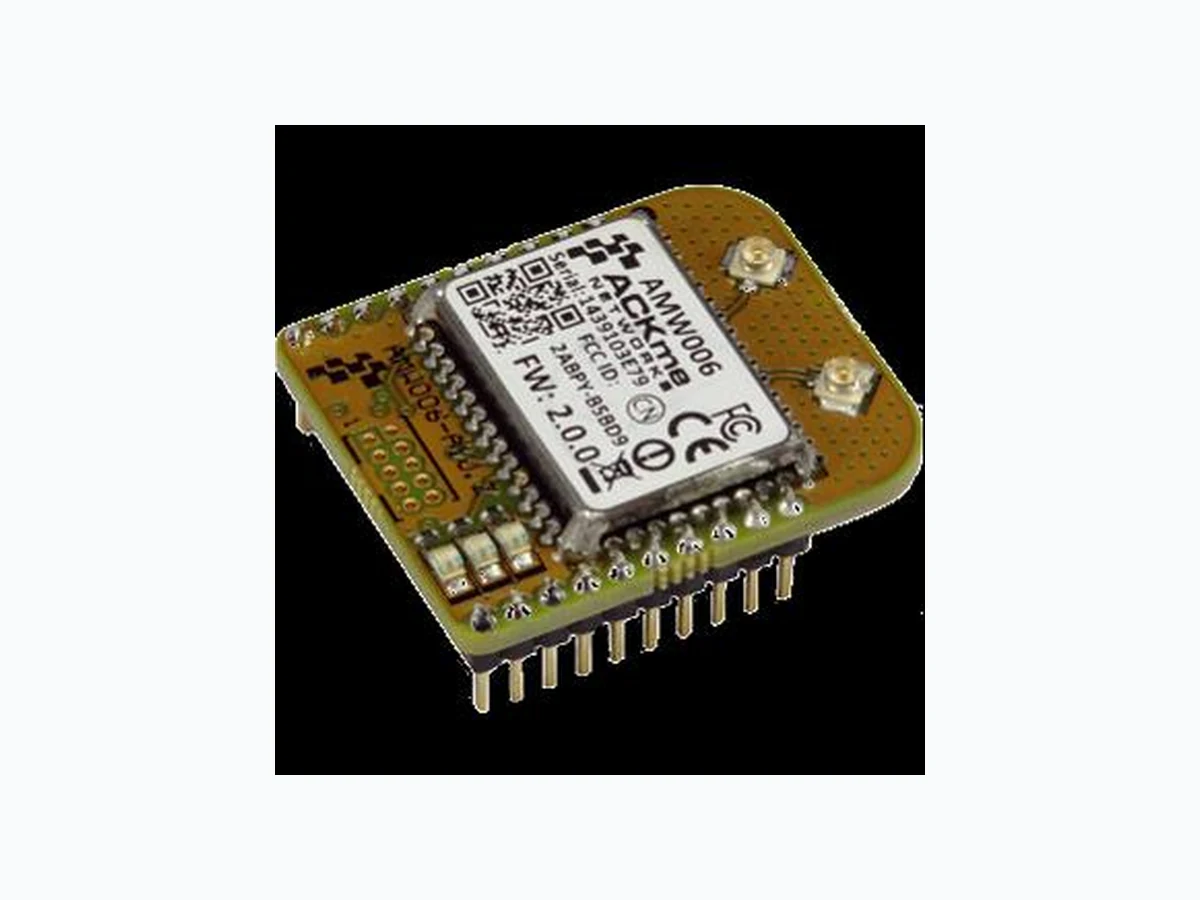
Figure 1. AMW006-A1U ‘Hopper-U’ Figure 2. AMW006-A1W ‘Hopper-W’
1 Introduction
AMW106 module, collectively referred to in this document as AMWx06. connections, file system, wireless software updates, and access to the goHACK .me IoT (Internet of Things) cloud. Features of the Hopper module adapter are detailed in Table 1 below. Table 1. AMWx06-A1x Features
2 Feature Identification
Table 2. AMWx06-A1x Expansion Header Connections
- The UART_RTS and UART_CTS signals may be swapped as described in Section 3.2. The default direction is shown
AMWx06-A1W features are identical to AMWx06-A1U features with the exception of the antenna connections.
Compatibility with AMW004-A01 (Hornet) AMWx06-A1x Datasheet ADS-MWx06-A1x-100R Page | 4 © 2015 ACKme Networks Inc. http://ack.me September 15, 2015
3 Compatibility with AMW004-A01 (Hornet)
The AMWx06-A1x (Hopper) module adapter is pin -for-pin compatible with the existing ACKme AMW004 -A01 (Hornet) module adapter with the exception of the UART RTS/CTS connections. A full description of RTS/CTS compatibility is described in this section.
3.1 Serial Communications Primer
In traditional RS-232 serial UART communication, there are two ends of a communication link . One end is the Digital Terminating Equipment (DTE = Computer terminal) and the other end is the Digital Communications Equipment (DCE = modem). The serial link between these two pieces of equipment can be configured to use hardware flow control signals to control data flow on the link. Hardware flow control is used by the equipment on each end of the link to signal when data is ready to be sent, and when the equipment is ready to receive more data . There are typically two hardware flow control signals known as RTS (Ready to Send) and CTS (Clear to Send). The RTS (Ready-to-Send) signal is an output from the DCE (modem) and the CTS (Clear to Send) is an output from the DTE (computer terminal).
3.2 Hopper RTS/CTS Compatibility
The UART flow control signals on the original ACKme AMW004-A01 Hornet module adapter match the traditional RTS/CTS hardware flow control implementation described in Section 3.1 above. Since a module adapter is effectively a modem, the Hornet RTS signal is an output, and the Hornet CTS signal is an input. Unfortunately, designers of th e de -facto standard 2mm pitch 2x10 pin sockets commonly used in wireless embedded applications swapped the definition of RTS and CTS. As a result, the Hornet module adapter does not work out-of-the-box with baseboards designed for the de -facto embedded wireless standard if UART hardware flow control is enabled. Hopper on the other hand, is configured with RTS/CTS signals that match the de -facto standard. There are two ways to enable backwards compatibility with the AMW004-A01 Hornet: 1. Swap the RTS/CTS signals on your host microcontroller, assuming the host MCU offers this feature. 2. Two zero ohm links, R13 and R14, on the underside of the Hopper PCB can be modified. After the modification, the operation of the Hopper and Hornet UART with hardware fl ow control is identical. A diagram showing how to make the modification is shown below. R13 R14 The Hopper default configuration is shown on the Hopper board, and as horizontal orientation, black/gray in the detail diagram. The Hornet compatible configuration is shown as red with vertical orientation, in the detail diagram. Hopper default Hornet compatible
4 Using WiConnect
Reference Guide and the WiConnect Reference Guide, available online at http://wiconnect.ack.me . of WiConnect and the AMWx06 module. To obtain the board version, issue the WiConnect ‘version’ command as shown below.
5 Ordering Information
Table 4 provides ordering information for AMWx06-A1x and related evaluation boards. Table 3. Ordering Information Hopper-U module adapter. Includes AMWx06 module. Hopper-W module adapter. Includes AMWx06 module.
Schematics & Mechanical Dimensions AMWx06-A1x Datasheet ADS-MWx06-A1x-100R Page | 6 © 2015 ACKme Networks Inc. http://ack.me September 15, 2015
6 Schematics & Mechanical Dimensions
Schematics & Mechanical Dimensions AMWx06-A1x Datasheet ADS-MWx06-A1x-100R Page | 7 © 2015 ACKme Networks Inc. http://ack.me September 15, 2015
Schematics & Mechanical Dimensions AMWx06-A1x Datasheet ADS-MWx06-A1x-100R Page | 8 © 2015 ACKme Networks Inc. http://ack.me September 15, 2015 Mechanical Dimensions for AMWx06-A1x ‘Hopper U’
Schematics & Mechanical Dimensions AMWx06-A1x Datasheet ADS-MWx06-A1x-100R Page | 9 © 2015 ACKme Networks Inc. http://ack.me September 15, 2015 Mechanical Dimensions for AMWx06-A1x ‘Hopper W’
Revision History & Glossary AMWx06-A1x Datasheet ADS-MWx06-A1x-100R Page | 10 © 2015 ACKme Networks Inc. http://ack.me September 15, 2015
7 Revision History & Glossary
7.1 Revision History
Table 4: Document Revision History Revision Date Change Description ADS-MW006-A1x-100R February 12, 2015 First release ADS-MW006-A1x-101R July 8 12, 2015 Swapped RTS/CTS pins to match the default configuration at manufacturing ADS-MW106-A1x-100R September 15, 2015 First release of AMWx06 version of document.
7.2 Glossary
In most cases, acronyms and abbreviations are defined on first use. A comprehensive list of acronyms and other terms used in ACKme Networks documents are provided on the ACKme Networks website at http://ack.me/FAQs/Glossary.
ACKme reserves the right to make changes without further notice to any products or data herein to improve reliability, function, or design. Information furnished by ACKme is believed to be accurate and reliable. However, ACKme does not assume any liability arising out of the application or use of this information, nor the application or use of any product described herein, neither does it convey an y license under its patent rights nor the rights of others. ACKme Networks US Headquarters
20 North Santa Cruz Ave
© 2015 ACKme Networks Inc. All rights reserved. ADS-MWx06-A1x-100R September 15, 2015 Contact Information +1 (408) 402 8160 http://ack.me/contact Phone: