
DATASHEET SEARCH SITE
Document overview
- Manufacturer or author: Provided By www.digicamel.com(FREE DATASHEET DOWNLOAD SITE)
- PDF pages: 14
Technical content
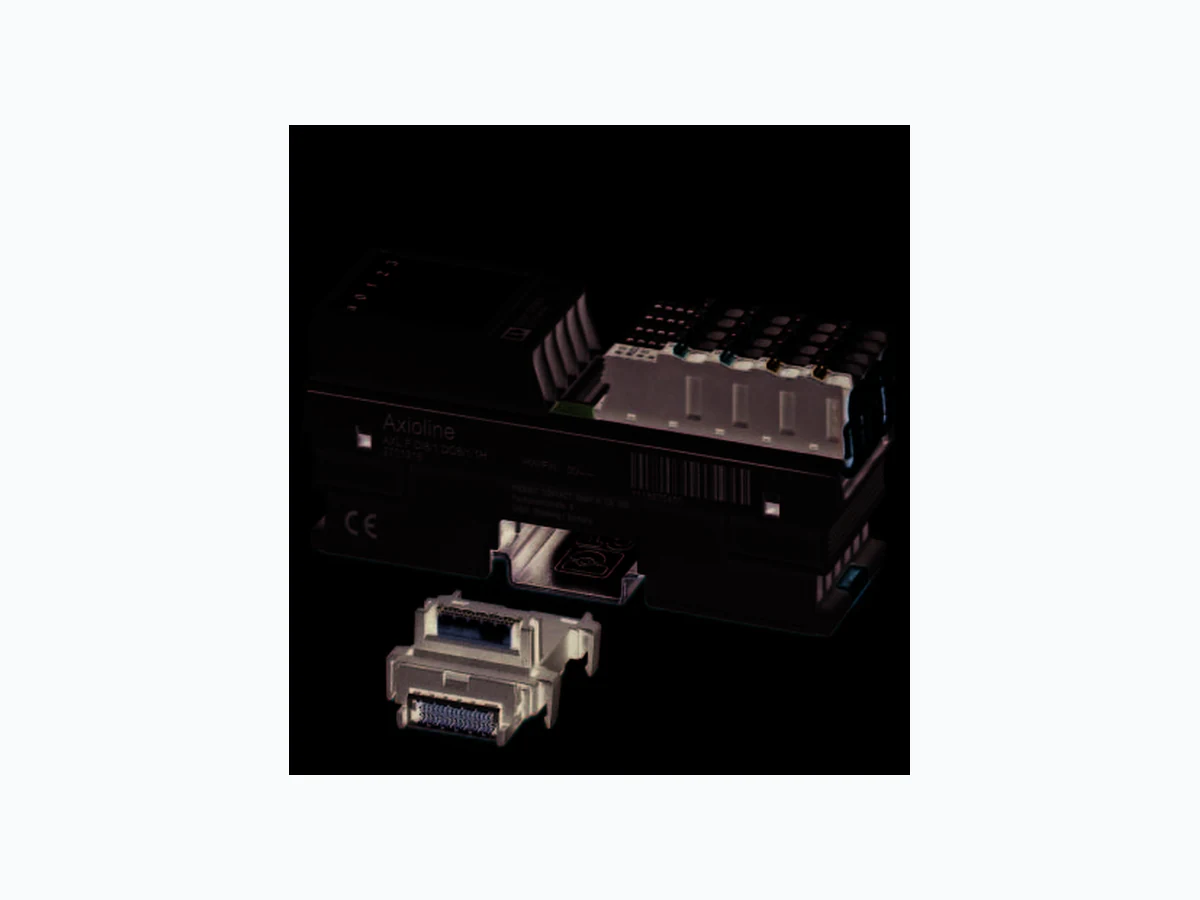
Axioline F digital input and output module, 8 inputs,
24 V DC, 8 outputs, 24 V DC, 500 mA, single-conduc-
© PHOENIX CONTACT Data sheet The module is designed for use within an Axioline F station. It is used to acquire and output digital signals. The filter times of the inputs can be set to increase noise im- munity. Filter times of 100 μs allow the user to implement a counter function with a maximum input frequency of 5 kHz in the ap- plication. The outputs are short-circuit and overload-protected . Input features – 8 digital inputs according to EN 61131-2 type 1 and type 3 –2 4 V DC, 2.4 mA – Connection of sensors in 1-wire technology – Filter times can be set in three increments: < 100 µs, 1000 µs or 3000 µs – Maximum input frequency: 5 kHz Output features – 8 digital outputs – 24 V DC, 500 mA – Connection of actuators in 1-wire technology Features of Axioline F – Minimum update time < 100 μs – Device type label stored – Diagnostic and status indicators This data sheet is only valid in association with the UM EN AXL F SYS INST user manual. Make sure you always use the latest documentation. It can be downloaded from the product at phoenixcontact.net/products. 8670_en_02 2014-04-30
8670_en_02 PHOENIX CONTACT 2 2T a b l e o f c o n t e n t s
8670_en_02 PHOENIX CONTACT 3 Description Type Order No. Pcs. / Pkt. Axioline F digital input and output module, 8 inputs, 24 V DC, 8 outputs,
24 V DC, 500 mA, single-conductor connection technology (including bus
base module and connectors) AXL F DI8/1 DO8/1 1H 2701916 1 3O r d e r i n g d a t a Accessories Type Order No. Pcs. / Pkt. Axioline F bus base module for housing type H (Replacement item) AXL F BS H 2700992 5 Axioline F connector set (for e.g., AXL F DO16/1 1H) (Replacement item) AXL CNS 2L-O/D/UO/E1 2700986 1 Zack marker strip for Axioline F (device labeling), in 2 x 20.3 mm pitch, un- printed, 25-section, for individual labeling with B-STIFT 0.8, X-PEN, or CMS-P1-PLOTTER (Marking) ZB 20,3 AXL UNPRINTED 0829579 25 Zack marker strip, flat, in 10 mm pitch, unprinted, 10-section, for individual labeling with M-PEN 0,8, X-PEN, or CMS-P1-PLOTTER (Marking) ZBF 10/5,8 AXL UNPRINTED 0829580 50 Insert label, Roll, white, Unlabeled, can be labeled with: THERMOMARK ROLL, THERMOMARK X, THERMOMARK S1.1, Mounting type: snapped into marker carrier, Lettering field: 35 x 28 mm (Marking) EMT (35X28)R 0801602 1 Documentation Type Order No. Pcs. / Pkt. User manual, English, Axioline F: System and installation UM EN AXL F SYS INST - - User manual, English, Axioline F: Diagnostic registers, and error messages UM EN AXL F SYS DIAG - - Dimensions (nominal sizes in mm) Width 35 mm Height 126.1 mm Depth 54 mm Note on dimensions The depth is valid when a TH 35-7.5 DIN rail is used (according to EN 60715).
4 Technical data
122,4126,1 General data Color traffic grey A RAL 7042 Weight 133 g (with connectors and bus base module) Ambient temperature (operation) -25 °C ... 60 °C Ambient temperature (storage/transport) -40 °C ... 85 °C Permissible humidity (operation) 5 % ... 95 % (non-condensing) Permissible humidity (storage/transport) 5 % ... 95 % (non-condensing)
8670_en_02 PHOENIX CONTACT 4 Air pressure (operation) 70 kPa ... 106 kPa (up to 3000 m above sea level) Air pressure (storage/transport) 70 kPa ... 106 kPa (up to 3000 m above sea level) Degree of protection IP20 Protection class III, IEC 61140, EN 61140, VDE 0140-1 Mounting position Any (no temperature derating) General data Connection data Designation Axioline F connector Connection method Push-in technology Conductor cross section [AWG] 24 ... 16 Interface Axioline F local bus Connection method Bus base module Transmission speed 100 MBit/s Communications power Communications power UBus 5 V DC (via bus base module) Current consumption from UBus max. 120 mA Power consumption at UBus max. 600 mW I/O supply Digital input and output module supply UIO 24 V DC Maximum permissible voltage range 19.2 V DC ... 30 V DC (including all tolerances, including ripple) Current consumption from UIO 8 A (external fuse) Power consumption at UIO typ. 440 mW (Without actuators), max. 97.35 W (of which 1.35 W internal losses) Surge protection of the supply voltage Electronic (35 V, 0.5 s) Polarity reversal protection of the supply voltage Parallel diode; with external 5 A fuse (for startup only) Protection max. 8 A (polarity re versal protection up to 5 A) When using for the first time, protect the module with a 5 A fuse. If all the modules are correctly connected in the system, the 5 A fuse can be replaced by an 8 A fuse. you can now load the module up to 8 A. Loads over 8 A are not permitted. NOTE: Damage to the electronics Provide the module with an external fuse to protect it against polarity reversal. The power supply unit must be able to supply four times the nominal current of the external fuse, to ensure that it trips in the event of an error. Digital inputs Number of inputs 8 Connection method Push-in technology Connection method 1-wire Description of the input EN 61131-2 types 1 and 3 Nominal input voltage 24 V DC Nominal input current 2.4 mA Current flow Linear until nominal current is reached, then constantly approx. 2.4 mA Input voltage range "0" signal -3 V DC ... 5 V DC Input voltage range "1" signal 11 V DC ... 30 V DC Input filter time 3000 µs (default), 1000 µs, < 100 µs Process data update < 100 µs (bus-synchronous) Polarity reversal protection of the inputs Parallel diode (30 V, 5 s)
8670_en_02 PHOENIX CONTACT 5 Digital outputs Number of outputs 8 Connection method Push-in technology Connection method 1-wire Nominal output voltage 24 V DC Maximum output current per channel 500 mA Maximum output current per device 4 A (external fuse) Nominal load, ohmic max. 12 W (48 Ω; with nominal voltage) Nominal load, inductive max. 12 VA (1.2 H; 48 Ω; with nominal voltage) Nominal load, lamp max. 12 W (at nominal voltage) Signal delay max. 100 µs (when switched on) Signal delay max. 100 µs (when switched off; with at least 50 mA load current) Switching frequency max. 10000 per second (with at least 50 mA load current) Switching frequency max. 1 per second (with inductive load) Switching frequency max. 16 per second (with nominal lamp load) Load min. 10 k Ω Energy consumption see diagram Limitation of the voltage induced on circuit interruption -25.8 V ... -15 V Output voltage when switched off max. 1 V Output current when switched off max. 300 µA Behavior with overload Shutdown with automatic restart Behavior with inductive overload Output can be destroyed Reverse voltage resistance to short pulses Limited protection up to 0.5 A for 1 s NOTE: Damage to the electronics If there is a faulty external voltage (reverse voltage) at one of the outputs, the output may be destroyed. This may cause unintentional setting of further outputs. Overcurrent shut-down as of 0.7 A Output current with ground connection interrupt when switched off < 1 mA Short-circuit protection, overload protection of the outputs Electronic Fieldbus data telegram Fieldbus system PROFIBUS DP Required parameter data 3 Byte Need for configuration data 7 Byte Error messages to the higher level control or computer system I/O supply failure Yes Short-circuit / overload of the digital outputs Yes Electrical isolation/isolation of the voltage areas Test section Test voltage
5 V communications power (logic), 24 V supply (I/O) 500 V AC, 50 Hz, 1 min
5 V supply (logic)/functional earth ground 500 V AC, 50 Hz, 1 min
24 V supply (I/O) / functional earth ground 500 V AC, 50 Hz, 1 min
Vibration resistance in acc. with EN 60068-2-6/IEC 60068-2-6 5 g Shock in acc. with EN 60068-2-27/IEC 60068-2-27 30 g Continuous shock according to EN 60068-2-27/IEC 60068-2-27 10 g
8670_en_02 PHOENIX CONTACT 6 5M a x i m u m o u t p u t s p o w e r consumption when inductive loads are switched off Figure 1 Maximum outputs power consumption when inductive loads are switched off The specifications in the diagram refer to a maximum switching frequency of 1 Hz. The diagram shows the maximum amount of energy that may be fed back into the corresponding output groups (out- puts 1 to 4, 5 to 8) for each switch-off procedure when switching off an inductive load without external freewheeling circuit. The current data refers to the ohmic DC voltage component of the inductive load. Conformance with EMC Directive 2004/108/EC Noise immunity test in accordance with EN 61000-6-2 Electrostatic discharge (ESD) EN 61000-4-2/IEC 61000-4-2 Criterion B; 6 kV contact discharge, 8 kV air discharge Electromagnetic fields EN 61000-4-3/IEC 61000-4-3 Criterion A; Field intensity: 10 V/m Fast transients (burst) EN 61000-4-4/IEC 61000-4-4 Criterion B, 2 kV Transient surge voltage (surge) EN 61000-4-5/IEC 61000-4-5 Criterion B; DC supply lines: ±0.5 kV/±0.5 kV (symmetrical/asymmetrical) Conducted interference EN 61000-4-6/IEC 61000-4-6 Criterion A; Test voltage 10 V Noise emission test according to EN 61000-6-3 Radio interference properties EN 55022 Class B Approvals For the latest approvals, please visit phoenixcontact.net/products. NOTE: Damage to the electronics Restrict freewheeling voltage to a maximum of -17 V when using an external freewheeling circuit! The external freewheeling circuit does not function in the case of higher negative voltages. 0,05 0,1 0,15 0,2 0,25 0,3 0,35 0,4 4 5 1= 0,5 A 2= 0,4 A 3= 0,3 A 4= 0,2 A 5= 0,1 A Inductance [H] Energy consumption [J] Only with external free running circuit
8670_en_02 PHOENIX CONTACT 7
6 Internal circuit diagram
Figure 2 Internal wiring of the terminal points Key: µC D UI DI 1...8 U 24 V IO UBus Local bus Input circuit 013031 00 0030 0131 DO 1...8 Output circuit 32 03 0233 03 023233 Local bus Axioline F local bus (hereinafter referred to as local bus) Microcontroller Transistor Optocoupler LED Power supply unit Electrically isolated areas Input circuit Input circuit Output circuit Output configuration µC
8670_en_02 PHOENIX CONTACT 8
7 Terminal point assignment
Figure 3 Terminal point assignment
8 Connection example
Figure 4 Typical connection of sensors and actuators when using external busbars Ensure that GND of the sensors and actuators and GND for U IO have the same potential. Termi- nal point Color Assignment Supply voltage input a1, a2 Red 24 V DC (UIO) Supply to digital input and output modules (in- ternally jumpered) b1, b2 Blue GND Reference potential of the supply voltage (in- ternally jumpered) Digital inputs 00, 01, 10, 11 20, 21, 30, 31 Digital outputs 02, 03, 12, 13 Orange OUT1 ... OUT4 Digital outputs 1 ... 4 22, 23, 32, 33 Orange OUT5 ... OUT8 Digital outputs 5 ... 8 0300 1310 2320 3330 +24 V IN7 +24 V IN1 +24 V OUT8 OUT2
8670_en_02 PHOENIX CONTACT 9
9 Local status and diagnostic indicators
Figure 5 Local status and diagnostic indicators D UIO 30 3231 33 20 2221 23 10 1211 13 00 0201 03 Designation Color Meaning State Description DR e d / yellow/ green Diagnostics of local bus communication Power down OFF Device in (power) reset. Not con- nected Red flash- ing Device operating, but there is no connection to previous device. Reset Red ON Application reset Device operating, but there is still a connection to the previous device, the application is reset. Ready Yellow ON Device operating, there is st ill a connection to the previous device, but the device has not yet detected a valid cycle after power on. Connected Yellow flashing Valid data cycles have been detected, but the device is (not) yet part of the current configuration. Device ap- plication not active Green/yel- low alter- nating Valid data cycles are being detected. The master application set the output data to valid, however, the slave application has not set the input data to valid as yet. The master application set the output data to valid, however, the slave application cannot set the output data to valid as yet. Active Green flashing The device functions, communication within the station is ok. The input data is not being read by the master application. The master application has not yet set the output data to valid. (For example, the connection to the controller is not yet established.) Run Green ON Valid data cycles are being detected. All data is valid UIO Green U input/output ON Supply for digital input and output modules is available. OFF Supply for digital input and ou tput modules is not available. E1 Red Peripheral fault ON Short-circuit/overload of an output. OFF No I/O error 00, 01, 10, 11, 20, 21, 30, 31 Yellow Status of the inputs ON Input is set. OFF Input is not set. 02, 03, 12, 13, 22, 23, 32, 33 Yellow Status of the outputs Yellow ON Output is set. OFF Output is not set. For more information on the meaning of local diagnostic and status indicators, please refer to the UM EN AXL F SYS INST user manual.
8670_en_02 PHOENIX CONTACT 10
10 Process data
The I/O data is displayed in S7-compatible format.
11 Parameter, diagnostics and
information (PDI) Parameter and diagnostic data as well as other information is transmitted via the PDI channel of the Axioline F station. The standard and application objects stored in the module are described in the following section. The following applies to all tables below: Please refer to the UM EN AXL F SYS INST for an explana- tion of the object codes and data types. Input process data Byte 0 B i t 76543210 C h a n n e l 87654321 Terminal point 31 30 21 20 11 10 01 00 Output process data Byte 0 B i t 76543210 C h a n n e l 87654321 Terminal point 33 32 23 22 13 12 03 02 Abbreviation Meaning A Number of elements L Length of the elements RR e a d WW r i t e Every visible string is terminated with a zero terminator (00 hex). The length of a visible string element is therefore one byte larger than the amount of user data. For detailed information on PDI and the ob- jects, please refer to the UM EN AXL F SYS INST user manual.
8670_en_02 PHOENIX CONTACT 11
12 Standard objects
12.1 Objects for identificati on (device rating plate)
(hex) Object name Object type Data type A L Rights Meaning Contents Manufacturer
0001 VendorName Var Visible String 1 16 R Manufacturer name Phoenix Contact
0002 VendorID Var Visible String 1 7 R Manufacturer identifi-
0003 VendorText Var Visible St ring 1 49 R Comment on the
0012 VendorURL Var Visible String 1 30 R URL of the manufac-
http://www.phoenix- contact.com Module - general
0004 DeviceFamily Var Visible String 1 1 9 R Device family I/O digital IN-OUT
0006 ProductFamily Var Visible String 1 33 R Product family Axioline - High
000E CommProfile Var Visible String 1 4 R Communication pro- file 633 000F DeviceProfile Var Visible String 1 5 R Device profile 0010
0011 ProfileVersion Record Visible String 2 11; 20 R Device profile version 2011-12-07; Basic
Profile V2.0 003A VersionCount Array Unsigned 16 4 4 * 2 R Version counter e.g., 0007 0001 0000 0000 Module - special
0005 Capabilities Array Visible String 1 8 R Properties Nothing
0007 ProductName Var Visible String 1 21 R Pr oduct designation AXL F DI8/1 DO8/1
0008 SerialNo Var Visible String 1 11 R Serial number xxxxxxxxxx (e. g., 1234512345)
0009 ProductText Var Visible String 1 55 R Product text 8 digital inputs, ad-
justable filter, 8 digi- tal outputs 000A OrderNumber Var Visible String 1 8 R Order No. 2701916 000B HardwareVersion Record Visible String 2 11; 3 R Hardware version e. g., 2011-02-04; 00 000C FirmwareVersion Record Visible String 2 11; 3 R Firmware version 0000-00-00; -- 000D PChVersion Record Visible String 2 11; 6 R Parameter channel version 2010-01-08; V1.00
0037 DeviceType Var Octet string 1 8 R Module identification 00 C0 00 01 00 00 00
0014 Location Var Visible String 1 59 R/W Insta llation location Can be filled out by
the user.
0015 EquipmentIdent Var Visible String 1 59 R/W Eq uipment identifier Can be filled out by
the user.
0016 ApplDeviceAddr Var Unsigned 16 1 2 R/W User-defined device
the user.
8670_en_02 PHOENIX CONTACT 12
12.2 Object for multilingual capacity
12.3 Diagnostics objects
Diagnostics state (0018hex: DiagState) This object is used for a structured message of an error. Error code and status of the local status and diagnostics indicators Index (hex) Object name Object type Data type A L Rights Meaning Contents
0017 Language Record Visible String 2 6; 8 R Language en-us; English
(hex) Object name Object type Data type A L Rights Assignment/content
0018 DiagState Record 6 2; 1; 1;
2; 1; 1 R Diagnostics state; see below 0018hex: DiagState (Read) Subindex Data type Length in bytes Meaning Contents
0 Record 8 Diagnostic state Complete diagnostics information
1 Unsigned 16 2 Error number 0 ... 65535 dec
2 Unsigned 8 1 Priority 00 hex No error
3U n s i g n e d 8 1 G r o u p 0 0 hex No error FFhex entire device
4 Unsigned 16 2 Error code See table below
5 Unsigned 8 1 More information fol-
00hex (not supported)
6 Visible String 1 Text 00 hex (not supported)
The message with the priority 81hex or 82hex is a one-time internal message to the bus cou- pler that is implemented onto the error mech- anisms of the higher-level system by the bus coupler. After all errors have been eliminated, it is au- tomatically reset. Error code Error Priority Group D LED UIO LED E1 LED 0000hex No error 00 hex 00hex Green ON ON OFF 3400hex I/O supply failure 01 hex FFhex Flashing green/yellow OFF OFF 2344hex Short-circuit/overload of an output. 02 hex FFhex Green ON ON Red on
8670_en_02 PHOENIX CONTACT 13
12.4 Objects for process data management
The objects 003Bhex and 003Chex are only applicable to tools. IN process data (0025hex: PDIN) You can read the IN process data of the module with this object. The structure corresponds to the representation in the "Process data" section. OUT process data (0026hex: PDOUT) You can write the output process data of the module with this object. The structure corresponds to the representation in the "Process data" section. Index (hex) Object name Object type Data type A L Rights Assignment
0025 PDIN Var Octet string 1 1 R Input process data
0026 PDOUT Var Octet string 1 1 R Output process data
003B PDIN_Descr Array of Records 3 8; 2; 2 R Description of the IN process data 003C PDOUT_Descr Array of Records 3 8; 2; 2 R Description of the output pro- cess data 0025hex: PDIN (Read) Subindex Data type Length in bytes Meaning
0 Octet string 1 Input process data
0026hex: PDOUT (Read) Subindex Data type Length in bytes Meaning
0 Octet string 1 Output process data
8670_en_02 14PHOENIX CONTACT GmbH & Co. KG • 32823 Blomberg • Germany phoenixcontact.com
13.1 Substitute value (FF8D hex: PD Output Substitute Configuration)
Configure the substitute value with which the module is to be operated with an application reset using this object.
13.2 Filter time (FF8F hex: Input_Filter)
Configure the filter time of the module using this object.
14 Device descriptions
The device is described in the device description files. The device descriptions for controllers from Phoenix Con- tact are included in PC Worx and the corresponding service packs. The device description files for other systems are available for download at phoenixcontact.net/products in the down- load area of the bus coupler used. Index (hex) Object name Object type Data type A L Rights Assignment FF8D PD Output Substi- tute Configuration Var Unsigned 8 1 1 R/W Substitute value FF8F Input_Filter Var Unsigned 8 1 1 R/W Filter time FF8Dhex: PD Output Substitute Configuration (Read, write) Subindex Data type Length in bytes Contents 0V a r 10 0 hex (Default) "0" output to all output bits 01hex Hold last value FF8Fhex: Input_Filter (read, write) Subindex Data type Length in bytes Contents 0V a r 10 0 hex (Default) 3000 µs 01hex 1000 µs 02hex < 100 µs