
DATASHEET SEARCH SITE
Document overview
- Manufacturer or author: Provided By www.digicamel.com(FREE DATASHEET DOWNLOAD SITE)
- PDF pages: 12
Technical content
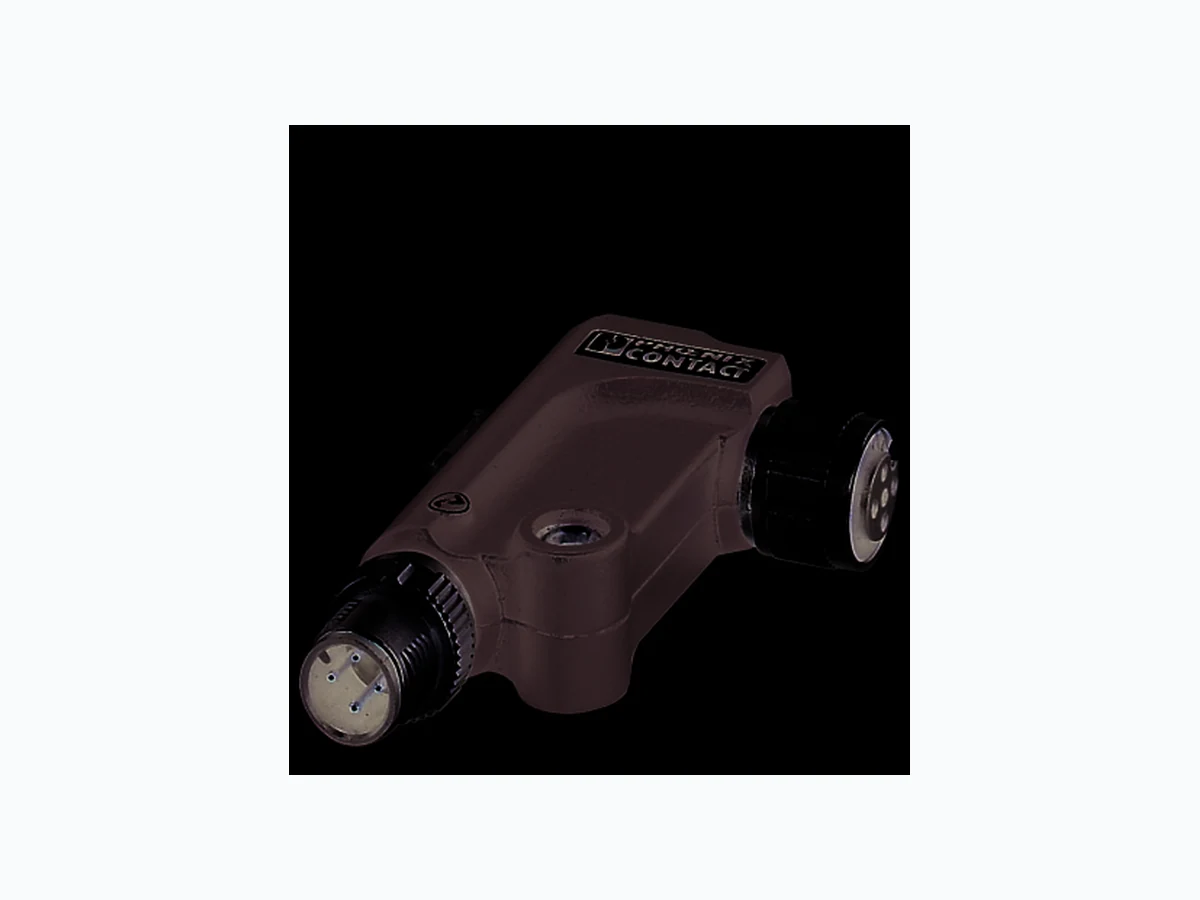
Features
–R e c t a n g u l a r v e r s i o n – 1 IO-Link interface – 1 analog output – Connection of the actuator in 3-wire technology – Voltage range: 0 V ... 10 V – IO-Link and actuator connections via M12 connectors – FE connection for local connection to functional earth ground – Supply of the module electr onics and the actuator via the IO-Link interface of the IO-Link master – Diagnostic indicator Make sure you always use the latest documentation. It can be downloaded from the product at phoenixcontact.net/products. 8588_en_03 2014-09-22
8588_en_03 PHOENIX CONTACT 2 2T a b l e o f c o n t e n t s
8588_en_03 PHOENIX CONTACT 3 Description Type Order No. Pcs. / Pkt. Axioline E-IO-Link/analog converter for connecting an analog actuator, 0 V ... 10 V, M12 fast connection technology, rectangular version AXL E IOL AO1 U M12 R 2700278 1 3O r d e r i n g d a t a Dimensions (nominal sizes in mm) Width 16.6 mm Height 42 mm Depth 66.5 mm
4 Technical data
66,5 2829 16,6 General data Weight 34 g Ambient temperature (operation) -25 °C ... 60 °C Ambient temperature (storage/transport) -25 °C ... 85 °C Permissible humidity (operation) 5 % ... 95 % Permissible humidity (storage/transport) 5 % ... 95 % Air pressure (operation) 70 kPa ... 106 kPa (up to 3000 m above sea level) Air pressure (storage/transport) 70 kPa ... 106 kPa (up to 3000 m above sea level) Degree of protection IP65/67 Protection class III, IEC 61140, EN 61140, VDE 0140-1 Pollution degree 2 IO-Link Specification V1.1.1 Protection against polarity reversal Yes Transmission speed 230,4 kBit/s (COM3) Frame type 1 Cycle Time min. 2 ms Process data update 2 ms Amount of process data 16 Bit (I nput data), 16 Bit (Output data) IO-Link ports Number of ports 1 Connection method M12 connector, A-coded
8588_en_03 PHOENIX CONTACT 4 IO-Link port supply Typical current consumption 16.5 mA ±15% (at 24 V DC) Current consumption max. 135 mA Protection against polarity reversal Yes Short-circuit protection Yes Overload protection Yes I/O supply voltage 24 V DC This supply voltage is provided via the IO-Link interface of the IO-Link master. Sensor supply voltage 24 V DC (max. 100 mA) This supply voltage is provided via the I/O supply voltage. Analog output Number of outputs 1 (voltage) Connection method M12 connector, A-coded Connection method 3-conductor Voltage output signal 0 V ... 10 V Voltage output signal 0 V ... 10 V Load/output load voltage output min. 2 kΩ D/A resolution 12 bit Data formats IB IL, S7-compatible Precision < 0.25 % (of output range final value in the nominal range) Permissible cable length max. 30 m (Shielded cable) Error messages to the higher level control or computer system Short circuit Message in the diagnostic code (in the IB IL format) Configuration invalid Message in the diagnostic code (in the IB IL format) Module faulty Messag e in the diagnostic code (in the IB IL format) Mechanical tests Vibration resistance in acc. with EN 60068-2-6/IEC 60068-2-6 Operation: 2g Vibration resistance in acc. with EN 60068-2-6/IEC 60068-2-6 Storage/transport: 5g Shock in acc. with EN 60068-2-27/IEC 60068-2-27 Operation: 30g, 11 ms, three shocks in each space direction Shock in acc. with EN 60068-2-27/IEC 60068-2-27 Storage/transport: 50g, 11 ms, three shocks in each space direction Continuous shock according to EN 60068-2-27/IEC 60068-2-27 10g, 16 ms, 1000 shocks, in all space directions Approvals For the latest approvals, please visit phoenixcontact.net/products.
8588_en_03 PHOENIX CONTACT 5
5 Additional tables
The data is valid for nominal operation (supply voltage = 24 V) in the default configuration (measurement range 0 V ... 10 V). The tolerance values refer to the measuring range final value.
6 Internal circuit diagram
Figure 1 Internal wiring of connections Key: Tolerance and temperature response at TA = -25°C to +60°C Drift Typical Maximum ±25 ppm/K ±75 ppm/K Tolerances influenced by electromagnetic interfer- ence Type of electro- magnetic inter- ference Standard Toler- ance Criterion Electromagnetic fields EN 61000-4-3/ IEC 61000-4-3 < ±1.0% A Fast transients (burst) EN 61000-4-4/ IEC 61000-4-4 < ±1.0% A Conducted interference EN 61000-4-6/ IEC 61000-4-6 < ±1.0% A Protective circuit IO-Link circuit Microprocessor Digital/analog converter Protection µC C/Q L- FE FE IO-Link IC Protection
3 AnalogIO-Link
µC
8588_en_03 PHOENIX CONTACT 6
7 Pin assignment
7.1 Connections on the device
Figure 2 Connections on the converter
7.2 Pin assignment of the IO-Link interface
Figure 3 Pin assignment of the I/O link interface (M12 A-coded, pin)
7.3 Pin assignment of the analog output
Figure 4 Pin assignment of the analog output (M12, A-coded, socket)
8 Connection notes
Always connect the analog actuators using shielded twisted-pair cables.
9 Connection example
Figure 5 Connection example No. Connection 1I O - L i n k i n t e r f a c e (indicated by IO-Link symbol)
2 Fixing options;
options for connection to functional earth ground 3A n a l o g o u t p u t Pin Signal Meaning 1L + + 2 4 V supply voltage; from IO-Link master 2- N o t u s e d
3 L- GND, reference potential for L+
4 C/Q IO-Link data transmission channel
1 +24 V, 100 mA 2N o t u s e d 3G N D 4 Voltage output 0 V ... 10 V 5N o t u s e d 2L- C/Q 51+24 V 0...10 V
8588_en_03 PHOENIX CONTACT 7
10 Assembly
Figure 6 Connection of an actuator to an IO-Link master via the converter
- Connect the IO-Link interface of the converter to an IO- Link port of the higher-level IO-Link master using a stan- dardized 3-pos. cable.
- Connect the analog actuator directly to the analog con- verter output or using a shielded 4-pos. cable.
- Fasten each connection using the M12 connectors.
11 Local status indicator
Figure 7 Local status indicator In environments with high levels of interfer- ence, in particular, Phoenix Contact recom- mends connecting the converter to an appropriate functional earth ground point using an M4 screw. Desig- nation Color Meaning State Description COM Green Status of IO-Link device ON Supply voltage OK Flash- ing Supply voltage OK, SDCI communica- tion active OFF No supply voltage, no communication COM
8588_en_03 PHOENIX CONTACT 8
12 Process data
The device occupies one word of IN process data and one word of OUT process data.
12.1 IN process data
The following data is transmitted in the input process data: – During normal error-free oper ation, the output value is mirrored in the input process data for each channel. – If an error occurs, the diagnostic message is mirrored in the input process data for each channel. The diagnos- tics message is deleted as soon as the error is eliminat- ed. Diagnostic messages in IB IL format Diagnostic messages in S7-compatible format
12.2 OUT process data
The output values are depicted in IB IL or S7-compatible format. For both formats the output value is represented in bits 14 to 3. Bit 15 is available as a sign bit. Bits 2 to 0 are not relevant for the output value. Parameterization In addition, the device can be parameterized via the process data output word. The following configurations are possible: – Selection of formats for re presenting measured values – Establishing substitute value behavior Code (hex) Cause
8001 Overrange
8003 Short-circuit
8040 Device faulty
8080 Underrange
Code (hex) Cause 7FFF Overrange
8000 Short-circuit/underrange
15 14 13 12 11 10 9 8 7 6 5 4 3 2 1 0 V Analog value x x x V Sign bit (= 0, not relevant) x Not relevant for the output value (must be 0)15 14 13 12 11 10 9 8 7 6 5 4 3 2 1 0 Configuration Reserved Substit ute value behavior in the event that IO-Link communication is aborted Format Reserved For the exact meaning of the individual bits, please refer to “Parameterization (80hex: ParaWord)”. Output values in the range from 8000 ... BFFF are interpreted as parameter.
8588_en_03 PHOENIX CONTACT 9
12.3 Parameterization via OUT process data
Reparameterization can be carried out via the output pro- cess data, however this is not saved permanently on the de- vice. The following sequence applies regardless of the format ( IB IL or S7-compatible): – The master interrupts the transmission of current pro- cess data and sends parameter data (OutputProcess- Data with bit 15 = 1) – The device interrupts the transmission of current pro- cess data and responds with the following diagnostic code in the process data: – If the diagnostic code is OK, the parameter data is ac- cepted immediately. The master can end parameteriza- tion (OutputProcessData with bit 15 = 0). The device returns to normal operation with cyclic process data transmission. – In the event of the ERROR di agnostic code, the master can abort parameterization without modified parameter data (OutputProcessData with bit 15 = 0) or transmit the modified parameterization (return to step 1).
12.4 Example
The example applies to the following changes: – Selection of format S7-com patible (Default) to IB IL – For "hold last value" Please operate the reparameterization only by the startup of the device! In order to start configuration, bit 15 of the out- put word must be set to 1. If bit 15 = 0, the de- fault configuration is active. Code (hex) Cause
8800 Parameter OK
8801 Parameter ERROR
15 14 13 12 11 10 9 8 7 6 5 4 3 2 1 0 Configuration Reserved Substit ute value behavior in the event that IO-Link communication is aborted Format Reserved
1 Reserved 1 0 1 0 Reserved
8588_en_03 PHOENIX CONTACT 10
13 Significant values in various formats
13.1 IB IL format
Resolution: 1 bit (0000 -> 0008) accords 2.67 V.
13.2 S7-compatible format
Resolution: 1 bit (0000 -> 0008) accords 2.89 mV. Output data Range 0 V ... 10 V hex dec V > 7F00 > 32512 Overrange 10.837 7F00 32512 Overdrive range (End) 10.837 7538 30008 Overdrive range (Start) 10.00267 7530 30000 Nominal range (End) 10.0 3A98 15000 Nominal range 5.0 0008 8 Nominal range 0.00267 0000 0 Nominal range (Start) 0 < 0000 < 0 Underrange 0 This device cannot display voltage < 20 mV. Values > 0020 hex are supported. If overrange, input data 8001hex is indicated. If underrange, input data 8080hex is indicated. If short-circuit occurs, 0 V is issued and input data 8003hex is indicated. Output data Range 0 V ... 10 V hex dec V > 7EF8 > 32504 Overrange 0 7EF8 32504 Overdrive range (End) 11.756 6C08 27656 Overdrive range (Start) 10.00289 6C00 27648 Nominal range (End) 10.0 3600 13824 Nominal range 5.0 0008 8 Nominal range 0.00289 0000 0 Nominal range (Start) 0 < 0000 < 0 Under drive range 0 The device cannot display voltage < 20 mV. Values > 0018 hex are supported. If overrange, input data 7FFFhex is indicated. If underrange, input data 8000hex is indicated. If short-circuit occurs, 0 V is issued and input data 8000hex is indicated.
8588_en_03 PHOENIX CONTACT 11
14 IO-Link objects
14.1 Overview of the objects
Index (hex) Object name Length in bytes Access Meaning Contents DPP ISDU Identification
07 Vendor ID 2 R Manufacturer identification 00
08 B0hex
09 Device ID 3 R Device ID 01 hex
10 VendorName Max. 64 R Manufacturer name Phoenix Contact 11 VendorText Max. 64 R Notes www.phoenixcontact.com 12 ProductName Max. 64 R Product designation AXL E IOL AO1 U M12 R 13 Product ID Max. 64 R Order No. 2700278 14 ProductText Max. 64 R Product text IO-Link/analog converter voltage output rectangular 15 Serial number Max. 16 R Serial numb er Stored in the production pro- cess. 16 HardwareVersion Max. 64 R Hardware version E.g., 01 17 FirmwareVersion Max. 64 R Firmware version E.g., 001 Diagnostics
20 Error count 2 R Errors since power up Number of errors
29 OutputProcessData 2 R Output process data Last current data
80 ParaWord 2 R/W Parameterization 0000
8588_en_03 12PHOENIX CONTACT GmbH & Co. KG • 32823 Blomberg • Germany phoenixcontact.com
14.2 Parameterization (80 hex: ParaWord)
Parameterize the device using this object. In the case of valid parameters, the parameterization is permanently stored on the device. After a reset, the device operates with the last permanently stored data. Upon delivery, the device operates with the default data (default settings). In the following tables the values in bold are default settings. Saving data to the device leads to a communication failure of around 30 ms. 15 14 13 12 11 10 9 8 7 6 5 4 3 2 1 0 Reserved Substitute value behavior in the event that IO-Link communication is aborted Format Reserved Format Code (bin) Meaning
00 S7-compatible
10 IB IL
Substitute value behavior in the event that IO-Link communication is aborted Code (bin) Meaning