
DATASHEET SEARCH SITE
Document overview
- Manufacturer or author: Provided By www.digicamel.com(FREE DATASHEET DOWNLOAD SITE)
- PDF pages: 34
Technical content
Features
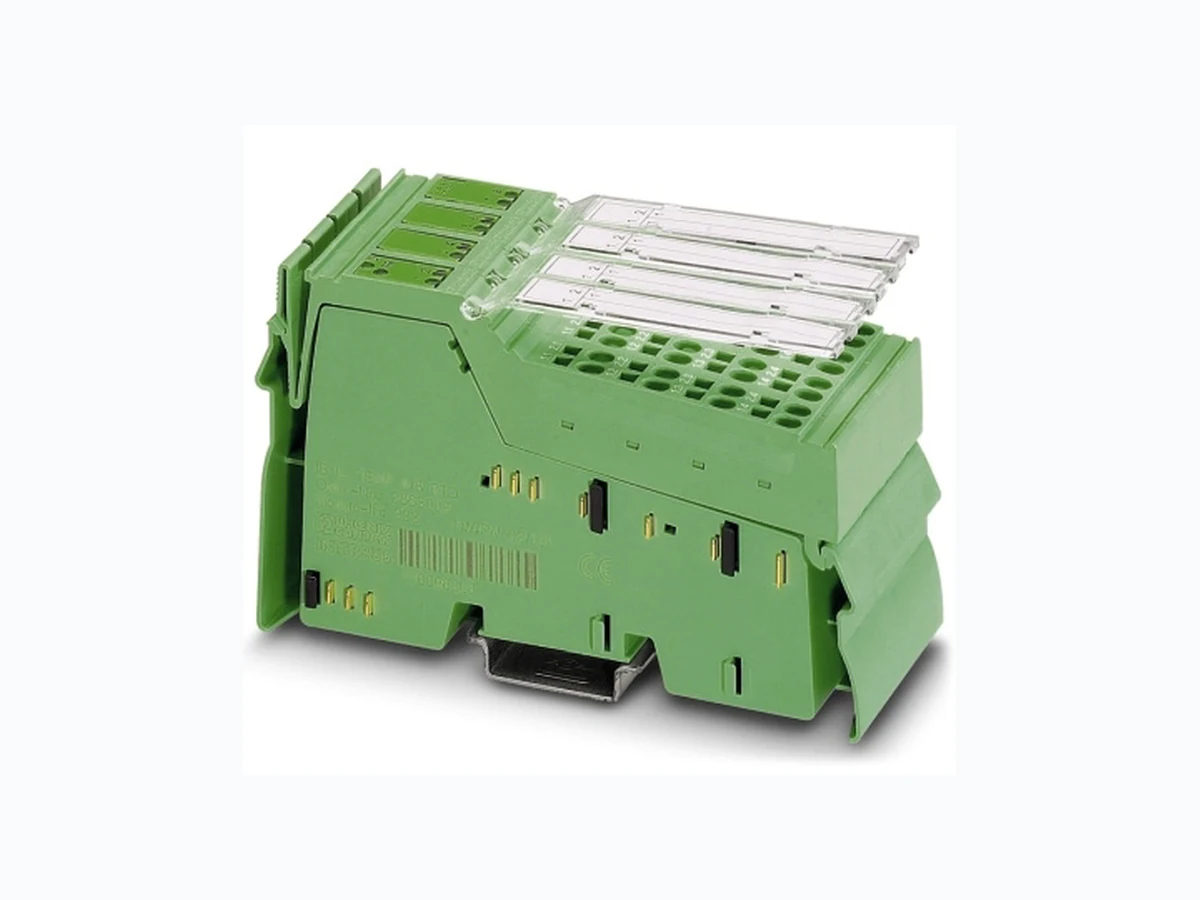
– Connection of eight RTD temperature sensors and lin- ear resistors in 4-wire technology – High precision and noise immunity – Temperature stability – High-resolution temperature and resistance measure- ment – Resistance values (R 0) can be preset separately using configuration bits – Channels are configured in dependently of one another using the bus system. – Configuration of open circuit detection sensitivity (firm- ware 1.10 or later) – Additional representation in float format according to IEEE 754 – Diagnostic and status indicators – Channel scout functionality, e.g., for optical channel identification during startup – Can be used under extreme ambient conditions –P a i n t e d P C B s – Extended temperature range T2 (-40°C … +55°C) This data sheet is only valid in association with the IL SYS INST UM E user manual. Make sure you always use the latest documentation. It can be downloaded at www.phoenixcontact.net/catalog Inline Modular analog input terminal, version for extreme conditions, 8 inputs, RTD
IB IL TEMP 4/8 RTD-EF-XC-PAC 8466_en_01 PHOENIX CONTACT 2 Table of contents
IB IL TEMP 4/8 RTD-EF-XC-PAC 8466_en_01 PHOENIX CONTACT 3 2O r d e r i n g d a t a Products Description Type Order No. Pcs. / Pkt. Inline Modular analog input terminal, version for extreme conditions, 8 inputs, RTD (resistance temperature detector), 4-wire connection method, complete with individually numbered I/O connectors IB IL TEMP 4/8 RTD-EF-XC-PAC 2701218 1 Accessories: Connectors Description Type Order No. Pcs. / Pkt. Inline connectors IB IL SCN-8 2726337 10 Labeling field, 12.2 mm width IB IL FIELD 2 2727501 5 Insert strip, sheet, white, unlabeled, can be labeled with: Office printing sys- tems, plotter: laser printer, Mounting type: insertion, lettering field size: 62 x 10 mm ESL 62X10 0809492 1 Accessories: Other Description Type Order No. Pcs. / Pkt. Shield connection clamp for applying the shield on busbars 8 mm diameter SK8 3025163 10 14 mm diameter SK14 3025176 10 20 mm diameter SK20 3025189 10 35 mm diameter SK35 3026463 10 Support for assembly on DIN rails for 10 mm x 3 mm busbars AB-SK 3025341 10 Support for direct mounting with contact to the mounting surface AB-SK 65 3026489 10 Support, made of insulation material, with fixing screws, can be used for either 10 mm x 3 mm or 6 mm x 6 mm busbars AB-SK/E 3026476 10 N busbar, 10 mm x 3 mm, 1 m long NLS-CU 3/10 0402174 10 End terminal, 4 mm2 , without insulating cap AK 4 0404017 50 End terminal, 4 mm2 , with insulating cap, green-yellow for PE AK G GNYE 0421029 50 End terminal, 4 mm2 , with insulating cap, black for L1, L2, L3 AKG 4 BK 0421032 50 Documentation Description Type Order No. Pcs. / Pkt. “Automation terminals of the Inline product range” user manual IL SYS INST UM E – –
IB IL TEMP 4/8 RTD-EF-XC-PAC 8466_en_01 PHOENIX CONTACT 4
3 Technical data
Dimensions (nominal sizes in mm) Housing dimensions (width x height x depth) 48.8 x 119.8 x 71.5 mm 140,5 119,8 71,5 General data Color Green Weight 190 g (with connectors) Operating mode Process data mode with 5 words/1 word PCP Connection method for sensors 4-wire technology Ambient temperature (operating) -40 °C ... +60°C (see also the “Tested successfully: Use under extreme ambi- ent conditions” section of the data sheet). Permissible ambient temperature (storage/transport) -40 °C ... +85°C Temperature class T2 (-40°C ... +55°C, IEC 50155) Permissible humidity (operation/storage/transport) 10% ... 95%, according to DIN EN 61131-2 Permissible air pressure (operation/storage/transport) 70 kPa ... 106 kPa (up to 3000 m above sea level) Degree of protection according to IEC 60529 IP20 Class of protection III, IEC 61140, EN 61140, VDE 0140-1 Connection data Designation Inline connector Connection method Spring-cage connection Conductor cross section [AWG] 28 ... 16 Inline local bus interface Connection method Inline data jumper Transmission speed 500 kbps Supply of the module electronics and I/O through bus coupler/power terminal Connection method Potential routing Power consumption Communications power UL 7.5 V Current consumption from UL 95 mA (typical) I/O supply voltage UANA 24 V DC Current consumption at UANA 6.0 mA (typical) Total power consumption 0.85 W (typical)
IB IL TEMP 4/8 RTD-EF-XC-PAC 8466_en_01 PHOENIX CONTACT 5 Analog inputs Number Eight inputs (4-wire RTD) for resistive temperature detectors Resolution of the analog/digital converter 24 bits Measured value representation 16 bits (IL standard 15 bits + sign bit) Standardized representation for Degrees Celsius (°C), degrees Fahrenheit (°F) and as linear resistance in Ohms (Ω) Resolution (quantization) Standardized representation of temperature measurement values In the °C range 0.1 K/LSB (default setting) 0.01K/LSB In the °F range 0.1°F/LSB 0.01°F/LSB In the linear Ohm range 0.01 Ω/LSB 0.1 Ω/LSB 1 Ω/LSB Connection of signals 4-wire, shiel ded sensor cable (e.g., LiYCY (TP)) Maximum permissible cable length 250 m (4-wire connection with LiYCY (TP) 2 x 2 x 0.5 mm²) Crosstalk attenuation (channel/channel) in the sensor type operating mode: Pt100 (resolution 0.01 K/LSB) 98.6 dB, typical RLIN500 (resolution 0.01Ω/LSB) 100 dB, typical RLIN5000 (resolution 0.1Ω/LSB) 88 dB, typical Sensor types that can be used Pt , Ni, Cu, KTY, linear resistors Standards for characteristic curves According to DIN EN 60751: 07/1996/ according to SAMA RC 21-4-1966 Process data update Depending on the filter time Scan filter times Set filter time Typical scan time for each measuring channel Typical scan repeat time for all eight measuring channels 480 ms (default) 482 ms 3300 ms 200 ms 201 ms 2190 ms 120 ms 121 ms 1874 ms 100 ms 100 ms 1800 ms Differential non-linearity (typical) In all ranges 1 ppm or ±0.0001% Integral non-linearity (typical) In the input ranges Pt100 30 ppm or ±0.003% RLin 500 Ω 20 ppm or ±0.002% RLin 5000 Ω 200 ppm or ±0.02% Supported measuring ranges Sensor type Standard or manufacturer specification Measuring range Lower limit Upper limit Pt sensors (e.g., Pt100, Pt500, Pt1000) DIN IEC 60751 or SAMA RC 21-4-1966 -200°C +850°C Ni sensors (e.g., Ni100, Ni1000) DIN IEC 60751 or SAMA RC 21-4-1966 -60°C +180°C Ni500 (Viessmann) (Viessmann) -60°C +250°C Ni1000 (Landis & Gyr) (Landis & Gyr) -50°C +160°C KTY81-110 (Philips) -55°C +150°C KTY81-210 (Philips) -55°C +150°C KTY84 (Philips) -40°C +300°C Cu10 SAMA RC 21-4-1966 -70°C +500°C
IB IL TEMP 4/8 RTD-EF-XC-PAC 8466_en_01 PHOENIX CONTACT 6 Cu50 SAMA RC 21-4-1966 -50°C +200°C Cu53 SAMA RC 21-4-1966 -50°C +180°C Linear resistor RLin 500 Ω (linear range 1) 0 Ω 525 Ω Linear resistor RLin 5000 Ω (linear range 2) 0 Ω 5250 Ω Linear resistor RLin 30000 Ω (linear range 3) 0 Ω 31500 Ω Supported measuring ranges (continued) Sensor type Standard or manufacturer specification Measuring range Lower limit Upper limit Common mode rejection with different filter times Filter process data encoding Filter time Optimization for common mode interference with FInterfer Typical common mode rejection for measuring inputs of analog/digital converters (CMRR) 00 480 ms 50 Hz and 60 Hz 74 dB 01 120 ms 50 Hz 80 dB 10 101 ms 60 Hz 90 dB 11 200 ms 50 Hz and 60 Hz 69 dB Protective equipment Transient protection Measuring inputs Yes Sensor supply Yes Electrical isolation/isolation of the voltage areas To provide electrical isolation between the logic level and the I/O area, it is necessary to supply the station bus coupler and the sensors connected to the analog input terminal described here from separate power supply units. Interconnection of the power supply units in the 24 V area is not permitted (see also IL SYS INST UM E user manual). Common potentials The 24 V main voltage, 24 V segment voltage, and GND have the same potential. FE is a separate potential area. Separate potentials in the system consisting of bus coupler/power terminal and I/O terminal - Test distance - Test voltage 5 V supply incoming remote bus/7.5 V supply (bus logic) 500 V AC, 50 Hz, 1 min 5 V supply outgoing remote bus/7.5 V supply (bus logic) 500 V AC, 50 Hz, 1 min
7.5 V supply (bus logic), 24 V supply UANA / I/O 500 V AC, 50 Hz, 1 min
7.5 V supply (bus logic), 24 V supply UANA / functional earth ground 500 V AC, 50 Hz, 1 min
I/O/functional earth ground 500 V AC, 50 Hz, 1 min Error messages to the higher-level control or computer system Failure of the internal, electrically isolated I/O voltage supply Yes, peripheral fault message Failure of or insufficient communications power UL Yes, peripheral fault message Error messages via process data Peripheral fault/user error Yes (see Section 16 „Formats for representing measured values“ ) Programming data Local bus (INTERBUS) ID code DFhex (223dec) Length code 05 hex Input address area 10 bytes Output address area 10 bytes
IB IL TEMP 4/8 RTD-EF-XC-PAC 8466_en_01 PHOENIX CONTACT 7
4 Tolerance and temperature response
Parameter channel (PCP) 2 bytes Register length (bus) 12 bytes Programming data For the programming data/configuration data of other bus systems, please refer to the corresponding electronic device data sheet (e.g., GSD, EDS). PROFIBUS telegram data Required parameter data 31 bytes Required configuration data 5 bytes Approvals For the latest approvals, please visit www.phoenixcontact.net/catalog. The percentage tolerance values refer to the respective positive measuring range final value. Unless stated other- wise, nominal operation (nominal voltage, preferred mounting position, default format, default filter setting, identi- cal measuring range setting for channels) is used as the basis. The tolerance values refer to the operating temperature range specified in the tables. The operable range outside this range is not taken into consideration. Please also observe the values for temperature drift and the tolerances under influences of electromagnetic inter- ference. The maximum tolerance values represent the worst case measurement inaccuracy. They contain the theoretical maximum possible tolerances in the corresponding measuring ranges as well a the theoretical maximum possible tolerances of the calibration and test equipment. Tolerances (typical/maximum) at TA = +25°C Sensor type (4-wire connection) Measuring range (nominal range) Absolute tolerance Relative tolerance (of mea- suring range final value) Lower limit Upper limit Typical Maximum Typical Maximum Ni1000 (Landis & Gyr) -50°C +160°C ± 0.09 K ± 0.43 K ± 0.06% ± 0.27% Linear resistance RLin 500 Ω 0 Ω 500 Ω ± 0.12 Ω ± 2.05 Ω ± 0.02% ± 0.41% Linear resistance RLin 5000 Ω 0 Ω 5000 Ω ± 1.50 Ω ± 10.2 Ω ± 0.03% ± 0.20% Linear resistance RLin 30000 Ω 0 Ω 30000 Ω No data No data ± 3% No data, since this range is not cali- brated 1) Specified separately, since the measuring range of ± 200°C is used for many applications. 2) In the more limited measuring range, the relative tolerance is also related to the measuring range final value of +200°C. The data contains the offset error, gain error, and linearity error in its respective setting (4-wire technology). See separate table for additional temperature values and possible tolerances under EMI. All errors indicated as a percentage are related to the positive measuring range final value. The data is related to nominal operation (preferred mounting position, Us = 24 V, etc.) using 4-wire operation for RTD inputs. The maximum tolerance values represent the worst case measurement inaccuracy. They contain the theoretically maximum possible tolerances in the corresponding measuring ranges. The maximum tolerances of calibration and test equipment, which are theoretically possible, have also been taken into consideration. This data is valid for at least 24 months.
IB IL TEMP 4/8 RTD-EF-XC-PAC 8466_en_01 PHOENIX CONTACT 8 Temperature and drift response at TA = -25°C to +60°C Sensor type Measuring range Typical drift Maximum drift Based on TA = 25°C Pt100 sensor -200°C ... +850°C 5 ppm/K 18 ppm/K Pt1000 sensor -200°C ... +850°C 20 ppm/K 65 ppm/K Ni100 sensor -60°C ... +180°C 5 ppm/K 20 ppm/K Ni1000 sensor -60°C ... +180°C 20 ppm/K 65 ppm/K Range RLin1 0 Ω ... 500 Ω 8 ppm/K 20 ppm/K Range RLin2 0 kΩ ... 5 kΩ 25 ppm/K 80 ppm/K Absolute tolerance values for the ambient temperature range TA = -25°C to +60°C Sensor type Measuring range Typical tolerance Maximum tolerance EMI behavior Type of electromagnetic interference Standard Level Additional tolerances of measuring range final value (MRFV) Criterion Electromagnetic fields EN 61000-4-3 IEC61000-4-3 10 V/m < 0.1% A Fast transients (burst) EN 61000-4-4 IEC61000-4-4 1.1 kV No additional tolerances A Conducted interference EN 61000-4-6 IEC 61000-4-6 150 kHz ... 80 MHz, 10 V, 80% AM (1 kHz) No additional tolerances A Conducted interference (with parameterized ODS = 3, see note) EN 61000-4-6 IEC 61000-4-6 150 kHz ...300 MHz, 30 V, 80% AM (1 kHz) No additional tolerances A The values are valid for the default settings of the module (Pt100, resolution 0.1 K/LSB). Even under EMI indicated above is the accuracy class of 0.1 retained. Additional low tolerances may occur due to the influence of high-frequency electromagnetic interference caused by wireless transmission systems in the near vicinity. The values specified refer to nominal operation in the event of direct interference to components without addi- tional shielding such as a steel cabinet, etc. The above mentioned tolerances can be reduced by providing further shielding measures for the I/O module (e.g., use of a shielded control box/control cabinet). Please refer to the recommended measures in the IL SYS INST UM E Inline system manual. Activation of the "open circuit detection sensitivity" (ODS) function is possible with firmware version 1.10 or later. When activating this func- tion, please observe the “Notes on diagnostic behavior in the event of an error” on page 33.
IB IL TEMP 4/8 RTD-EF-XC-PAC 8466_en_01 PHOENIX CONTACT 9
5 Tested successfully: Use under ex-
The terminal has been tested successfully over 250 temperature change cycles in accordance with IEC 61131-2 in the range from -40°C to +70°C. The following conditions were observed: – The Inline devices for all connecting cables were con- nected with a minimum conductor cross section of 0.5 mm² – The Inline station was installed on a wall-mounted hori- zontal DIN rail – Fans were used to ensure continuous movement of air in the control cabinet – The Inline station was not exposed to vibration or shock – The Inline station was oper ated with a maximum of
24.5 V (ensured by using regulated power supply units)
Figure 1 Temperature change cycle Temperature in the control cabinet/ambient temperature Cycle WARNING: The terminal is not approved for use in potentially explosive areas. The terminal is not approved for use in safety technology. 3 h + 30 min 3 h + 30 min (3 0,6) K/min+
3 K+Tmin
2 K+Tmax
IB IL TEMP 4/8 RTD-EF-XC-PAC 8466_en_01 PHOENIX CONTACT 10
6 Internal basic circuit diagram
Figure 2 Internal wiring of the terminal points Key: Local bus UL+ UANA UL- + 2 4V( U )M + 2 4V( U)S Input protection and signal filtering / open circuit detection / multiplexer Supervisor µC SRE 1OPC IB protocol chip 24 V DC IN +5 V UL +3,3 V +5 V +7,5 V IK1 IK3 IK5 IK7IK2 IK4 IK6 IK8 Voltage monitoring 7567B002 Protocol chip Register expansion Hardware monitoring Hardware monitoring Microcontroller Optocoupler Analog/digital converter OPC /G53 /G52 /G45 /G20 /G31 /G53 /G75 /G70 /G65 /G72 /G76 /G69 /G73 /G6F /G72 IB protocol chip /GB5 /G43 Amplifier Voltage monitoring DC/DC converter with electrical isolation Input protection and signal filter, open circuit detection, multiplexer Constant current source Other symbols used are explained in the IL SYS INST UM E user manual. Voltage monitoring /G78 /G78 /G78 /G58 /G58 /G58 Input protection and signal filtering open circuit detection multiplexer
IB IL TEMP 4/8 RTD-EF-XC-PAC 8466_en_01 PHOENIX CONTACT 11
7 Local diagnostic and status indica-
tors and terminal point assignment Figure 3 terminal with an appropriate connector
7.1 Local diagnostics and status LEDs
7.2 Function identification
2 Mbps: white stripe in the vicinity of the D LED
7.3 Terminal point assignme nt with 4-wire connec-
9 Installation instructions
High current flowing through potential jumpers UM and US leads to a temperature rise in the potential jumpers and in- side the terminal. To keep the current flowing through the potential jumpers of the analog terminals as low as possible, always place the analog terminals after all the other termi- nals at the end of the main circuit (for the sequence of the Inline terminals: see also IL SYS INST UM E user manual). Des. Color Meaning D Green Diagnostics TR Green PCP LED 1 ... 8 Green ON Measuring channel in operation Red ON Open circuit, over-/underrange Orange Channel Scout Flashing at 0.5 Hz Channel “n” is selected for startup pur- poses with the PCP object (see Section “Channel Scout object (0090hex)” on page 26). TR D TEMP 4/8 RTD EF 1 2 3 4 5 6 7 8 1.1 1.2 1.3 1.4 2.1 2.2 2.3 2.4 7567B003 D TR TEMP 4/8 RTD EF 1 2 3 4 5 6 7 8 Terminal points Signal Assignment
1.1 U 1+ RTD sensor 1
1.2 I 1+ Constant current supply1.3 I 1-
1.4 U 1- RTD sensor 1
2.1 U 2+ RTD sensor 2
2.2 I 2+ Constant current supply2.3 I 2-
2.4 U 2- RTD sensor 2
WARNING: Electric shock During configuration, ensure that no isolating volt- age for safe isolation is specified between the an- alog inputs and the bus. During thermistor detection, for example, this means that the user has to provide signals with safe isolation, if ap- plicable.
IB IL TEMP 4/8 RTD-EF-XC-PAC 8466_en_01 PHOENIX CONTACT 12 Figure 4 Electrical isolation of the individual function areas
11 Connection notes
Always connect temperature shunts using shielded, twisted-pair cables. The connection examples show how to connect the shield (Figure 5). Insulate the shield at the sensor. Short-circuit unused channels (see Figure 5 on page 12, channel 4).
12 Connection examples
12.1 4-wire connection Figure 5 4-wire connection example Example assignment: 7567A004Analog inputsFE potential A B Electrical isolation between area A and B U (24 V DC)ANA Local bus (IN) I/O interface Bus interface OPC and microcontroller Local bus (OUT) U (7.5 V DC)L U (24 V DC)ANA U (7.5 V DC)L 24 V Connect the braided shield of the sensor cable at one end only. For the assignments illustrated below, it is abso- lutely necessary to connect the cable shield at a central point in the control cabinet. The braided shield can be connected to a shield busbar using, for example, a shield connection clamp of SK8 type, Order No. 3025163. Chan- nel Connection method Remark 1 4-wire connection 2 ... 8 Not used Insert the short-circuit jumper. D TR 1 2 3 4Slot Channel 12345678 RL RL RL RTD RL 7567B009 12 34 56 78 TEMP 4/8 RTD EF
IB IL TEMP 4/8 RTD-EF-XC-PAC 8466_en_01 PHOENIX CONTACT 14 12.4 2-wire connection Figure 8 2-wire connection example RTD D TR 1 2 3 4Slot Channel 12345678 7567B007 RL RL 12 34 56 78 TEMP 4/8 RTD EF
IB IL TEMP 4/8 RTD-EF-XC-PAC 8466_en_01 PHOENIX CONTACT 15
13 Process data
The module has five process data words. The first word is the control word, which is used to execute all actions. As confir- mation for an action, the first input word contains a partial copy of the control word. The error bit indicates whether a com- mand was carried out without errors. For the command codes 4x, 5x, and 60, a set error bit indicates an invalid configuration. For the commands used to read the measured values (command codes 00 ... 09), the error bit represents a group error mes- sage. If the error bit is set, there will be an error message on one or more channels. The terminal has five process data words and one PCP word. Figure 9 Order of the PCP word and the process data words
14 OUT process data words
Five process data output words are available. Configure the terminal channels via the OUT process data words OUT1 and OUT2. In this context, the output word OUT1 contains the command and the output word OUT2 contains the parameters belonging to this command. Configuration errors are indicated in the status word. The configuration settings are stored in a volatile memory. If you change the configuration, the message “Measured value invalid” appears (diagnostics code 8004hex), until new mea- sured values are available. Please note that extended diagnostics is only possible if the IB IL format is configured as the format for represent- ing the measured values. As this format is preset on the terminal, it is available as soon as the voltage is applied. Process data control PCP PD 0 OUT 1 PD 1 OUT 2 PD 2 OUT 3 PD 3 OUT 4 PD 4 OUT 5 PCP PD 0 IN 1 PD 1 IN 2 PD 2 IN 3 PD 3 IN 4 PD 4 IN 5 Output Input Communication via compact PCP Process data for measured value transmission 7567A011 Polling (cyclic)Polling (acyclic)
IB IL TEMP 4/8 RTD-EF-XC-PAC 8466_en_01 PHOENIX CONTACT 16
14.1 Output word OUT1 (control word)
Bit 15 to bit 8 (command code): CCC = channel number Channel assignment: Bits 5 and 4 (ODS: open circuit detection sensitivity; firmware version 1.10 or later) OUT1 B i t 1 5 1 4 1 3 1 2 1 1 1 0 9876543210 Assignment C o m m a n d c o d e 00 O D S 0000 Bit OUT1 Command function 15 14 13 12 11 10 9 8 0 0 0 0 0 C C C 0x00hex Read measured value in IN2 channel-by-channel. 0 0 0 0 1 0 0 0 0800 hex Read measured values of channel 1 to 4 into IN2 to IN5. 0 0 0 0 1 0 0 1 0900 hex Read measured values of channel 5 to 8 into IN2 to IN5. 0 0 0 1 0 C C C 1x00hex Read configuration in IN2 channel-by-channel. 0 0 1 1 1 1 0 03 C 0 0 hex Read device data The firmware version and the device ID number are represented in IN2 (see Section 15.2 „Input words IN2 to IN5“ ). 0 1 0 0 0 C C C 4x00hex Configure channel, configuration in OUT2 0 1 0 1 0 C C C 5x00hex Configure channel and read measured value of the channel, configuration in OUT2, measured value in IN2. 0 1 1 0 0 0 0 0 6000 hex Configure entire terminal (all channels); configuration in OUT2 Bit Channel number 10 9 8 0 0 01 0 0 12 0 1 03 0 1 14 1 0 05 1 0 16 1 1 07 1 1 18 Bit ODS: open circuit detec- tion sensitivity5 4 0 0 High sensitivity 0 1 Medium sensitivity 1 0 Reserved 1 1S w i t c h e d o f f Please also observe the “Notes on diagnostic be- havior in the event of an error” on page 33.
IB IL TEMP 4/8 RTD-EF-XC-PAC 8466_en_01 PHOENIX CONTACT 17
14.2 Output word OUT2 (parameter word)
The parameters for the commands 4x00hex, 5x00hex, and 6000hex must be specified in OUT2. This parameter word is only evaluated for these commands.
14.3 Parameters for configuration
The module can be configured either via process data or PCP. The error code “Measured value invalid" is output during con- figuration. If the configuration is invalid, the error bit is set in the status word. The configuration is only stored in a volatile mem- ory. The first output word must contain the command, the second output word must contain the configuration value. Default settings are marked in bold. Bits 14 and 13: Bits 11 to 8: Bits 7 and 6: Bits 5 and 4: OUT2 B i t 1 5 1 4 1 3 1 2 1 1 1 0 9876543210 Assignment 0 Filter time 0 R0 Resolution Format Sensor type R0 Selection of sensor resistance at 0°C. Here, for example, you can select whether Pt100, Pt500, or Pt1000 are to be used for the platinum sensor type. Resolution Quantization of the measured valu e, choice between °Celsius or °Fahrenheit Format Represents the measured value in the IN process data Sensor type Sets the selected sensor type If invalid parameters are specified in the parameter word, the command will not be executed. The command is con- firmed in the input words with the set error bit. OUT2 B i t 1 5 1 4 1 3 1 2 1 1 1 0 9876543210 Assignment 0 Filter time 0 R0 Resolution Format Sensor type Code Filter time 00 480 ms 01 120 ms 10 101 ms 11 200 ms Code R0 [Ω] Code R0 [Ω] Dec Bin Dec Bin 0 0000 100 8 1000 240 1 0001 10 9 1001 300 2 0010 20 10 1010 400 3 0011 30 11 1011 500 4 0100 50 12 1100 1000 5 0101 120 13 1101 1500 6 0110 150 14 1110 2000 7 0111 200 15 1111 10000 Code Resolution for sensor type Dec Bin All temper- ature sen- sors Linear R 0 ... 500 Ω Linear R 0 ... 5k Ω Linear R 0 ... 30 kΩ 0 00 0.1°C 0.1 Ω 1 Ω 1 Ω 10 1 0 . 0 1 ° C 0.01 Ω 0.1 Ω Res. 21 0 0 . 1 ° F Reserved31 1 0 . 0 1 ° F Code Format Dec Bin 0 00 IB IL format (15 bits + sign bit with extended diagnostics) 1 01 Reserved 2 10 S7-compatible format (15 bits + sign bit) 3 11 Reserved
IB IL TEMP 4/8 RTD-EF-XC-PAC 8466_en_01 PHOENIX CONTACT 18 Bits 3 to 0: Code Sensor type Dec Bin 00 0 0 0 P t D I N 10 0 0 1 P t S A M A 2 0010 Ni DIN 30 0 1 1 N i S A M A 40 1 0 0 C u 1 0 50 1 0 1 C u 5 0 60 1 1 0 C u 5 3 7 0111 Ni1000 (Landis & Gyr) 8 1000 Ni500 (Viessmann) 9 1001 KTY 81-110 10 1010 KTY 84 11 1011 KTY 81-210 12 1100 Linear R 0 ... 30 k Ω 13 1101 Reserved 14 1110 Linear R 0 ... 500 Ω 15 1111 Linear R 0 ... 5 k Ω
IB IL TEMP 4/8 RTD-EF-XC-PAC 8466_en_01 PHOENIX CONTACT 19
15 IN process data words
15.1 Input word IN1 (status word)
The input word IN1 serves as status word. EB: Error bit Mirroring of the command code: A command code mirrored from the control word. Here, the MSB is suppressed.
15.2 Input words IN2 to IN5
The measured values, the configuration or the firmware version are transmitted to the controller board or the PC using the process data input words IN2 to IN5 in accordance with the configuration. For the control word 3C00hex, IN2 supplies the firmware version and the module ID. Example: firmware version 1.23: Basically two formats are available for the representation of the measured values. For more detailed information about the formats, please refer to “Formats for representing measured values” on page 20. IN1 B i t 1 5 1 4 1 3 1 2 1 1 1 0 9876543210 Assignment EB M i r r o r e d c o m m a n d c o d e 00000000 EB = 0 No error has occurred. EB = 1 An error has occurred. IN2 B i t 1 5 1 4 1 3 1 2 1 1 1 0 9876543210 Assignment (hex) 123 E hex Meaning Firmware version 1.23 Module ID MSB LSB 1 5 1 4 1 3 1 2 1 1 1 0 9876543210 SB Analog value IB IL format, S7-compatible format MSB Most significant bit LSB Least significant bit SB Sign bit AV Analog value
IB IL TEMP 4/8 RTD-EF-XC-PAC 8466_en_01 PHOENIX CONTACT 20
16 Formats for represen ting measured values
16.1 IB IL format (default setting)
The measured value is represented in bits 14 to 0. An additional bit (bit 15) is available as a sign bit. This format supports extended diagnostics. Values > 8000hex and < 8100hex indicate an error. Measured value representation in IB IL format, 15 bits The following diagnostics codes are supported: MSB LSB 1 5 1 4 1 3 1 2 1 1 1 0 9876543210 SB Analog value SB Sign bit IB input word All temperature sensors [°C/°F] R0 up to 500 Ω R0 up to 5 kΩ Code (hex) Dec Resolution Resolution Resolution Resolution 8001 Overrange > Limit value > Limi t value >525 >325.12 >5250 >3251.2 0000 0 0 0 ≤ 0 ≤ 0 ≤ 0 ≤ 0
8080 Underrange < Limit value < Limit value – – –
Code (hex) Error
8001 Overrange
8002 Open circuit
8004 Measured value invalid/no valid measured value av ailable (e.g., because channel was not configured)
8010 Invalid configuration
8020 I/O supply voltage fault
8040 Terminal faulty
8080 Underrange
If the measured value is outside the representation area of the process data, the “Overrange” or “Underrange” error message is displayed.
IB IL TEMP 4/8 RTD-EF-XC-PAC 8466_en_01 PHOENIX CONTACT 21
16.2 S7-compatible format
The measured value for temperature and resistance values is represented in bits 14 to 0. An additional bit (bit 15) is available as a sign bit. Measured value representation in S7 format, 15 bits The following diagnostics codes are possible: MSB LSB 1 5 1 4 1 3 1 2 1 1 1 0 9876543210 SB Analog value SB Sign bit IB input word All temperature sensors [°C/°F] 0 to 500 Ω 0 to 5 kΩ Code (hex) Dec Resolution Resolution Resolution Resolution 7FFF Overrange > Limit value > Li mit value >525 >325.12 >5250 >3251.2 0000 0 0 0 ≤ 0 ≤ 0 ≤ 0 ≤ 0
8000 Underrange < Limit value < Limit value – – –
Code (hex) Error 7FFF Overrange 8004 Measured value invalid/no valid measured value av ailable (e.g., because channel was not configured)
8040 Terminal defective
8000 Underrange
If the measured value is outside the representation area of the process data, the “Overrange” or “Underrange” error message is displayed.
IB IL TEMP 4/8 RTD-EF-XC-PAC 8466_en_01 PHOENIX CONTACT 22
17 PCP communication
When the terminal is delivered, it is configured according to the default settings. To adapt the configuration, the terminal can be configured via process data or PCP. In PCP mode, the terminal is configured with the “Config Table” object.
17.1 Object dictionary
18 Object descriptions
18.1 DiagState object (0018 hex)
Object description: The object is used for structured error reporting and is defined in the basic profile. For information on PCP communication, please refer to the IBS SYS PCP G4 UM E (Order No. 2745169) and IBS PCP COMPACT UM E (Order No. 9015349) user manuals. The IBS CMD (for standard controller boards) and PC WORX (for Field Controllers (FC) and Remote Field Con- trollers (RFC)) programs are available for the configuration and parameterization of your INTERBUS system. For additional information, please refer to the IBS CMD SWT G4 UM E user manual and the documentation for the version of PC WORX used. Index Object name Meaning Data type N L Rights 0018hex DiagState Diagnostics status Record 6 rd 0080hex Config table Configuration table Array of Unsigned 16 12 2 rd/wr 0081hex Analog Values Measured value in 16- bit format Array of Unsigned 16 8 2 rd 0082hex Measured Value Float Measured value in extended float format Record 8 6 rd 0090hex Channel Scout Channel Scout Unsigned 8 1 1 rd/wr N: Number of elements rd: Read access permitted L: Length of an element in by tes wr: Write access permitted Subindex Data type Meaning Content 1 Unsigned 16 Error Number 0 ... 65535
2 Unsigned 8 Priority ErrorCode = 0000
hex -> Prio: 00hex, otherwise 02hex 3 Unsigned 8 Channel ErrorCode = 0000 hex -> Channel: 00hex, otherwise 01hex ... 08hex
4 Unsigned 16 Error Code 0000 hex: OK,
8910hex: Overrange, 8920hex: Underrange, 7710hex: Open circuit, 5160hex: Power failure, 5010hex: Hardware fault
5 Unsigned 8 More follows 00
6 OctetString Text (10 characters) ErrorCode=0000-> Text: 'Status OK', otherwise error-specific
IB IL TEMP 4/8 RTD-EF-XC-PAC 8466_en_01 PHOENIX CONTACT 23
18.2 Config Table object (0080 hex)
Configure the terminal using this object. Object description: Value range: ODS (firmware 1.10 or later) Bits 5 and 4 (ODS: open circuit detection sensitivity) Object Config table Access Read, Write Data type Array of Unsigned 16 12 x 2 bytes Index 0080 hex Subindex 00 hex 01hex 02hex 03hex 04hex 05hex 06hex 07hex 08hex 09hex 0Ahex 0Bhex 0Chex Write all elements Configuration of channel 1 Configuration of channel 2 Configuration of channel 3 Configuration of channel 4 Configuration of channel 5 Configuration of channel 6 Configuration of channel 7 Configuration of channel 8 Reserved ODS (open circuit detection sensitivity) Reserved Reserved Length (bytes) 18 hex 02hex Subindex 00hex Subindex 01hex to 0Chex Data Terminal configuration B i t 1 5 1 4 1 3 1 2 1 1 1 0 9876543210 A s s i g n m e n t 0000000000 O D S 0000 Bit ODS: open circuit detec- tion sensitivity5 4 0 0 High sensitivity 0 1 Medium sensitivity 1 0 Reserved 1 1S w i t c h e d o f f
IB IL TEMP 4/8 RTD-EF-XC-PAC 8466_en_01 PHOENIX CONTACT 24
18.3 Analog Values object (0081 hex)
The elements of this object contain the analog values of the channels in a format that has been selected for this channel. Object description: Object Analog Values Access Read Data type Array of Unsigned 16 8 x 2 bytes Index 0081 hex Subindex 00 hex 01hex 02hex 03hex 04hex 05hex 06hex 07hex 08hex Read all elements Analog value of channel 1 Analog value of channel 2 Analog value of channel 3 Analog value of channel 4 Analog value of channel 5 Analog value of channel 6 Analog value of channel 7 Analog value of channel 8 Length (bytes) 10 hex 02hex Subindex 00hex Subindex 01hex to 08hex Data Analog values of the channels
IB IL TEMP 4/8 RTD-EF-XC-PAC 8466_en_01 PHOENIX CONTACT 25
18.4 Measured Value Float object (0082 hex)
Object description: The extended float format is a specific format from Phoenix Contact and consists of the measured value, the status and the unit code. The status is required as there are no patterns informing about the status of the value defined in the float format. The status corresponds to the lower bytes of the Inline error code. For example, if status = 01 with overrange, the Inline error code is 8001hex. The measured value is valid if status=0. Measured value record: Structure of the float format according to IEEE 754 S = 1 sign bit, 0: positive, 1: negative E = 8 bits, exponent with offset 7Fhhex M = 23 bits, mantissa Example values for the float format This format provides the highest internal module accuracy and is independent of the configured resolution. Object Measured Value Float Access Read Data type Array of Record 8 x 6 bytes Index 0082 hex Subindex 01 hex 02hex 03hex 04hex 05hex 06hex 07hex 08hex Analog value of channel 1 Analog value of channel 2 Analog value of channel 3 Analog value of channel 4 Analog value of channel 5 Analog value of channel 6 Analog value of channel 7 Analog value of channel 8 Length (bytes) 30 hex 06hex Subindex 00hex Subindex 01hex to 08hex Data Analog values of the channels Element Data type Length in bytes Meaning .1 Float 4 Measured value in float format according to IEEE 754 .2 Unsigned 8 1 Status .3 Unsigned 8 1 Unit code: 32: °C, 33: °F, 37: Ω Bit 25 17 9 1 Assignment VEEE EEEE EMMM MMMM MMMM MMMM MMMM MMMM 1.0 3F 80 00 00 hex -1.0 BF 80 00 00 hex 10 41 20 00 00 hex 1.03965528 3F 85 13 6D hex
IB IL TEMP 4/8 RTD-EF-XC-PAC 8466_en_01 PHOENIX CONTACT 26
18.5 Channel Scout object (0090 hex)
The channel scout function supports the fast discovery of a measuring channel on the Inline terminal (e.g., during startup). Object description: Value range: The channel scout functionality is superior to all diagnostics messages of the selected LED and must be disabled separately by the user. In comparison, the configuration of a channel automatically causes this functionality to be aborted. Object Channel Scout Access Read/ Write Data type Unsigned 1 byte Index 0090 hex Length (bytes) 01 hex Subindex 00hex Data Control of the channel LED
0 Disable all channel scout processes
1 ... 8 Orange LED of the channel is flashing at
0.5 Hz (1 second ON, 1 second OFF)
IB IL TEMP 4/8 RTD-EF-XC-PAC 8466_en_01 PHOENIX CONTACT 27
19 Configuration and analog values
The terminal only needs to be configured if the channels are not to be operated with the default values (see “Parameters for configuration” on page 17). You can either configure the terminal via process data or via PCP and transmit analog values accordingly. If you have configured the terminal via PCP, the configura- tion can no longer be modified via the process data. Examples for terminal configuration via process data
20 Temperature and resistance mea-
20.1 Measuring ranges depending on the resolution
(IB IL format) Where:
21 Measuring errors due to connec-
21.1 4-wire technology The terminal provides 4-wire technology for all eight chan- nels and supports the maximum connection length of 250 meters for each sensor. Additional measuring toler- ances caused by the cable length do not occur.
21.2 Systematic errors during temperature mea-
surement using 2-wire technology Figure 10 Systematic temperature measuring error ΔT depending on the cable length l Curves depending on cable cross section A (Measuring error valid for: copper cable χ = 57 m/Ωmm2, TA= 25°C and Pt 100 sensor) Figure 11 Systematic temperature measuring error ΔT depending on the cable cross section A (Measuring error valid for: copper cable χ = 57 m/Ωmm2, TA = 25°C, l = 5 m, and Pt100 sensor) For easy terminal configuration a function block can be downloaded at www.phoenixcontact.net/catalog. Resolution Temperature sensors Resolution: 0.1°C Resolution: 0.01°C 10 -459°F to +3276.8°F Resolution: 0.1°F 11 -459°F to +327.68°F Resolution: 0.01°F Temperature values can be converted from °C to °F with this formula: T [°F] Temperature in °F T [°C] Temperature in °C /G54 /G20 /G5B /GB0 /G46 /G5D /G20 /G3D /G20 /G54 /G20 /G5B /GB0 /G43 /G5D /G20 /G78 /G20 /G20 /G20 /G20 /G20 /G20 /G20 /G2B /G20 /G33 /G32 /G20 /G39 /G35 (1) Temperature measuring error for A = 0.14 mm 2 (2) Temperature measuring error for A = 0.25 mm 2 (3) Temperature measuring error for A = 0.50 mm 2 0.0 3.0 6.0 9.0 12.0 15.0 K l m 57551014 (1) (2) (3) /c68T 0.0 1.0 2.0 3.0 4.0 5.0 6.0 K A mm² 7567A012 /c68T
IB IL TEMP 4/8 RTD-EF-XC-PAC 8466_en_01 PHOENIX CONTACT 29
22 Calculation examples
22.1 Typical temperature behavior
Task: Temperatures of up to +45°C are achieved in the control cabinet. 1. What typical drift values of the measuring inputs are to be expected for temperature measurement with a Pt100 sensor using 4-wire technology at a measuring temperature of +180°C for this terminal? 2. What typical measuring tolerance is to be expected at +45°C? Calculation of typical drift values: The temperature difference is calculated using the formula (1): Where: According to formula (1) The temperature drift of the Pt100 sensor is calculated ac- cording to formula (2): Where: According to formula (2) Solution: Under these marginal conditions, a typical temperature drift of 0.02 K is to be expected. Calculation of the typical measuring tolerance: The measuring tolerance is calculated using the formula (3): Where: According to formula (3) Solution: With an ambient temperature of +45°C, a typical measuring tolerance of ±0.07 K is to be expected. ΔTA = TS - 25°C (1) ΔTA Temperature difference (difference between current switch cabinet temperature and refer- ence temperature of +25°C) TS Current temperature in the switch cabinet Value for this example: T S = 45°C ΔTA = T S - 25°C = 45°C - 25°C = 20 K TDrift = ΔTA x TK x TM (2) TDrift Temperature drift of the Pt100 sensor ΔTA Temperature difference; from formula (1) TK Temperature coefficient; see “Temperature and drift response at TA = -25°C to +60°C” on page 8 T M Measuring temperature Values for this example: ΔTA = 20 K TK = ±5 ppm/K (typical drift) TM = 180°C TDrift = ΔTA x TK x TM = 20 K x ±5 ppm/K x 180°C = 20 x ±5 x 10-6 x 180°C = ±0.018 K TDrift = ±0.02 K ΔTtot = ΔT25 + TDrift (3) ΔTtot Total tolerance ΔT25 Tolerance at 25°C; see “Tolerances (typical/ maximum) at TA = +25°C” on page 7 TDrift Drift at 45°C; from formula (2) Values for this example: ΔT25 = ±0.05 K TDrift = ±0.02 K ΔTtot = ΔT25 + TDrift = ±0.07 K
IB IL TEMP 4/8 RTD-EF-XC-PAC 8466_en_01 PHOENIX CONTACT 30
22.2 Maximum temperature behavior (worst case)
Task: Temperatures of up to +40°C are achieved in the control cabinet. What typical drift values of the measuring inputs are to be expected for temperature measurement with a Pt100 sen- sor using 4-wire technology at a measuring temperature of +200°C for this terminal? Calculation: The measuring tolerance is calculated using the formula (3): To calculate the drift, proceed as described in the example for the typical temperature response. The temperature difference is calculated using the formula (1): According to formula (1) The maximum temperature drift of the Pt100 sensor is cal- culated according to formula (2): According to formula (2) The measuring tolerance is calculated using formula (3): According to formula (3) Solution: With an ambient temperature of +40°C, a maximum worst case measuring tolerance of 0.24 K is to be expected. ΔT tot = ΔT25 + TDrift (3) Values for this example: ΔT25 = ±0.19 K TDrift Must be calculated ΔTA = TS - 25°C (1) Value for this example: TS = 40°C ΔTA = T S - 25°C = 40°C - 25°C = 15 K TDrift = ΔTA x TK x TM (2) Values for this example: ΔTA = 15 K TK = ±18 ppm/K (maximum drift) TM = 200°C TDrift max. = ΔTA x TK x TM = 15 K x ±18 ppm/K x 200°C = 15 x ±18 x 10-6 x 200°C = ±0.054 K TDrift max. = ±0.05 K ΔTtot = ΔT25 + TDrift (3) Values for this example: ΔT25 = ±0.19 K TDrift = ±0.05 K ΔTtot = ΔT25 + TDrift = ±0.24 K
IB IL TEMP 4/8 RTD-EF-XC-PAC 8466_en_01 PHOENIX CONTACT 31
23 Configuration example
All eight channels of the terminal are preset to a Pt100 sensor and a filter time of 480 ms. In order to change default settings, the new configuration data should be transferred to the terminal. Please refer to the following examples for the configuration procedure. Channel no. Sensor type Filter time Resolu- tion Configuration 1 Pt100 DIN 480 ms 0.1°C 0000 hex 2 Ni100 DIN 480 ms 0.1°C 0002 hex 3 Lin 500 Ω 480 ms 0.01 Ω 004Ehex 4 Cu10 480 ms 0.1°C 0004 hex 5 Pt100 DIN 480 ms 0.01°C 0040 hex 6 Pt1000 DIN 480 ms 0.1°C 0C00hex 7 Ni500 DIN 480 ms 0.1°C 0B02hex 8 Lin 500 k Ω 480 ms 1.0 Ω 000F hex Step No. Process data Configuration
1 Out1 = 0000 hex, 0800hex or 0900hex Specify a passive command first
2 Wait until In1 = Out1 Wait for confirmation
3 Out2 = 0000 hex
Out1 = 4000hex Configuration for channel 1
4 Wait until In1 = Out1 Wait for confirmation
5 Out2 = 0002 hex
Out1 = 4100hex Configuration for channel 2
6 Wait until In1 = Out1 Wait for confirmation
7 Out2 = 004E hex
Out1 = 4200hex Configuration for channel 3
8 Wait until In1 = Out1 Wait for confirmation
9 Out2 = 0004 hex
Out1 = 4300hex Configuration for channel 4
10 Wait until In1 = Out1 Wait for confirmation
11 Out2 = 0040 hex
Out1 = 4400hex Configuration for channel 5
12 Wait until In1 = Out1 Wait for confirmation
13 Out2 = 0C00 hex
Out1 = 4500hex Configuration for channel 6
14 Wait until In1 = Out1 Wait for confirmation
15 Out2 = 0B02 hex
Out1 = 4600hex Configuration for channel 7
16 Wait until In1 = Out1 Wait for confirmation
17 Out2 = 000F hex
Out1 = 4700hex Configuration for channel 8
18 Wait until In1 = Out1 Wait for confirmation
19 Wait 4 seconds Wait until all channels have settled
20 Out1 = 0800 hex Request measured values of channels 1 - 4
21 Wait until In1 = Out1 Wait for confirmation
IB IL TEMP 4/8 RTD-EF-XC-PAC 8466_en_01 PHOENIX CONTACT 32
22 Measured value channel 1 = In2
Measured value channel 2 = In3 Measured value channel 3 = In4 Measured value channel 4 = In5 Read measured values of channels 1 - 4
23 Out1 = 0900
hex Request measured values of channels 5 - 8
24 Wait until In1 = Out1 Wait for confirmation
25 Measured value channel 5 = In2
Measured value channel 6 = In3 Measured value channel 7 = In4 Measured value channel 8 = In5 Read measured values of channels 5 - 8 Step No. Process data Configuration
IB IL TEMP 4/8 RTD-EF-XC-PAC 8466_en_01 PHOENIX CONTACT 33
24 Notes on diagnostic behavior in the event of an error
24.1 Diagnostic behavior in the event of an error with ODS = 0 or ODS = 1
The following error states are detected and indicated by the terminal itself. The errors are partly represented via the process input data and/or the corresponding diagnostic LEDs on the terminal.
24.2 Diagnostic behavior in the event of an error with ODS = 3
For applications with particularly high EMC requirements (significantly higher than the standardized limit values) the ODS function can be set to value 3. This deactivates the open circuit detection function and allows for error-free measurements even under particularly high EMI. The diagnostic system detects and reports single interrupted sensor wires or multiple interrupted sensor wires as well as completely disconnected sensor cables, see 24.1 to 24.4. Malfunction/error Indication in the process data or other messages Diagnostic and status indication UL (7.5 V) is missing None, bus error No LED is on. Measured value is above the valid mea- suring range (e.g., 500 Ω at Pt100 input). 8001hex, overrange Error bit set in the first process data input word. The LED of the relevant channel (1 ... 8) is red. Sensor connector is not plugged in and/ or the sensor cable is completely inter- rupted. 8002hex, open circuit Error bit set in the first process data input word. The LED of the relevant channel (1 ... 8) is red. Measured value invalid (e.g., during the reconfiguration of a channel) 8004hex, measured value invalid Error bit set in the first process data input word. The LED of the relevant channel (1 ... 8) is temporarily red. U ANA (+24 V) is missing or failure of in- ternal I/O voltages. I/O error message is triggered. The D LED is green and flashes at 2 Hz. Internal component faulty 8040 hex, self diagnostics Component error and error bit set in the first process data input word. Measured value is below the valid mea- suring range (e.g., 5 Ω at Pt100 input). 8080hex, underrange Error bit set in the first process data input word. The LED of the relevant channel (1 ... 8) is temporarily red. Malfunction/error Indication in the process data or other messages Diagnostic and status indication Sensor connector is not plugged in and/ or the sensor cable is completely inter- rupted. 8001 hex, overrange Error bit set in the first process data input word. The LED of the relevant channel (1 ... 8) is red.
IB IL TEMP 4/8 RTD-EF-XC-PAC 8466_en_01 34PHOENIX CONTACT GmbH & Co. KG • 32823 Blomberg • Germany www.phoenixcontact.com
24.3 Diagnostics response times in the event of an open circuit
The following table lists the typical diagnostics response times if the sensor connector is not plugged in and/or the sensor cable is completely interrupted.
24.4 Diagnostics response times if single sensor wires are interrupted
The following table lists the typical diagnostics response times if single sensor wires are interrupted. Settings for ODS (open circuit detection sensitivity) Settings recommended for Diagnostic message in the process data Typical response time of all eight channels hex / High sensitivity Interference coupling within the standardized level 8002hex (open circuit) 2 s ... 5 s 1hex / Medium sensitivity Interference coupling slightly above the standardized level 8002hex (open circuit) 6 s 3hex / Disabled Interference coupling signifi- cantly higher than the stan- dardized level 8001hex (overrange) 15 s ... 17 s The typical response time of the diagnostic messages was determined between the error event and the message in the process data. The time also includes transmission of the data to the control system/controller board in the test system used. Settings for ODS (open circuit detection sensitivity) Settings recommended for Diagnostic message in the process data Typical response time of all eight channels hex / High sensitivity Interference coupling within the standardized level 8002hex (open circuit) or 8080hex (underrange) 2 s ... 5 s 1hex / Medium sensitivity Interference coupling slightly above the standardized level 8002hex (open circuit) or 8080hex (underrange) 2 s ... 5 s 3hex / Disabled (see note below the table) Interference coupling signifi- cantly higher than the stan- dardized level 8001hex (overrange) or 8080hex (underrange) 2 s ... 60 s CAUTION: In the event of an ODS = 3 configuration: Please note that the response time of the diagnostic message can be up to 60 seconds longer in your application when a single wire is broken. During this time the measured values are either rising or falling.