
DATASHEET SEARCH SITE
Document overview
- Manufacturer or author: Provided By www.digicamel.com(FREE DATASHEET DOWNLOAD SITE)
- PDF pages: 7
Technical content
Features
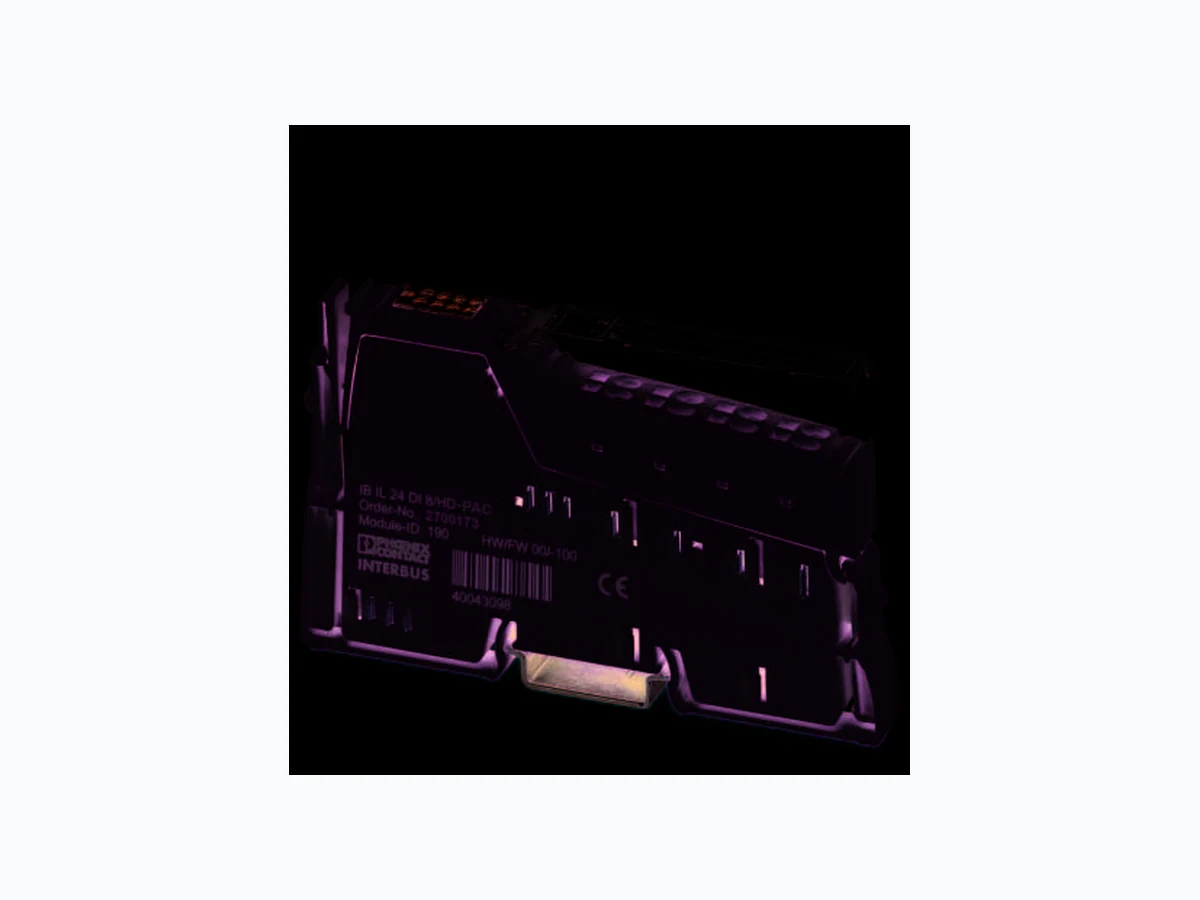
– Connections for eight digital sensors – Connection of sensors in 1-wire technology – Diagnostic and status indicators – Can be used under extreme ambient conditions –P a i n t e d P C B s – Extended temperature range T2 (-40°C +55°C) This data sheet is only valid in association with the IL SYS INST UM E user manual. Make sure you always use the latest documentation. It can be downloaded from the product at www.phoenixcontact.net/catalog. 8461_en_00 2012-05-29
8461_en_00 PHOENIX CONTACT 2 2T a b l e o f c o n t e n t s
8461_en_00 PHOENIX CONTACT 3 Description Type Order No. Pcs. / Pkt. Inline digital input terminal, version for extreme conditions, complete with accessories (connector plug and labeling field), 8 inputs, 24 V DC, 1-wire connection technology IB IL 24 DI8/HD-XC-PAC 2701212 1 3O r d e r i n g d a t a Accessories Type Order No. Pcs. / Pkt. Connector, for digital 1, 2 or 8-channel Inline terminals ( Plug/Adapter ) IB IL SCN-8 2726337 10 Labeling field, width: 12.2 mm ( Marking ) IB IL FIELD 2 2727501 10 Documentation Type Order No. Pcs. / Pkt. User manual, English, Automation terminals of the Inline product range IL SYS INST UM E - - Data sheet, English, INTERBUS addressing DB GB IBS SYS ADDRESS - - Dimensions (nominal sizes in mm) Width 12.2 mm Height 119.8 mm Depth 71.5 mm Note on dimensions Housing dimensions
4 Technical data
140,5 119,8 71,5 General data Color green Weight 60 g ( With connector ) Operating mode Process data mode with one byte Ambient temperature (operation) -40 °C ... 55 °C (See also the "Tested successfully: Use under extreme ambient conditions" section of the data sheet.) Ambient temperature (operation) -40 °C ... 60 °C (At U S < 24.5 V; see also the "Tested successfully: Use under ex- treme ambient conditions" section of the data sheet.) Ambient temperature (storage/transport) -40 °C ... 85 °C Temperature class T2 (-40°C ... 55°C, EN 50155) Permissible humidity (operation) 10 % ... 95 % (according to DIN EN 61131-2) Permissible humidity (storage/transport) 10 % ... 95 % (according to DIN EN 61131-2) Air pressure (operation) 70 kPa ... 106 kPa (up to 3000 m above sea level)
8461_en_00 PHOENIX CONTACT 4 Air pressure (storage/transport) 70 kPa ... 106 kPa (up to 3000 m above sea level) Degree of protection IP20 Protection class III, IEC 61140, EN 61140, VDE 0140-1 General data Connection data Name Inline connectors Connection method Spring-cage connection Conductor cross section [AWG] 28 ... 16 Interface Inline local bus Connection method Inline data jumper Transmission speed 500 kBit/s Power consumption Segment supply voltage US 24 V DC (nominal value) Current consumption from US max. 5.5 mA DC Communications power UL 7.5 V DC Current consumption from UL max. 30 mA DC Power loss max. 0.72 W Digital inputs Number of inputs 8 Connection method Spring-cage connection Connection method 1-wire Description of the input EN 61131-2 types 1 and 3 Nominal input voltage 24 V DC Nominal input current Typ. 2.4 mA Input voltage range "0" signal -3 V DC ... 5 V DC Input voltage range "1" signal 11 V DC ... 30 V DC Delay at signal change from 0 to 1 1 ms Delay at signal change from 1 to 0 1 ms Permissible conductor length to the sensor 30 m Programming Data ID code (hex) BE ID code (dec.) 190 Length code (hex) 81 Length code (dec.) 129 Process data channel 8 Bit Input address area 1 Byte Output address area 0 Byte Parameter channel (PCP) 0 Byte Register length (bus) 8 Bit For the programming data/configuration data of other bus systems, please refer to the corresponding electronic device data sheet (e.g., GSD, EDS). PROFIBUS telegram data Required parameter data 1 Byte Need for configuration data 4 Byte
8461_en_00 PHOENIX CONTACT 5
5 Additional tables
Error messages to the higher level control or computer system None Electrical isolation/isolation of the voltage areas 5 V supply, incoming remote bus/7.5 V supply (bus logics) 500 V AC , 50 Hz , 1 min 5 V supply, outgoing remote bus/7.5 V supply (bus logics) 500 V AC , 50 Hz , 1 min
7.5 V supply (bus logics)/24 V supply (I/O) 500 V AC , 50 Hz , 1 min
24 V supply (I/O) / functional earth ground 500 V AC , 50 Hz , 1 min
To achieve electrical isolation between the logic level and the I/O area, supply these areas from separate power supply units. Interconnection of the power supply units in the 24 V area is not permitted (see also user manual). Approvals For the latest approvals, please visit www.phoenixcontact.net/catalog. Input characteristic curve Input voltage U [V] Typical input current I [mA] -30 < U ≤ 0.7 0 3 0.12 61 . 3 2 9 2.32 12 2.36 15 2.36 18 2.36 21 2.36 24 2.40 27 2.40 30 2.40
8461_en_00 PHOENIX CONTACT 6
6 Tested successfully: Use under ex-
The terminal has been tested successfully over 250 tempera- ture change cycles in accordance with IEC 61131-2 in the range from -40°C to +70°C. The following conditions were observed: – The Inline devices for all connecting cables were con- nected with a minimum conductor cross section of 0.5 mm² – The Inline station was asse mbled on a wall-mounted hor- izontal DIN rail – Fans were used to ensure continuous movement of air in the control cabinet – The Inline station was not ex posed to vibration or shock – The Inline station was oper ated with a maximum of
24.5 V (ensured by using regulated power supply units)
Figure 1 Temperature change cycle
7 Internal circuit diagram
Figure 2 Internal wiring of the terminal points Temperature in the control cabinet/ambient temperature Cycle WARNING: The terminal is not approved for use in poten- tially explosive areas. The terminal is not approved for use in safety technology. 3 h + 30 min 3 h + 30 min (3 0,6) K/min+
3 K+Tmin
2 K+Tmax
(Bus logic including voltage conditioning) LED (status indicator) Optocoupler Digital input Explanation for other used symbols has been provided in the IL SYS INST UM E user manu- al. Local bus UL 88 16 +24 V (U )M +24 V (U )S 4x 4x OPC OPC
8461_en_00 7PHOENIX CONTACT GmbH & Co. KG • 32823 Blomberg • Germany www.phoenixcontact.com
8 Local status and diagnostic indica-
Figure 3 Local status and diagnostic indicators Function identification Light blue
9 Terminal point assignment
Figure 4 Terminal point assignment
10 Connection notes and examples
If you connect the sensors via external busbars, make sure that the sensors and US are supplied by the same power sup- ply. Figure 5 Example of a connection of sensors when using external busbars
11 Process data
Assignment of the terminal points to IN process data Designa- tion Color Meaning D Green Diagnostics (bus and logic voltage) 1 to 8 Yellow Status of the inputs Terminal point Assignment 1.1 / 2.1 Signal input (IN 1 / IN 2) 1.2 / 2.2 Signal input (IN 3 / IN 4) 1.3 / 2.3 Signal input (IN 5 / IN 6) 1.4 / 2.4 Signal input (IN 7 / IN 8) D 7 8 1.1 2.1 1.2 2.2 1.3 2.3 1.4 2.4 1.1 1.2 1.3 1.4 2.1 2.3 2.4 2.2 NOTE: Malfunction Make sure that the supply voltage US is avail- able, as it is used internally as the auxiliary volt- age. When connecting the sensors observe the as- signment of the terminal points to the process data. NOTE: Malfunction The sensors and US must be supplied from the same voltage supply. (Byte.Bit) view Byte Byte 0 Bit 7 6 5 4 3 2 1 0 Assign- ment Termi- nal point (signal) Status in- dicator L E D 87654321 For the assignment of the illustrated (byte.bit) view to your INTERBUS control or computer system, please refer to the DB GB IBS SYS ADDRESS data sheet. 1.1 2.1 1.2 1.3 1.4 2.2 2.3 2.4 IN8 +24 V IN7 +24 V IN1 +24 V IN2 +24 V +24 V