
BA01697D EH
Document overview
- Manufacturer or author: Provided By www.digicamel.com(free datasheet download site)
- PDF pages: 64
Technical content
Products Solutions Services Operating Instructions Picomag IO-Link Electromagnetic flowmeter BA01697D/06/EN/06.22-00 71552010 2022-06-01 Valid as of version 01.01.zz (Device firmware)
2 Endress+Hauser
- Make sure the document is stored in a safe place such that it is always available when working on or with the device.
- To avoid danger to individuals or the facility, read the "Basic safety instructions" section carefully, as well as all other safety instructions in the document that are specific to working procedures.
- The manufacturer reserves the right to modify technical data without prior notice. Your Endress+Hauser Sales Center will supply you with current information and updates to these instructions.
Picomag IO-Link Table of contents Endress+Hauser 3 Table of contents
1.2.4 Symbols for certain types of
2.7.3 Access via Bluetooth® wireless
3 Incoming acceptance and product
7.1 Access to the operating menu via the
9.3.3 Setting the installation direction and
11 Diagnostics and troubleshooting ... 35
Table of contents Picomag IO-Link
4 Endress+Hauser
Picomag IO-Link About this document Endress+Hauser 5
1 About this document
1.1 Document function
These Operating Instructions contain all the information that is required in various phases of the life cycle of the device: from product identification, incoming acceptance and storage, to mounting, connection, operation and commissioning through to troubleshooting, maintenance and disposal.
1.2 Symbols used
1.2.1 Safety symbols
This symbol alerts you to a dangerous situation. Failure to avoid this situation will result in serious or fatal injury. WARNING This symbol alerts you to a dangerous situation. Failure to avoid this situation can result in serious or fatal injury. CAUTION This symbol alerts you to a dangerous situation. Failure to avoid this situation can result in minor or medium injury. NOTICE This symbol contains information on procedures and other facts which do not result in personal injury.
1.2.2 Electrical symbols
A grounded terminal which, as far as the operator is concerned, is grounded via a grounding system.
1.2.3 Communication-specific symbols
Bluetooth® Wireless data transmission between devices over a short distance. ® IO-Link Communications system for connecting intelligent sensors and actuators to an automation system. In the IEC 61131-9 standard, IO-Link is standardized under the name "Single-drop digital communication interface for small sensors and actuators (SDCI)".
About this document Picomag IO-Link
6 Endress+Hauser
1.2.4 Symbols for certain types of information
Procedures, processes or actions that are permitted. Preferred Procedures, processes or actions that are preferred. Forbidden Procedures, processes or actions that are forbidden. Tip Indicates additional information. Reference to documentation A Reference to page Reference to graphic Notice or individual step to be observed 1 . 2 . , 3 . … Series of steps Result of a step
1.2.5 Symbols in graphics
1, 2, 3, ... Item numbers A, B, C, ... Views
1.3 Documentation
For an overview of the scope of the associated Technical Documentation, refer to the following:
- The W@M Device Viewer: Enter the serial number of the measuring device (www.endress.com/deviceviewer)
- The Endress+Hauser Operations App: Enter the serial number of the measuring device or scan the 2-D matrix code on the measuring device.
1.4 Registered trademarks
Is a registered trademark. It may only be used in conjunction with products and services by members of the IO-Link Community or by non-members who hold an appropriate license. For more specific guidelines on use, refer to the IO-Link Community rules on: www.io.link.com. Bluetooth® wireless technology The Bluetooth® word mark and logos are registered trademarks owned by the Bluetooth SIG, Inc. and any use of such marks by Endress+Hauser is under license. Apple® Apple, the Apple logo, iPhone, and iPod touch are trademarks of Apple Inc., registered in the U.S. and other countries. App Store is a service mark of Apple Inc.
Picomag IO-Link About this document Endress+Hauser 7 Android® Android, Google Play and the Google Play logo are trademarks of Google Inc.
Basic safety instructions Picomag IO-Link
8 Endress+Hauser
2 Basic safety instructions
2.1 Requirements for the personnel
The personnel for installation, commissioning, diagnostics and maintenance must fulfill the following requirements: ‣ Trained, qualified specialists must have a relevant qualification for this specific function and task. ‣ Are authorized by the plant owner/operator. ‣ Are familiar with federal/national regulations. ‣ Before starting work, read and understand the instructions in the manual and supplementary documentation as well as the certificates (depending on the application). ‣ Follow instructions and comply with basic conditions. The operating personnel must fulfill the following requirements: ‣ Are instructed and authorized according to the requirements of the task by the facility's owner-operator. ‣ Follow the instructions in this manual.
2.2 Intended use
The measuring device described in this manual is intended only for the flow measurement of liquids with a minimum conductivity of 10 µS/cm. To ensure that the measuring device remains in proper condition for the operation time: ‣ Use the measuring device only for media to which the process-wetted materials have an adequate level of resistance. Incorrect use Non-designated use can compromise safety. The manufacturer is not liable for damage caused by improper or non-designated use. LWARNING Danger of breakage due to corrosive or abrasive fluids and ambient conditions! ‣ Verify the compatibility of the process fluid with the sensor material. ‣ Ensure the resistance of all fluid-wetted materials in the process. ‣ Keep within the specified pressure and temperature range. Residual risks LWARNING If the temperature of the media or electronics unit is high or low, this may cause the surfaces of the device to become hot or cold. This poses a risk of burns or frostbite! ‣ In the case of hot or cold medium temperatures, install appropriate protection against contact.
2.3 Workplace safety
For work on and with the device: ‣ Wear the required personal protective equipment according to national regulations. For welding work on the piping: ‣ Do not ground the welding unit via the measuring device.
Picomag IO-Link Basic safety instructions Endress+Hauser 9
2.4 Operational safety
Risk of injury! ‣ Operate the device in proper technical condition and fail-safe condition only. ‣ The operator is responsible for interference-free operation of the device.
2.5 Product safety
This measuring device is designed in accordance with good engineering practice to meet state-of-the-art safety requirements, has been tested, and left the factory in a condition in which it is safe to operate. It meets general safety standards and legal requirements. It also complies with the EU directives listed in the device-specific EU Declaration of Conformity. Endress+Hauser confirms this by affixing the CE mark to the device. Furthermore, the device meets the legal requirements of the applicable UK regulations (Statutory Instruments). These are listed in the UKCA Declaration of Conformity along with the designated standards. By selecting the order option for UKCA marking, Endress+Hauser confirms a successful evaluation and testing of the device by affixing the UKCA mark. Contact address Endress+Hauser UK: Endress+Hauser Ltd. Floats Road Manchester M23 9NF United Kingdom www.uk.endress.com
2.6 IT security
Our warranty is valid only if the device is installed and used as described in the Operating Instructions. The device is equipped with security mechanisms to protect it against any inadvertent changes to the settings. IT security measures, which provide additional protection for the device and associated data transfer, must be implemented by the operators themselves in line with their security standards.
2.7 Device-specific IT security
2.7.1 Access via the SmartBlue app
Two access levels (user roles) are defined for the device: the Operator user role and the Maintenance user role. The Maintenance user role is the default setting. If a user-specific access code is not defined (in the Set access code parameter), the default setting 0000 continues to apply and the Maintenance user role is automatically enabled. The device's configuration data are not write-protected and can be edited at all times. If a user-specific access code has been defined (in the Set access code parameter), all the parameters are write-protected and the device is accessed with the Operator user role. The previously defined access code must first be entered again before the Maintenance user role is enabled and all the parameters can be write-accessed.
2.7.2 Protecting access via a password
Different passwords are available to protect write access to the device parameters or access to the device via the Bluetooth® interface.
Basic safety instructions Picomag IO-Link
10 Endress+Hauser
- User-specific access code Protect write access to the device parameters via the SmartBlue app
- Bluetooth key The password protects a connection between an operating device (e.g. smartphone, tablet) and the device via the Bluetooth® interface. General notes on the use of passwords
- The access code and Bluetooth key supplied with the device should be changed during commissioning.
- Follow the general rules for generating a secure password when defining and managing the access code or Bluetooth key.
- The user is responsible for the management and careful handling of the access code and Bluetooth key.
2.7.3 Access via Bluetooth® wireless technology
Secure signal transmission via Bluetooth® wireless technology uses an encryption method tested by the Fraunhofer Institute.
- The device is not visible via Bluetooth® wireless technology without the SmartBlue App.
- Only one point-to-point connection is established between the device and a smartphone or tablet.
- The Bluetooth® wireless technology interface can be disabled via SmartBlue.
Picomag IO-Link Incoming acceptance and product identification Endress+Hauser 11
3.1 Incoming acceptance
Are the order codes on the delivery note (1) and the product sticker (2) identical? Are the goods undamaged? Order code: Ser. no.: Ext. ord. cd.: i i Date: Do the data on the nameplate match the ordering information on the delivery note? Is the accompanying safety data sheet present?
- If one of the conditions is not satisfied, contact your Endress+Hauser Sales Center.
- The Technical Documentation is available via the Internet or via the Endress+Hauser Operations App, see the "Product identification" section .
3.2 Product identification
The following options are available for identification of the measuring device:
- The device label
- Order code with breakdown of the device features on the delivery note
- Enter the serial number on the device label in W@M Device Viewer (www.endress.com/deviceviewer): all the information about the measuring device is displayed.
- Enter the serial number on the device label into the Endress+Hauser Operations App or scan the 2-D matrix code (QR code) on the measuring device with the Endress+Hauser Operations App: all the information about the measuring device is displayed.
Incoming acceptance and product identification Picomag IO-Link
12 Endress+Hauser
3.2.1 Symbols on measuring device
WARNING! This symbol alerts you to a dangerous situation. Failure to avoid this situation can result in serious or fatal injury. To determine the nature of the potential hazard and the measures required to avoid it, consult the documentation accompanying the measuring device. Reference to documentation Refers to the corresponding device documentation.
Picomag IO-Link Storage and transport Endress+Hauser 13
4 Storage and transport
4.1 Storage conditions
Observe the following notes for storage: ‣ Store in the original packaging to ensure protection from shock. ‣ Store in a dry place. ‣ Do not store outdoors. Storage temperature → 42
4.2 Transporting the product
Transport the device to the measuring point in the original packaging. Do not remove protective covers or caps installed on process connections. They prevent mechanical damage to the sealing surfaces and contamination in the measuring tube.
4.3 Packaging disposal
All packaging materials are environmentally friendly and 100% recyclable: Carton in accordance with European Packaging Directive 94/62EC; recyclability is confirmed by the affixed RESY symbol.
14 Endress+Hauser
5 Mounting
5.1 Mounting requirements
5.1.1 Mounting position
Preferably install the sensor in an ascending pipe. Inlet and outlet runs No inlet and outlet runs need to be considered. The installation dimensions provide information on the dimensions and installed lengths of the device → 43 The arrow points in the preferred direction of flow. Measurement in the other direction is also possible.→ 23
5.2 Mounting the measuring device
Install the measuring device without any mechanical tension so that pipe forces are not transferred to the measuring device. LWARNING Burn hazard! If medium temperatures or ambient temperatures exceed 50 °C, areas of the housing can heat to over 65 °C. ‣ Safeguard the housing so that it cannot be touched accidentally.
1 Measuring device with male thread
1 Pipe with female thread
2 Seal (not supplied)
3 Adapter: available adapters → 39
4 Seal (included in delivery)
5 Measuring device connection, male thread
2 Measuring device with female thread
1 Pipe with conical male thread
2 Measuring device connection, female thread
No seals are included in the delivery for devices with a female thread. Suitable commercially available seal material can be used.
Electrical connection Picomag IO-Link
16 Endress+Hauser
6 Electrical connection
6.1 Electrical safety
In accordance with applicable national regulations.
6.2 Connecting requirements
6.2.1 Requirements for connecting cable
National regulations and standards apply. Connecting cable M12 × 1 A-coded Conductor cross-section At least 0.12 mm2 (AWG26) Degree of protection IP65/67, pollution degree 3
6.2.2 Pin assignment, device plug
/UNIe041 A B BA IO2 IO1 A0033004 A Plug (measuring device) B Socket (customer side) 1...4 Pin assignment Pin assignment Pin Assignment Description 1 L+ Supply voltage + (18 to 30 VDC/max. 3 W)
2 IO2 Input/output 2, can be configured independently of IO1
3 L- Supply voltage -
4 IO1 Input/output 1, can be configured independently of IO2
Picomag IO-Link Electrical connection Endress+Hauser 17 Switch output configuration version The switching behavior of IO1 and IO2 can be configured independently of one another. PNP 1) NPN 2) BA A0033005 A Plug (measuring device) B Socket (customer side) L+ Supply voltage + L- Supply voltage - BA A0033006 A Plug (measuring device) B Socket (customer side) L+ Supply voltage + L- Supply voltage - The load is switched to high side L+. The maximum load current is 250 mA. The output is protected against short-circuiting and reverse polarity. The load is switched to low side L-. The maximum load current is 250 mA. The output is protected against short-circuiting and reverse polarity. 1) Positive Negative Positive (high side switch) 2) Negative Positive Negative (low side switch) Pulse output configuration version Option only available for output 1 → 25 BA A0047257 3 Pulse output with PNP switching behavior A Plug (measuring device) B Socket (customer side) L+ Supply voltage + L- Supply voltage - The load is switched to high side L+. The maximum load current is 250 mA. The output is protected against short-circuiting and reverse polarity.
Electrical connection Picomag IO-Link
18 Endress+Hauser
Current output configuration version BA A A A0046581 4 Current output, active, 4 to 20 mA A Plug (measuring device) B Socket (customer side) L+ Supply voltage + L- Supply voltage - The current flows from the output to L-. The maximum load may not exceed 500 Ω. A bigger load distorts the output signal. Voltage output configuration version BA V V A0046582 5 Voltage output, active, 2 to 10 V A Plug (measuring device) B Socket (customer side) L+ Supply voltage + L- Supply voltage - The voltage from the output applies to L-. The load must be at least 600 Ω. The output is protected against short-circuiting and reverse polarity. Digital input configuration version
- 15 V (switch-on threshold)
- 5 V (switch-off threshold) BA A0033008 6 Digital input A Plug (measuring device) B Socket (customer side) L+ Supply voltage + L- Supply voltage -
Picomag IO-Link Electrical connection Endress+Hauser 19 Internal resistance: 7.5 kΩ IO-Link configuration version Option only available for output 1 in the Output 1→ 24 submenu The measuring device features an IO-Link communication interface with a baud rate of 38,400 and with a second IO function on pin 2. This requires an IO-Link compatible module (IO-Link master) for operation. The IO-Link communication interface allows direct access to the process and diagnostics data.
6.3 Connecting the measuring device
The measuring device may only be installed by properly trained technicians. ‣ Comply with national and international regulations regarding the installation of electrotechnical systems. ‣ Power supply according to EN 50178, SELV, PELV or Class 2. 1. De-energize the system. 2. Connect the measuring device via the connector. A0046190
1 Ground terminal
In the case of non-grounded pipes: The device must be grounded using the ground terminal accessory.
6.4 Post-connection check
Are cables or the device undamaged (visual inspection)? Do the cables have adequate strain relief? Is the connector connected correctly? Does the supply voltage match the specifications on the measuring device? Is the pin assignment of the connector correct? Is the potential equalization established correctly?
Operation options Picomag IO-Link
20 Endress+Hauser
7 Operation options
7.1 Access to the operating menu via the SmartBlue app
The device can be operated and configured via the SmartBlue app. In this case, the connection is established via the Bluetooth® wireless technology interface. Supported functions
- Device selection in Live List and access to the device (login)
- Configuration of the device
- Access to measured values, device status and diagnostic information The SmartBlue app is available to download free of charge for Android devices (Google Playstore) and iOS devices (iTunes Apple Store): Endress+Hauser SmartBlue Directly to the app with the QR code: A0033202 System requirements
- Devices with iOS: From iOS 11
- Devices with Android: Android 6.0 KitKat or higher Downloading the SmartBlue app: 1. Install and start the SmartBlue app. A Live List shows all the devices available. The list displays the devices with the configured tag name. The default setting for the tag name is EH_DMA_XYZZ (XYZZ = the last 7 digits of the device serial number). 2. For Android devices, activate GPS positioning (not necessary for devices with IOS) 3. Select the device from the Live List. The Login dialog box opens. Logging in: 4. Enter the user name: admin 5. Enter the initial password: serial number of the device. When you log in for the first time, a message is displayed advising you to change the password. 6. Confirm your entry. The main menu opens. 7. Optional: Change Bluetooth® password: Menu: Guidance → Security → Change Bluetooth password Forgotten your password: contact Endress+Hauser Service. Navigate through the various items of information about the device: swipe the screen to the side.
Picomag IO-Link System integration Endress+Hauser 21
8 System integration
The measuring device has an IO-Link communication interface. The IO-Link interface allows direct access to process and diagnostics data and enables the user to configure the measuring device on the fly. Properties:
- IO-Link Specification: Version 1.1
- IO-Link Smart Sensor Profile 2nd Edition
- SIO mode: yes
- Speed: COM2 (38.4 kBaud)
- Minimum cycle time: 10 ms
- Process data width: 120 bit
- IO-Link data storage: yes
- Block configuration: no
- Device operational: The measuring device is operational 4 seconds after the supply voltage is applied More information on IO-Link is available at www.io-link.com Overview of the entire IO-Link ISDU parameter list → 52
8.1 Overview of device description files
Current version data for the device Firmware version 01.01.zz Information on the firmware version can be found:
- On the title page of the Operating instructions
- On the device label
- In the Firmware version parameter in the System menu Release date of firmware version 05.2019 --- Profile version • 1.1
- Smart Sensor Profile ---
8.2 Device master file
In order to integrate field devices into a digital communication system, the IO-Link system needs a description of the device parameters, such as output data, input data, data format, data volume and supported transfer rate. These data are available in the device master file (IODD 1)), provided to the IO-Link master when the communication system is commissioned. The IODD can be downloaded as follows:
- Endress+Hauser: www.endress.com
- IODDfinder: http://ioddfinder.io-link.com 1) IO Device Description
Commissioning Picomag IO-Link
22 Endress+Hauser
9 Commissioning
9.1 Switching ON the measuring device
Once the supply voltage has been switched on, the measuring device adopts the normal mode after a maximum of 4 s. During the start-up phase, the outputs are in the same state as the measuring device in the switched-off state.
9.2 Overview of the operating menu
Overview of the operating menu Guidance ▸ Identification → 22 ▸ System units → 22 ▸ Sensor → 23 ▸ Output 1 → 24 ▸ Output 2 → 24 ▸ Totalizer → 29 ▸ Display → 30 ▸ Data management → 31 ▸ Security → 31 Diagnostics → 32 System ▸ Data management → 32 ▸ Firmware → 32
9.3 Configuring the measuring device
9.3.1 Identification
The device tag and the user level can be changed in the Identification submenu. Navigation Menu: "Guidance" → Identification
9.3.2 Configuring system units
In the System units submenu, you can configure the units of all measured values. Navigation
Picomag IO-Link Commissioning Endress+Hauser 23 Menu: "Guidance" → System units Parameter overview with brief description Parameter Description Selection Factory setting Volume flow unit Select the unit for the volume flow. • l/s, m³/h, l/min, l/h
- gal/min (us), fl. oz/min l/min Volume unit Select the unit for the volume. • ml, l, m³
- fl. oz (us), gal (us) ml Temperature unit Select the unit for the temperature. • °C
- °F Totalizer unit Select the unit for the totalizer. • ml, l, m³
- kl, Ml
- fl. oz (us), gal (us)
- kgal (us) Conductivity unit Select the unit for conductivity. • µS/cm
- S/m
- mS/cm µS/cm
9.3.3 Setting the installation direction and measurement
The Sensor submenu contains parameters for specific settings of the measuring device. Navigation Menu: "Guidance" → Sensor Parameter overview with brief description Parameter Description Selection/input Factory setting Installation direction Select the installation direction.
- Flow in arrow direction (forwards) Positive flow measurement in the direction of the arrow.
- Flow against arrow direction (backwards) Positive flow measurement in the opposite direction of the arrow. Flow in arrow direction (forwards) On value Enter the on value for low flow cut off. Positive floating point number A flow measured value that is less than the value of the on value forces the display to zero. In the event of plant downtime, this prevents the totalizer from continuing to totalize even though there is no flow. The measured value flashes on the display when low flow cut off is active. Low flow cut off is deactivated again as soon as the flow measured value exceeds 1.5 times the on value. Depends on the nominal diameter: DN 15 (½"): 0.05 l/min (0.013 gal/min) DN 20 (¾"): 0.1 l/min (0.026 gal/min) DN 25 (1"): 0.2 l/min (0.052 gal/min) DN 50 (2"): 1.5 l/min (0.4 gal/min) Damping Enter the time constant for damping the flow measured value. 0 to 10 s 0 s
Commissioning Picomag IO-Link
24 Endress+Hauser
9.3.4 Configuring the IO modules
The measuring device has two signal inputs or signal outputs that can be configured independently of one another:
- Current output → 24
- Pulse output → 25
- Switch output → 26
- Voltage output → 27
- Digital input → 28 Navigation Menu: "Guidance" → Output 1 Menu: "Guidance" → Output 2 Parameter overview with brief description Parameter Description Selection Factory setting Output 1 Select the operating mode of output 1. • Pulse output
- Current output
- Switch output
- Voltage output
- Digital input
- IO-Link
- Off IO-Link Output 2 Select the operating mode of output 2. • Current output
- Switch output
- Voltage output
- Digital input
- Off Off Configuring the current output The Current output submenu contains all the parameters that must be configured for the configuration of the current output. The output is used to output process variables by analog means in the form of a 4-20 mA current. Navigation Menu: "Guidance" → Output 1 → Current output Menu: "Guidance" → Output 2 → Current output Parameter overview with brief description Parameter Description Selection/input Factory setting Assign current output Select process variable for current output. • Off
- Volume flow
- Temperature
- Conductivity Volume flow 4 mA value Enter 4 mA value. Floating point number with sign 0 l/min 20 mA value Enter 20 mA value. Floating point number with sign Depends on the nominal diameter: DN 15 (½"): 25 l/min (6.6 gal/min) DN 20 (¾"): 50 l/min (13.2 gal/min) DN 25 (1"): 100 l/min (26.4 gal/min) DN 50 (2"): 750 l/min (198.1 gal/min)
Picomag IO-Link Commissioning Endress+Hauser 25 Unidirectional flow measurement (Q), conductivity measurement (S) A = 0 B Q mA A0035753 A Lower range value = 0 B Upper range value Q Flow
- Current I is linearly interpolated between lower range value (A) and upper range value (B).
- The output range ends at 20.5 mA. Bidirectional flow measurement (Q), temperature measurement (T) A = 0 B Q mA A0035754 A Lower range value B Upper range value Q Flow
- Current I is linearly interpolated between lower range value (A) and upper range value (B).
- Rather than having a hard upper and lower limit, the output range ends at 20.5 mA at the top end and at 3.8 mA at the bottom end Configuring the pulse output The Pulse output submenu contains all the parameters that must be configured for the configuration of the pulse output. Navigation Menu: "Guidance" → Output 1 Parameter overview with brief description Parameter Description User entry Factory setting Value per pulse Enter the value for the pulse output. Floating point number with sign Depends on the nominal diameter: DN 15 (½"): 0.5 ml DN 20 (¾"): 1.0 ml DN 25 (1"): 2.0 ml
Commissioning Picomag IO-Link
26 Endress+Hauser
The current pulse repetition frequency is calculated from the current flow and the configured pulse value: Pulse repetition frequency = flow/pulse value Example
- Flow: 24 l/min
- Pulse value: 0.001 l
- Pulse repetition frequency = 400 Pulse/s The pulse output only outputs positive flow components in the set installation direction. Negative flow components are ignored and not balanced. Low flow cut off → 23 resets the pulse output. Configuring the switch output The Switch output submenu contains all the parameters that must be configured for the configuration of the switch output. Navigation Menu: "Guidance" → Output 1 Menu: "Guidance" → Output 2 Parameter overview with brief description Parameter Description Selection/input Factory setting Polarity Select the switching behavior.
- NPN (low-side-switch) Switches load to low side to L-
- PNP (high-side-switch) Switches load to high side to L+ PNP (high-side- switch) Switch output function
- Off The switch output is permanently switched off (open, non-conductive).
- On The switch output is permanently switched on (closed, conductive).
- Diagnostic behavior The output switches off when an event with the status signal F occurs
- Limit volume flow Indicates if a specified limit value has been reached for the process variable.
- Limit temperature Indicates if a specified limit value has been reached for the process variable.
- Limit conductivity Indicates if a specified limit value has been reached for the process variable.
- Limit volume totalizer
- Range volume flow
- Range temperature
- Range conductivity
- Range volume totalizer
- Empty pipe detection Output switches off if empty pipe detection is activated. Off Switch-on value Enter the measured value for the switch-on value. Floating point number with sign 1 000 m³/h Switch-off value Enter the measured value for the switch-off value. Floating point number with sign 1 000 m³/h
Picomag IO-Link Commissioning Endress+Hauser 27 Switch on if over the limit: Switch off if over the limit: A B t C 1.1 1.2 Q / T A0034163
1.1 Input variables
1.2 Switch output
A B t C 2.1 2.2 A0034164
2.1 Input variables
2.2 Switch output
Switch on if within window: Switch off if within window: Q / T A t D D 3.1 3.2 BB A A0034165
3.1 Input variables
3.2 Switch output
A On-value (lower range limit) B Off-value (upper range limit) D Window Q / T A B t D D 4.1 4.2 A B A0034166
4.1 Input variables
4.2 Switch output
A On-value (lower range limit) B Off-value (upper range limit) D Window Configuring the voltage output The Voltage output submenu contains all the parameters that must be configured for the configuration of the voltage output. Navigation Menu: "Guidance" → Output 1 Menu: "Guidance" → Output 2 Parameter overview with brief description Parameter Description Selection/input Factory setting Assign voltage output Select process variable for voltage output. • Off
- Volume flow
- Temperature
- Conductivity Volume flow 2 V value Enter the lower range value. Floating point number with sign 0 l/min 10 V value Enter the upper range value. Floating point number with sign Depends on the nominal diameter: DN 15 (½"): 25 l/min DN 20 (¾"): 50 l/min DN 25 (1"): 100 l/min DN 50 (2"): 750 l/min
Commissioning Picomag IO-Link
28 Endress+Hauser
Unidirectional flow measurement (Q), conductivity measurement A = 0 B Q V A0032995 A Lower range value = 0 B Upper range value Q Flow
- Voltage U is linearly interpolated between lower range value (A) and upper range value (B).
- The output range ends at 10.25 V. Bidirectional flow measurement (Q), temperature measurement (T) 0 B Q V A A0032996 A Lower range value B Upper range value Q Flow
- Voltage U is linearly interpolated between lower range value (A) and upper range value (B).
- Rather than having a hard upper and lower limit, the output range ends at 10.25 V at the top end and at 1.9 V at the bottom end Configuring the digital input The Digital input submenu contains all the parameters that must be configured for the configuration of the digital input. The input is used to control an action with an external voltage signal. The minimum pulse duration is 100 ms. Navigation Menu: "Guidance" → Output 1
Picomag IO-Link Commissioning Endress+Hauser 29 Menu: "Guidance" → Output 2 Parameter overview with brief description Parameter Description Selection Factory setting Active level Select the switching behavior for the digital input.
- High Input reacts to high level/positive edge
- Low Input reacts to low level/negative edge High Assign status input Select the function for the digital input. • Off
- Reset totalizer Reset the totalizer (edge controlled) (positive/negative edge)
- Flow override
- Flow measured value = 0
- No effect on temperature measurement (level controlled) (high/low level) Reset totalizer
9.3.5 Totalizer
The totalizer can be reset with the Reset totalizer submenu. Navigation Menu: "Guidance" → Totalizer Parameter overview with brief description Parameter Description Display/options Factory setting Volume totalizer Enter value. Floating point number with sign 0 m3 Reset totalizer Reset the totalizer. • Cancel The totalizer is not reset.
- Reset + totalize The totalizer is reset. Cancel
Commissioning Picomag IO-Link
30 Endress+Hauser
9.3.6 Configuring the display
The Display submenu contains all the parameters that can be configured for the configuration of the onsite display. Navigation Menu: "Guidance" → Display Parameter overview with brief description Parameter Description Selection/input Factory setting Format display Select how measured values are shown on the display. Display value 1st line + display value 2nd line:
- Volume flow + temperature
- Volume flow + totalizer
- Temperature + totalizer
- Volume flow + conductivity
- Totalizer + conductivity
- Temperature + conductivity Volume flow + temperature 4 display values: Volume flow + temperature + totalizer + conductivity 2 display values (multiplex): Volume flow +totalizer / temperature + conductivity Rotation display Select local display rotation. • Auto (automatic)
- The display rotates automatically depending on the installation position Auto
- 0°
- Can be read in the horizontal installation position with flow from left to right A A0033013
- 90°
- Can be read in the vertical installation position with flow from bottom to top A A0033014
- 180°
- Can be read in the horizontal installation position with flow from right to left A A0033015
Picomag IO-Link Commissioning Endress+Hauser 31 Parameter Description Selection/input Factory setting
- 270°
- Can be read in the vertical installation position with flow from top to bottom A A0033016 Backlight Set the intensity of the backlighting. 0 to 100 % 50 %
9.3.7 Data management
Export configuration as report The device configuration can be exported as a PDF report and saved in the mobile terminal or forwarded with this function. Save configuration to file The device configuration is saved in the app. The saved device configuration can be transferred to another measuring device using the System → "Load configuration from app" function. Navigation Menu: "Guidance" → Data management
9.3.8 Security
The Security submenu contains all the parameters needed to define the access code and configure the Bluetooth connection. Navigation Menu: "Guidance" → Security Parameter overview with brief description Parameter Description Entry/selection/display Factory setting Define access code Define a user-specific access code to restrict write access to parameters. 4-digit string of numbers 0000 Bluetooth Enable or disable the Bluetooth® wireless technology interface. If the interface is disabled, it can only be re-enabled by tapping the device.
- Disable
- Disable the interface.
- The connection to the measuring device is torn down.
- Enable Enable Change Bluetooth password Change Bluetooth password Keep the password safe. If it is lost, Endress+Hauser cannot restore access to the device. Character string comprising numbers, letters and special characters Device serial number Enable Bluetooth by tapping the device 1. Activate Bluetooth by tapping on the housing three times. 2. Establish a connection to the device via the SmartBlue app.
Commissioning Picomag IO-Link
32 Endress+Hauser
9.4 Diagnostics
The Diagnostics menu enables you to simulate, without a real flow situation, various process variables in the process and the device alarm mode and to verify downstream signal chains (switching of valves or closed-control loops). Navigation "Diagnostics" menu Parameter overview with brief description Parameter Description Selection/input Factory setting Actual diagnostic A diagnostic event has occurred. Displays the current diagnostic event along with the diagnostic information. If two or more messages occur simultaneously, the message with the highest priority is shown on the display. Symbol for diagnostic behavior, diagnostic code and short message. Simulation process variable Activate the simulation of process variables.
- Off Simulation is deactivated.
- On Simulation is activated. Deactivate the simulation again once the test has been performed. Off Volume flow value Enter the value for volume flow simulation. Positive floating point number – Temperature value Enter the value for temperature simulation. Positive floating point number – Conductivity value Enter the value for conductivity simulation Positive floating point number –
9.5 System
The System submenu contains all the parameters that can be used for the administration of the device. Navigation Menu: "System" Parameter overview with brief description Parameter Description Entry/selection/display Factory setting Access status tooling Displays the access status. No user entry/selection possible. • Operator
- Maintenance Maintenance Enter access code Enter the defined access code. → 31 Restrict write access to parameters in order to protect the device configuration from unauthorized modification. 4-digit string of numbers 0000 Device reset Reset the entire device configuration or some of the configuration to a defined state.
- Cancel
- To factory defaults
- Restart device Cancel Export configuration as report The device configuration can be exported as a PDF report and saved in the mobile device or forwarded with this function. - - Save configuration to file The device configuration is saved in the app. The saved device configuration can be transferred to another measuring device using the System → "Load configuration from file" function. - - Load Configuration from file The saved device configuration can be uploaded to a new measuring device with this function. - -
10 Operation
10.1 Offline quick view of configuration
If you tap the top of the housing (e.g. on the arrow indicating the flow direction) with your fist or an object), the device displays an overview of the preset parameters. Xxxxx 4 5 6 I01: I02: BT : SNo: SW: PIN4 PIN2 10 14 A0036432 7 Information in the status layout, overview of the preconfigured parameters
1 I/O area
2 Bluetooth area
3 Identification area
4 I/O type 1
5 I/O current value type 1
6 I/O type 2
7 I/O current value type 2
8 I/O assignment type 1
9 I/O assignment type 2
10 Bluetooth module status
11 Bluetooth connection status
12 Serial number
13 User role: Operator (O), Maintenance (M)
14 Software version
I/O area (in brackets: item number → 7, 33) I/O type ( 4, 6) I/O assignment (8, 9) I/O current value (5, 7) S-Out • Alrt
- LimQ
- LimT
- LimV
- Lims
- WinQ
- WinT
- WinV
- Wins
- EPD
- Off
- On
- PNPOn
- PNPOff
- NPNOn
- NPNOff I-Out • s
- Q
- T Off xx.x mA U-Out • s
- Q
- T Off xx.x V S-In • RsT
- Ovrd Off Low High P-Out Q PNPOn PNPOff IO-L PD • Dis.
- Start
- Preop.
- Oper. Off – –
34 Endress+Hauser
Bluetooth area (in brackets: item number → 7, 33) Bluetooth module status (10) Bluetooth connection status (11) On Dis./Con. Off Dis.
Picomag IO-Link Diagnostics and troubleshooting Endress+Hauser 35
11 Diagnostics and troubleshooting
11.1 General troubleshooting
Error Possible causes Remedial action Local display dark and no output signals Supply voltage does not match the voltage specified on the nameplate. Apply the correct supply voltage → 41. Supply voltage has incorrect polarity. Correct the polarity. The connecting cables are not connected correctly. Check the cable connection and correct if necessary. For output signals Error Possible causes Remedial action Device shows correct value on local display, but signal output is incorrect, though in the valid range. Parametrization errors Check parameterization and correct it. Device measures incorrectly. Configuration error or device is operated outside the application. 1. Check and correct parameter configuration. 2. Observe limit values specified in the "Technical Data". For access Error Possible causes Remedial action Measuring device not in smartphone or tablet live list Bluetooth communication is disabled 1. Check whether the Bluetooth logo is visible on the local display or not. 2. Re-enable Bluetooth communication by tapping the device three times. Device not responding via SmartBlue app No Bluetooth connection Enable Bluetooth function on smartphone or tablet. The device is already connected to another smartphone/tablet. Check whether the device is already connected. Login via SmartBlue app not possible Device is being put into operation for the first time Enter initial password (device serial number) and change. Device cannot be operated via SmartBlue app Incorrect password entered Enter correct password. Password forgotten Contact Endress+Hauser Service. No write access to parameters Current user role has limited access authorization
- Check user role
- Enter the correct customer- specific access code → 20
Diagnostics and troubleshooting Picomag IO-Link
36 Endress+Hauser
11.2 Diagnostic information on local display
11.2.1 Diagnostic message
Faults detected by the self-monitoring system of the measuring device are displayed as a diagnostic message in alternation with the operational display. Diagnostic message Alarm Function check Warning Xxxxxxx F 1 8 0 T E M P . C I R C . F A I L . A0033011 Xxxxxxx C 4 4 6 I / O 1 O V E R L O A D A0033010 Xxxxxxx S 9 6 2 E M P T Y P I P E ? A0033009 If two or more diagnostic events are pending simultaneously, only the message of the diagnostic event with the highest priority is shown. Diagnostic behavior Diagnostic message Meaning Alarm
- The measurement is interrupted.
- Signal outputs and totalizers assume the defined alarm condition.
- A diagnostic message is generated. Function check Process measured values are simulated to test the outputs/wiring.
- IO1/IO2 overload
- Flow override is active Warning
- Measurement is resumed.
- Measuring operation with limited accuracy
- The signal outputs and totalizers are not affected.
- A diagnostic message is generated. Diagnostic behavior of outputs Output Diagnostic behavior Switch output • The output is switched off (fail-safe) if events with the status signal F occur
- No further response to events with other status signals Pulse output • Pulse output stops if events with the status signal F occur
- No further response to events with other status signals Totalizer • Totalizer stops if events with the status signal F occur
- No further response to events with other status signals Current output • 3.5 mA is output to signal events with the status signal F
- No further response to events with other status signals Voltage output • 1.75 V is output to signal events with the status signal F
- No further response to events with other status signals IO-Link • All events reported to the Master
- Events read and processed further by the Master
Picomag IO-Link Diagnostics and troubleshooting Endress+Hauser 37
11.3 Overview of diagnostic events
event Event text Cause Remedial measures Status signal [ex- factory] 181 Coil. circ. fail. Coil/frequency failure Coil current PWM outside tolerance range Replace the measuring device. F 180 Temp. circ. fail. Temperature sensor open circuit/short- circuit Replace the measuring device. F 201 Device fail. Internal hardware error Replace the measuring device. F 283 Memory fail. CRC failure Reset to factory settings. F
446 I/O 1
Overload at output 1 Increase load impedance. C
447 I/O 2
Overload at output 2 Increase load impedance. C
485 Simulation
act. Measured value simulation active (via remote configuration) – C
453 Flow override Flow override active (via
auxiliary input) – C 441 I-Out 1 range I-output 1 at range limit Adjust parameter or process. S
444 U-Out 1
Adjust parameter or process. S
443 P-Out 1
Adjust parameter or process. S 442 I-Out 2 range I-output 2 at range limit Adjust parameter or process. S
445 U-Out 2
Adjust parameter or process. S
962 Empty pipe Pipe is completely or
Adjust the process. S 834 Temperat. range Medium temperature outside the permitted range Adjust the process. S For more information on the diagnostics: see the "Diagnostics information" → 51
11.4 Device information
The Device info submenu contains all parameters that display different information for device identification. Navigation Menu: "System" → Device info Parameter overview with brief description Parameter Description User interface Device name Displays the name of the measuring device. Picomag Device tag Shows name of measuring point. Max. 32 characters, such as letters, numbers or special characters (e.g. @, %, /). Serial number Displays the serial number of the measuring device. Max. 11-digit character string comprising letters and numbers.
Diagnostics and troubleshooting Picomag IO-Link
38 Endress+Hauser
Parameter Description User interface Firmware version Displays the device firmware version installed. Character string in the format xx.yy.zz Extended order code Displays the extended order code. Character string composed of letters, numbers and certain punctuation marks (e.g. /). The following information is shown on the display by tapping once on the housing:
- Status and values for output 1
- Status and values for output 2
- Bluetooth status (On/Off)
- Serial number
- Software version
11.5 Firmware history
Documentation type Documentation 09.2017 01.00.zz Original firmware Operating Instructions BA01697D/06/EN/01.17 BA01697D/06/EN/02.17 BA01697D/06/EN/03.17 05.2019 01.01.zz • Conductivity measurement
- Export configuration report
- Save/load configuration
- Bug fix Operating Instructions BA01697D/06/EN/04.19 BA01697D/06/EN/05.20 BA01697D/06/EN/06.22
Picomag IO-Link Accessories Endress+Hauser 39
12 Accessories
Various accessories are available for the device, and can be ordered with the device or at a later stage from Endress+Hauser. An up-to-date overview of accessories is available from your local Endress+Hauser sales organization or on the product page of the Endress +Hauser website: www.endress.com. Adapter set (suitable for devices with male thread) Order number Description
71355698 G½" to G³⁄₈" male thread
71355699 G½" to R³⁄₈" male thread
71355701 G½" to G½" female thread
71355702 G½" to R½" male thread
71355704 G½" to ½" TriClamp
71355705 G³⁄₄" to R³⁄₄" male thread
71355707 G³⁄₄" to G³⁄₄" female thread
71355708 G³⁄₄" to R³⁄₄" TriClamp
71355709 G1" to R1" male thread
71355711 G1" to G1" female thread
71355712 G1" to 1" TriClamp
71355713 G2" to R1½" male thread
71355714 G2" to R2" male thread
71355717 G2" to G1½" male thread
71355718 G2" to G2" female thread
71355719 G2" to 2" TriClamp
71355720 G2" to 2" Victaulic
71399930 G2" to 54mm press fitting
71458012 Picomag adapter set G1/2"/R1/2" union nut
71458014 Picomag adapter set G3/4"/R1/2" union nut
71349260 2m/6.5ft, straight, 4x0.34, M12, PUR 71349261 5m/16.4ft, straight, 4x0.34, M12, PUR 71349262 10m/32.8ft, straight, 4x0.34, M12, PUR 71349263 2m/6.5ft, 90 degrees, 4x0.34, M12, PUR 71349264 5m/16.4ft, 90 degrees, 4x0.34, M12, PUR 71349265 10m/32.8ft, 90 degrees, 4x0.34, M12, PUR Seal set (suitable for devices with male thread) Order number Description
71354741 DMA15 aramid fiber
71354742 DMA20 aramid fiber
71354745 DMA25 aramid fiber
71354746 DMA50 aramid fiber
Accessories Picomag IO-Link
40 Endress+Hauser
71345225 Ground terminal
Picomag IO-Link Technical data Endress+Hauser 41
13 Technical data
13.1 Input
Measured variables • Volume flow
- Temperature
- Conductivity Measuring range Volume flow measurement DN 15 (½"): 0.05 to 35 l/min (0.013 to 9.2 gal/min) DN 20 (¾"): 0.1 to 75 l/min (0.026 to 19.8 gal/min) DN 25 (1"): 0.2 to 150 l/min (0.052 to 39.6 gal/min) DN 50 (2"): 1.5 to 750 l/min (0.4 to 198.1 gal/min) Measuring range Medium temperature measurement Measuring range Conductivity measurement DN 15 (½"): 20 to 30 000 µS/cm DN 20 (¾"): 20 to 30 000 µS/cm DN 25 (1"): 20 to 30 000 µS/cm DN 50 (2"): 20 to 10 000 µS/cm Digital input • High or low active
- Switch-on level 15 V
- Switch-off level 5 V
- Internal resistance 7.5 kOhm
13.2 Output
Output Max. load Current output 500 Ω Load must not be greater Voltage output 600 Ω Load must not be smaller Pulse output Max. pulse rate: 10 000 Pulse/s Signal on alarm • Status signal (as per NAMUR Recommendation NE 107)
- Plain text display with remedial action Switch output • Switching behavior: PNP or NPN
- Max. load 250 mA
13.3 Power supply
Supply voltage range 18 to 30 VDC (SELV, PELV, Class 2) Power consumption Maximum 3 W
- Without outputs IO1 and IO2: 120 mA
- With outputs IO1 and IO2: 120 mA plus the effective load currents
13.4 Performance characteristics
Reference operating conditions Water, +15 to +45 °C, 2 to 6 bar Repeatability ±0.2 % o.r. Medium temperature measurement Maximum measured error ±2.5 °C Repeatability ±0.5 °C Conductivity measurement Repeatability ±5 %o.r. ±5 µS/cm
Technical data Picomag IO-Link
42 Endress+Hauser
Maximum measured error, current output Additional error ±20 µA 1) Repeatability ±10 µA Response time T90 Typically 200 ms 1) At a device temperature of25 °C. Maximum measured error, voltage output Additional error ±60 mV 1) Repeatability ±10 mV Response time T90 Typically 200 ms 1) At a device temperature of25 °C. The response time T90 is the time a measuring system needs to display 90% of the change of the measured value.
13.5 Installation
→ 14
13.6 Environment
Ambient temperature range –10 to +60 °C (+14 to +140 °F) Storage temperature –25 to +85 °C (–13 to +185 °F) Degree of protection IP65/67, pollution degree 3 Humidity and moisture Suitable for indoor environments with up to 100% rh (wet and damp locations) Operating altitude up to 2 000 m Shock resistance 20 g (11 ms) in accordance with IEC/EN60068-2-27 Vibration resistance Acceleration up to 5 g (10 to 2 000 Hz) in accordance with IEC/ EN60068-2-6 Electromagnetic compatibility (EMC) According to IEC/EN61326 and/or IEC/EN55011 (Class A)
13.7 Process
Medium temperature range • –10 to +70 °C (+14 to +158 °F)
- Permissible short-term temperature: maximum one hour 85 °C (185 °F) every 4 hours.
- Permissible short-term temperature with electronics switched off: maximum one hour 100 °C (212 °F) every 4 hours. Medium properties Liquid, conductivity ≥ 10 µS/cm Pressure Max. 16 barrel Avoid cavitation in the process. Magnetism and static electricity A0046637 8 Avoid magnetic fields
Picomag IO-Link Technical data Endress+Hauser 43
13.8 Mechanical construction
B A C D E F G H I = = K d A0033012 Dimensions in SI units DN A [mm] B [mm] C [mm] D [mm] E F [mm] G H [mm] I [mm] K [mm] d [mm] 15 110 73 40.5 69.5 M12 × 1 43 G½" 56 56 SW 24 12 20 110 73 40.5 69.5 M12 × 1 43 G³⁄₄" 56 56 SW 27 15 25 110 73 40.5 69.5 M12 × 1 43 G1" 56 56 SW 27 15 50 200 113 80 120 M12 × 1 58 G2" 86 86 SW 52 43 Dimensions in US units DN A [in] B [in] C [in] D [in] E F [in] G H [in] I [in] K [in] d [in] Weight in SI units DN [kg] 15 0.34 20 0.35 25 0.36 50 1.55 Weight in US units DN Weight [lbs] 15 0.75 20 0.77 25 0.79 50 3.42 Materials Component Material Measuring tube PEEK Electrodes, temperature sensor 1.4435/316L Process connection 1.4404/316L
Technical data Picomag IO-Link
44 Endress+Hauser
Housing 1.4404/316L, 1.4409/CF3M Seal FKM or EPDM Display window Polycarbonate Measuring device with female thread B A C D E F G H I = = K M A0046130 Dimensions in SI units DN A [mm] B [mm] C [mm] D [mm] E F [mm] G H [mm] I [mm] K [mm] ØM [mm] 15 110 73 40.5 69.5 M12 × 1 43 NPT½" 56 56 SW 27 29.5 20 110 73 40.5 69.5 M12 × 1 43 NPT³⁄₄" 56 56 SW 32 36 25 110 73 40.5 69.5 M12 × 1 43 NPT1" 56 56 SW 41 42 50 180 113 80 120 M12 × 1 58 NPT2" 86 86 SW 70 73.5 Dimensions in US units DN A [in] B [in] C [in] D [in] E F [in] G H [in] I [in] K [in] ØM [in] Weight in SI units DN [kg] 15 0.34 20 0.35 25 0.36 50 1.55 Weight in US units DN Weight [lbs] 15 0.75 20 0.77 25 0.79 50 3.42
Picomag IO-Link Technical data Endress+Hauser 45 Materials Component Material Measuring tube PEEK Electrodes, temperature sensor 1.4435/316L Process connection 1.4404/316L Housing 1.4404/316L, 1.4409/CF3M Seal FKM or EPDM Display window Polycarbonate
13.9 Operability
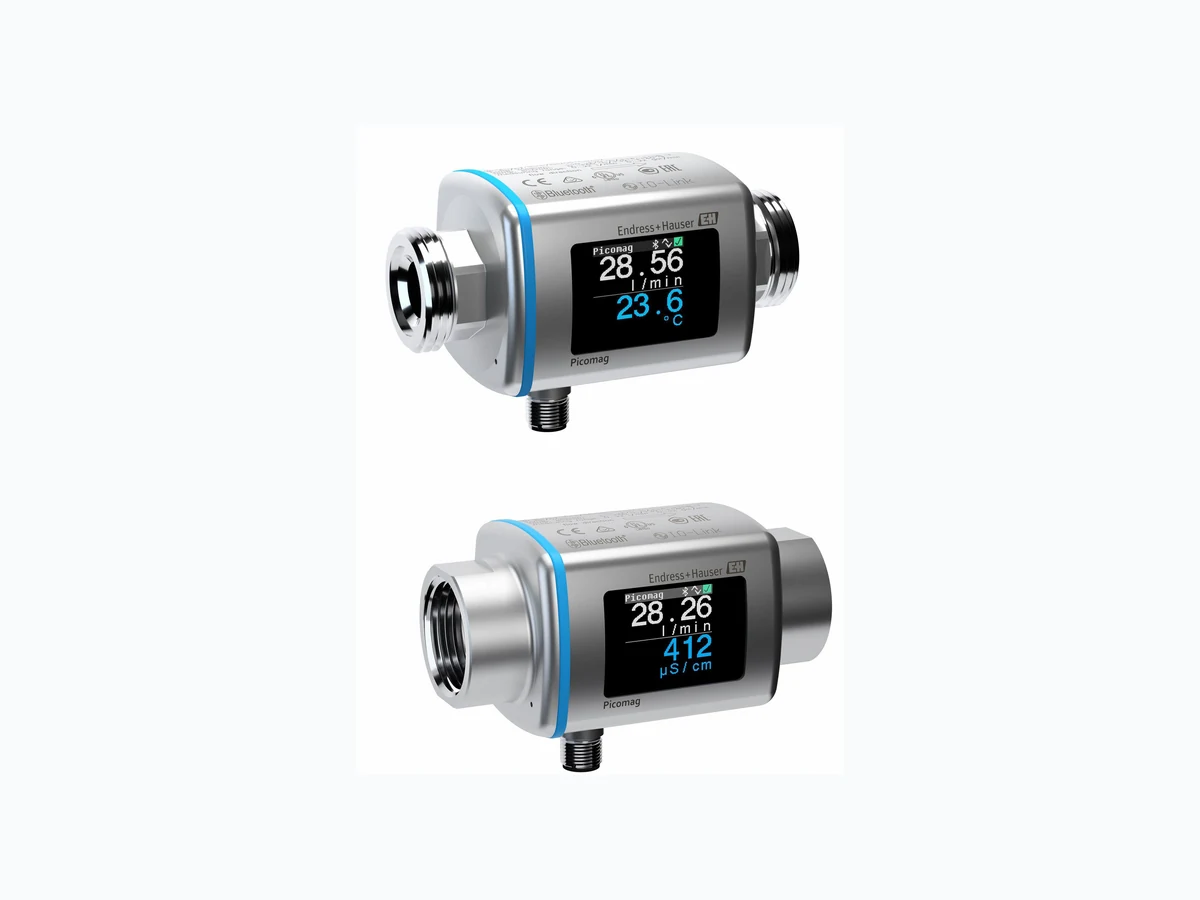
Local display The device has an onsite display: 28.56 23.6 l / min Xxxxxxx1 4 5 6 A0032991
1 Tag name (configurable)
2 Measured variable 1 (configurable) with sign → 30
3 Measured variable 2 (configurable) with sign → 30
4 Active Bluetooth connection
5 Active I/O-Link connection
6 Device status
3 measured variables can be displayed (volume flow, temperature, conductivity). Floating point numbers are saved in IEEE754 format and displayed with single precision format. The values are entered in the decimal system, however. As a result, extremely small, insignificant differences can arise between the value entered and the floating point number displayed, depending on the numerical values. Operation • Via Bluetooth® wireless technology
- Via IO-Link Digital communication Via IO-Link SmartBlue app The device has a Bluetooth® wireless technology interface and can be operated and configured using the SmartBlue app.
- The range under reference conditions is 10 m (33 ft)
- Incorrect operation by unauthorized persons is prevented by means of encrypted communication and password encryption
- The Bluetooth® wireless technology interface can be disabled
Technical data Picomag IO-Link
46 Endress+Hauser
13.10 Certificates and approvals
Current certificates and approvals for the product are available via the Product Configurator at www.endress.com. 1. Select the product using the filters and search field. 2. Open the product page. The Configuration button opens the Product Configurator. CE mark The device meets the legal requirements of the applicable EU Directives. These are listed in the corresponding EU Declaration of Conformity along with the standards applied. Endress+Hauser confirms successful testing of the device by affixing to it the CE mark. UKCA marking The device meets the legal requirements of the applicable UK regulations (Statutory Instruments). These are listed in the UKCA Declaration of Conformity along with the designated standards. By selecting the order option for UKCA marking, Endress+Hauser confirms a successful evaluation and testing of the device by affixing the UKCA mark. Contact address Endress+Hauser UK: Endress+Hauser Ltd. Floats Road Manchester M23 9NF United Kingdom www.uk.endress.com Radio approval The measuring device has radio approval. For detailed information regarding radio approval, see the appendix → 47 Pressure Equipment Directive Devices not bearing this marking (without PED or UKCA) are designed and manufactured according to sound engineering practice. They meet the requirements of a) Art. 4 Para. 3 of the Pressure Equipment Directive 2014/68/EU or b) Part 1, Para. 8 of Statutory Instruments 2016 No. 1105. The scope of application is indicated a) in diagrams 6 to 9 in Annex II of the Pressure Equipment Directive 2014/68/EU or b) Schedule 3, Para. 2 of Statutory Instruments 2016 No. 1105. CULUS listing The measuring device is UL-listed. Drinking water approval Availability, see Applicator: https://portal.endress.com/webapp/applicator
14 Appendix
14.1 Radio approvals
14.1.1 Argentina
CNC ID: C-22455
14.1.2 Brazil
Modelo: Picomag 04 -1 -07311366 8 A0037714 Para maiores informações, consulte o site da ANATEL: www.gov.br/anatel/pt-br Este equipamento não tem direito à proteção contra interferência prejudicial e não pode causar interferência em sistemas devidamente autorizados.
14.1.3 Europe
This device meets the requirements of the Telecommunications Directive RED 2014/53/EU.
14.1.4 India
ETA Certificate No: ETA - 1707/18-RLO(NE)
48 Endress+Hauser
14.1.5 Indonesia
sekitarnya.
14.1.6 Canada and United States
This device complies with Part 15 of the FCC Rules and with Industry Canada licence- exempt RSS standard(s). Operation is subject to the following two conditions:
- This device may not cause harmful interference, and
- This device must accept any interference received, including interference that may cause undesired operation. Changes or modifications made to this equipment not expressly approved by Endress+Hauser Flowtec AG may void the user's authorization to operate this equipment. Français Le présent appareil est conforme aux CNR d'industrie Canada applicables aux appareils radio exempts de licence. L'exploitation est autorisée aux deux conditions suivantes :
- L'appareil ne doit pas produire de brouillage, et
- L'utilisateur de l'appareil doit accepter tout brouillage radioélectrique subi, même si le brouillage est susceptible d'en compromettre le fonctionnement. Les changements ou modifications apportés à cet appareil non expressément approuvés par Endress+Hauser Flowtec AG peuvent annuler l'autorisation de l'utilisateur d'opérer cet appareil.
14.1.7 Mexico
La operación de este equipo está sujeta dos condiciones: (1) es posible que este equipo o dispositivo no cause interferencia perjudicial y (2) este equipo o dispositivo debe aceptar cualquier interferencia, incluyendo la que pueda causar su operación no deseada. A0034100 IFT No.: RCPENPI21-3683
14.1.8 Republic of Korea
KC 인증 적합성평가정보 R-C-EH7-Picomag 상호 : 한국엔드레스하우저 주식회사 기자재명칭(모델명): 특정소출력 무선기기(무선데이터통신시스템용무선기기) / Picomag 제조국 및 제조국가 : Endress+Hauser Flowtec AG / 프랑스 제조년월 : 제조년월로 표기 *사용자안내문 이 기기는 업무용 환경에서 사용할 목적으로 적합성평가를 받은 기기로서 가정용 환 경에서 사용하는 경우 전파간섭의 우려가 있습니다.
14.1.9 Singapore
14.1.10 Taiwan
低功率電波輻射性電機管理辦法 第十二條 經型式認證合格之低功率射頻電機,非經許可,公司、商號或使用者均不得擅自變更頻 率、加大功率或變更原設計之特性及功能。 第十四條 低功率射頻電機之使用不得影響飛航安全及干擾合法通信;經發現有干擾現象時,應改善 至無干擾時方得繼續使用。前項合法通信,指依電信法規定作業之無線電通信。低功率射 頻電機須忍受合法通信或工業、科學及醫療用電波輻射性電機設備之干擾。 產品名稱 Endress + Hauser 產品型號 Picomag 產地 瑞士 製造商 Endress + Hauser Flowtec AG
14.1.11 Thailand
เครื่องโทรคมนาคมและอุปกรณนี้ มีความสอดคลองตามขอกำหนดของ กสทช. (This telecommunication equipment is in compliance with NBTC requirements.)
50 Endress+Hauser
14.1.12 United Arab Emirates
14.1.13 Other countries
Other national approvals are available on request.
14.2 IO-Link process data
14.2.1 Data structure
119… 112 111… 104 103… 95… 87… 79… 71… 63… 55… 47… 39… 31… 23… 15… 7…0 Data Conductivity in µS/cm Totalizer in l Volume flow in l/s Temperature in ¹⁄₁₀ °C Status Data type 32-bit floating point number with single precision (IEEE 754) 32-bit floating point number with single precision (IEEE 754) 32-bit floating point number with single precision (IEEE 754) 16-bit two's complement 8-bit Data structure of the status bits 7 to 0 Bit Description
0 Switches once per sampling rate
1 Reserved
2 Current status S-Out 1
3 Current status S-Out 2
4 Reserved
5 Reserved
6 Reserved
7 Reserved
14.2.2 Diagnostic information
Diagnostic code Display text Coding (hex) PDValid Validity Priority Status NE 107 Diagnostic number – SYSTEM OK 0x0000 1 1 F 181 COIL CIRC.FAIL. 0x5000 0 2 F 180 TEMP.CIRC.FAIL. 0x5000 0 3 F 201 DECICE FAIL. 0x5000 0 4 F 283 MEMORY FAIL. 0x8C00 0 5 C 446 I/O 1 OVERLOAD 0x180C 1 6 C 447 I/O 2 OVERLOAD 0x180C 1 7 C 485 SIMULATION ACT. 0x8C01 1 8 C 453 FLOW OVERRIDE 0x180D 1 9 S 441 I-OUT 1 RANGE 0x180A 1 10 S 444 U-OUT 1 RANGE 0x1809 1 11 S 443 P-OUT 1 RANGE 0x180B 1 12 S 442 I-OUT 2 RANGE 0x180A 1 13 S 445 U-OUT 2 RANGE 0x1809 1 14 S 962 EMPTY PIPE 0x180E 1 15 S 834 TEMPERAT. RANGE 0x8C20 1 16
52 Endress+Hauser
14.3 IO-Link ISDU parameter list
The individual parts of a parameter description are described in the following section: Designation ISDU (hex) ISDU (dec) Size (byte) Data type Access Value range Factory setting Range limits Identification Device Tag First 10 characters displayed (starting from left) 0x0018 24 32 (max.) string r/w EH_DMA_XXZZ Device Name 0x0012 18 16 (max.) string r Picomag Device ID1 0x0009 9 1 uint r 0x01 Device ID2 0x000A 10 1 uint r 0x01 Device ID3 0x000B 11 1 uint r 0x00 Vendor Name 0x0010 16 32 (max.) string r Endress+Hauser Vendor ID1 0x0007 7 1 uint r 0x00 Vendor ID2 0x0008 8 1 uint r 0x11 Device Serial No. e.g. (YMXXXXZZ) 0x0015 21 11 (max.) string r see nameplate Firmware Version e.g. 01.00.00 0x0017 23 8 (max.) string r Order Code e.g. DMA15-AAAAA1 0x0102 258 18 (max.) string r see nameplate Device Type 0x0100 256 2 uint r 0x94FF Diagnostics Actual Diagnostics e.g. C485 (= SIMULATION ACT.) 0x0104 260 4 string r Last Diagnostics e.g. S962 (= EMPTY PIPE) 0x0105 261 4 string r Simulation Proc. Var. 0x015F 351 2 uint r/w enable=1 disable=0 Sim.Proc.Var.Value Volumeflow Unit selection list from Unit Volumeflow 0x0166 358 4 float r/w 0.0 -10⁶ 10⁶ Sim.Proc.Var.Value Temperature Unit selection list from Unit Temperature 0x0168 360 4 float r/w 0.0 -10⁴ 10⁴ Sim.Proc.Var.Value Conductivity Unit selection list from Unit Conductivity 0x0167 359 4 float r/w 0.0 0 10⁶ Measured Values Volumeflow Current volume flow measured value 0x0161 353 4 float r Temperature Current temperature measured value 0x0163 355 4 float r Conductivity Current conductivity measured value 0x0164 365 4 float r Totalizer Current totalizer measured value 0x0169 361 4 float r/w 0.0
(hex) ISDU (dec) Size (byte) Data type Access Value range Factory setting Range limits Totalizer Reset 0x016A 362 2 uint w cancel=0 reset=1 cancel System Units Unit Volumeflow 0x0226 550 2 uint r/w l/s=0 l/h=5 fl. oz/min=4 m³/h=1 l/min=2 Usgpm=3 l/min Unit Volume 0x0227 551 2 uint r/w ml=0 USozf=1 l=2 m³=3 Usgal=4 ml Unit Temperature 0x0228 552 2 uint r/w °C=0 °F=1 Unit Conductivity 0x0229 553 2 uint r/w µS/cm=0 S/m=1 mS/cm=2 µS/cm=0 Unit Totalizer 0x016B 363 2 uint r/w USozf=1 l=2 m³=3 Usgal=4 kl=5 Ml=6 kUsg=7 Sensor Install. Direction In relation to direction of arrow on the device 0x015E 350 2 uint r/w forward=0 reverse=1 forward Low Flow Cut Off The flow rate below the selected value is zero Unit selection list from Unit Volumeflow 0x0160 352 4 float r/w 0.4/0.75/1.2/5.0 l/min 10⁶ Damping Volume flow damping via the PT1 element Unit: s 0x01A4 420 4 float r/w 0 s 0 100
54 Endress+Hauser
(hex) ISDU (dec) Size (byte) Data type Access Value range Factory setting Range limits Output 1 Operating Mode IO-Link is set if connected to a master 0x01F4 500 2 uint r/w P-Out=0 I-Out=1 S-In=2 S-Out=3 IO-Link=4 U-Out=5 off=6 IO-Link Current output I-Out 1 I - OUT Assign 0x0258 600 2 uint r/w off=0 volume flow=1 temperature=2 conductivity=4 volume flow Q-Start-Value ASP 1) for volume flow Unit selection list from Unit Volumeflow 0x0259 601 4 float r/w 0 l/min -9.9·10⁹ 9.9·10⁹ Q-End-Value AEP 2) for volume flow Unit selection list from Unit Volumeflow 0x025A 602 4 float r/w 25/50/100/750 l/min -9.9·10⁹ 9.9·10⁹ T-Start-Value ASP 1) for temperature Unit selection list from Unit Temperature 0x025F 607 4 float r/w -10 °C -9.9·10⁹ 9.9·10⁹ T-End-Value AEP 2) for temperature Unit selection list from Unit Temperature 0x0260 608 4 float r/w +70 °C -9.9·10⁹ 9.9·10⁹ s-Start-Value ASP 1) for conductivity Unit selection list from Unit Conductivity 0x025D 605 4 float r/w 0 -9.9·10⁹ 9.9·10⁹ s-End-Value AEP 2) for conductivity Unit selection list from Unit Conductivity 0x025E 606 4 float r/w 1000 -9.9·10⁹ 9.9·10⁹
(hex) ISDU (dec) Size (byte) Data type Access Value range Factory setting Range limits Pulse output P-Out Pulse Value Unit selection list from Unit Volume 0x03E8 1000 4 float r/w 0.5/1.0/2.0/10.0 ml 10¯⁹ 9.9·10⁹ Switch output S-Out 1 Switch Polarity 0x032B 811 2 uint r/w PNP=0 NPN=1 PNP Switch Function 0x0320 800 2 uint r/w alarm=0 off=1 on=2 lim.vol.flow=3, lim.temp.=4 lim.vol.=5 lims=11 win.vol.flow=6 win.temp.=7 win.vol.=8 wins=13 epd=9 alarm Q-ON-Value Unit selection list from Unit Volumeflow 0x0321 801 4 float r/w 20/40/80/600 l/min -9.9·10⁹ 9.9·10⁹ Q-OFF-Value Unit selection list from Unit Volumeflow 0x0322 802 4 float r/w 15/30/60/450 l/min -9.9·10⁹ 9.9·10⁹ T-ON-Value Unit selection list from Unit Temperature 0x0327 807 4 float r/w + 60 °C -9.9·10⁹ 9.9·10⁹ T-OFF-Value Unit selection list from Unit Temperature 0x0328 808 4 float r/w + 50 °C -9.9·10⁹ 9.9·10⁹ V-ON-Value Unit selection list from Unit Totalizer 9.9·10⁹ V-OFF-Value Unit selection list from Unit Totalizer 9.9·10⁹ s-ON-Value Unit selection list from Unit Conductivity 0x0325 805 4 float r/w 500 -9.9·10⁹ 9.9·10⁹ s-OFF-Value Unit selection list from Unit Conductivity 0x0326 806 4 float r/w 200 -9.9·10⁹ 9.9·10⁹ Voltage output U-Out 1 U - OUT Assign 0x02BC 700 2 uint r/w off=0 volume flow=1 temperature=2 conductivity=4 volume flow Q-Start-Value ASP 1) for volume flow Unit selection list from Unit Volumeflow 0x02BD 701 4 float r/w 0 l/min Q-End-Value AEP 2) for volume flow Unit selection list from Unit Volumeflow 0x02BE 702 4 float r/w 25/50/100/750 l/min
56 Endress+Hauser
(hex) ISDU (dec) Size (byte) Data type Access Value range Factory setting Range limits T-Start-Value ASP 1) for temperature Unit selection list from Unit Temperature 0x02C3 707 4 float r/w -10 °C T-End-Value AEP 2) for temperature Unit selection list from Unit Temperature 0x02C4 708 4 float r/w +70 °C s-Start-Value ASP 1) for conductivity Unit selection list from Unit Conductivity 0x02C1 705 4 float r/w 0 µS/cm s-End-Value AEP 2) for conductivity Unit selection list from Unit Conductivity 0x02C2 706 4 float r/w 1000 µS/cm Digital input D-In 1 D-IN Polarity 0x0385 901 2 uint r/w low=0 high=1 high D-IN Function 0x0384 900 2 uint r/w off=0 res.tot.=1 zero ret.=2 res.tot. IO-Link IO-LINK Vendor Name 0x0010 16 32 (max.) string r Endress+Hauser IO-LINK Product Name 0x0012 18 16 (max.) string r Picomag IO-LINK RevisionID 0x0004 4 1 uint r 0x11 Output 2 Operating Mode 0x01F5 501 2 uint r/w I-Out=1 S-In=2 S-Out=3 U-Out=5 off=6 off Current output I-Out 2 I - OUT Assign 0x028A 650 2 uint r/w off=0 volume flow=1 temperature=2 temperature Q-Start-Value ASP 1) for volume flow Unit selection list from Unit Volumeflow 0x028B 651 4 float r/w 0 l/min Q-End-Value AEP 2) for volume flow Unit selection list from Unit Volumeflow 0x028C 652 4 float r/w 25/50/100/750 l/min T-Start-Value ASP 1) for temperature Unit selection list from Unit Temperature 0x0291 657 4 float r/w -10 °C T-End-Value AEP 2) for temperature Unit selection list from Unit Temperature 0x0292 658 4 float r/w +70 °C s-Start-Value ASP 1) for conductivity Unit selection list from Unit Conductivity 0x028F 655 4 float r/w 0 -9.9·10⁹ 9.9·10⁹
(hex) ISDU (dec) Size (byte) Data type Access Value range Factory setting Range limits s-End-Value AEP 2) for conductivity Unit selection list from Unit Conductivity 0x0290 656 4 float r/w 1000 -9.9·10⁹ 9.9·10⁹ Switch output S-Out 2 Switch Polarity 0x035D 861 2 uint r/w PNP=0 NPN=1 PNP Switch Function 0x0352 850 2 uint r/w alarm=0 off=1 on=2 lim.vol.flow=3 lim.temp.=4 lim.vol.=5, win.vol.flow=6 lims=11 win.temp.=7 win.vol.=8 wins=13 epd=9 alarm Q-ON-Value Unit selection list from Unit Volumeflow 0x0353 851 4 float r/w 20/40/80/600 l/min Q-OFF-Value Unit selection list from Unit Volumeflow 0x0354 852 4 float r/w 15/30/60/450 l/min T-ON-Value Unit selection list from Unit Temperature 0x0359 857 4 float r/w + 60 °C T-OFF-Value Unit selection list from Unit Temperature 0x035A 858 4 float r/w + 50 °C V-ON-Value Unit selection list from Totalizer 0x035B 859 4 float r/w 0.2/0.4/0.8/6.0 m³ V-OFF-Value Unit selection list from Totalizer 0x035C 860 4 float r/w 0.15/0.3/0.6/4.5 m³ s-ON-Value Unit selection list from Conductivity 0x0357 855 4 float r/w 500 s-OFF-Value Unit selection list from Conductivity 0x0358 856 4 float r/w 200 Voltage output U-Out 2 U - OUT Assign 0x02EE 750 2 uint r/w off=0 volume flow=1 temperature=2 temperature Q-Start-Value ASP 1) for volume flow Unit selection list from Unit Volumeflow 0x02EF 751 4 float r/w 0 l/min Q-End-Value AEP 2) for volume flow Unit selection list from Unit Volumeflow 0x02F0 752 4 float r/w 25/50/100/750 l/min T-Start-Value ASP 1) for temperature from Unit Temperature 0x02F5 757 4 float r/w -10 °C
58 Endress+Hauser
(hex) ISDU (dec) Size (byte) Data type Access Value range Factory setting Range limits T-End-Value AEP 2) for temperature from Unit Temperature 0x02F6 758 4 float r/w +70 °C s-Start-Value ASP 1) for temperature from Conductivity 0x02F3 755 4 float r/w 0 µS/cm s-End-Value AEP 2) for temperature from Conductivity 0x02F4 756 4 float r/w 1000 µS/cm Digital input D-In 2 D-IN Polarity 0x0395 917 2 uint r/w low=0 high=1 high D-IN Function 0x0394 916 2 uint r/w off=0 res.tot.=1 zero ret.=2 res.tot. Display Display Layout 0x01C3 451 2 uint r/w QV=0 QT=1 Qs=3 VT=2, Vs=4 Ts=5 QVTs=6 QVTs_m=7 QT Display Rotation 0x01C4 452 2 uint r/w 0 °=0 90 °=1 180 °=2 270 °=3 auto=4 Auto Display Backlight 0x01C2 450 2 uint r/w 0…100 50 Bluetooth configuration Bluetooth Function 0x041A 1050 2 uint r/w on=1 off=0 on Bluetooth Tx Pwr Level 0x041B 1051 2 uint r 0…4 Bluetooth Conn. Status 0x041C 1052 1 uint r Administration Set Access Code Define the access code 0x0108 264 2 uint w 0000 Access Code Enter the access code 0x0107 263 2 uint w Reset Device 0x010E 270 2 uint w cancel=0 restore fact.=1 restart=4 cancel Product Specific Process Values Status IO 1 0x0386 902 2 uint r low=0 high=1 Status IO 2 0x0396 918 2 uint r low=0 high=1 1) Analog Start Point 2) Analog End Point
A Application B Bidirectional flow measurement (Q), temperature C D E F Field of application I Inspection M O P R S Setting the installation direction and measurement .. 23 T
60 Endress+Hauser
U Unidirectional flow measurement (Q), conductivity Using the measuring device V W Weight
www.addresses.endress.com *71552010* 71552010