
3000-U14-02 AMKA
Document overview
- Manufacturer or author: Provided By www.digicamel.com(free datasheet download site)
- PDF pages: 1
Technical content
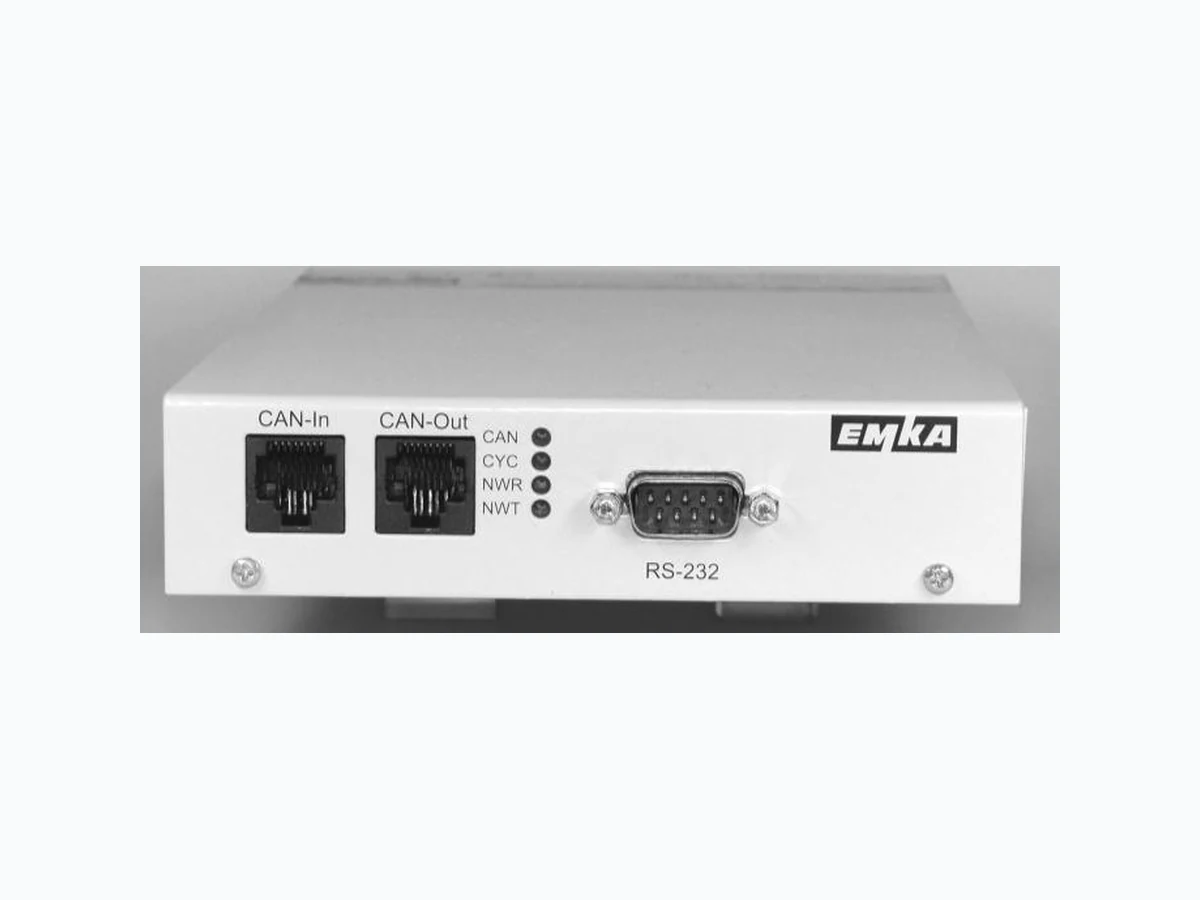
Electronic Locking & Monitoring 3000 - U14 - 02 © EMKA Electronic, all rights reserved Rev. 2011-12-06 / Roh-Art.-Nr. 1574 Page 1 of 1 Kommunikationsmodul – Bauform Box Das Modul 3000 -U14-02 ist Bestandteil des ELM Systems. Es beinhaltet die zentrale System -Steuereinheit einschließlich Ereignisspeicher, zwei Alarm-Relais sowie die Schnittstellen zur Konfiguration und Kommunikation. Pro ELM System kann nur ein Kommunikationsmodul eingesetzt werden. Zwei Abschluss-Widerstände für den CAN-Bus gehören zum Lieferumfang. Technische Änderungen vorbehalten. Communication module – box style The 3000-U14-02 module is part of the ELM system. It contains the central control unit for the system, an event memory, two alarm relays and the interfaces for system configuration and communication. Only one communication module is used in a network. Two terminating plugs for the CAN bus are included with the module. Subject to technical changes. Power supply: 12 V DC, 200 mA Relay data: max. 48 V AC, max. 0.5 A, max. 30 V DC, max. 1.0 A Data interfaces: RS 232 Sub-D9 (front) Ethernet RJ45 (rear) LED CAN: flashing when active, otherwise ON LED CYC: flashing when polling cycle is complete LED NWR/NWT: flashing when receiving / transmitting data via network, otherwise OFF Fig. 1: 3000-U14-02 front Box dimensions: 135 x 32 x 229 mm (W x H X D) CAN bus wiring The box modules are linked together by RJ45 patch cables . Connect CAN-Out of a module to CAN -In of the next module. Open CAN -In / CAN -Out sockets must be equipped with a termin ating plug for proper operat ion. Terminating plugs are supplied with this module. Power supply Power to this module is fed from any previous module via the CAN-In socket. Battery switch (Switch 1) Default is ON, factory setting is OFF! For long term storage it should be OFF to avo id battery discharge. To reset the module: Switch off power, set switch to OFF, wait about 5 seconds, set this switch to ' ON'. System memory and event memory is cleared; all configuration settings are lost. Switch 2 is not used. Please check battery switch is set to ON before operation! Fig. 2: 3000-U14-02 rear Fig.3: top side label