

 Download PDF
DATASHEET SEARCH SITE
Document overview
- PDF pages: 4
Technical content
Page 1
TECHNICAL BULLETIN TB-2039
Calibration Unit for Testers
Installation, Operation and Maintenance
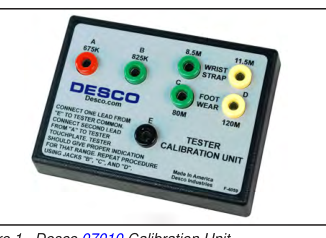
Figure 1. Desco 07010 Calibration Unit
Description
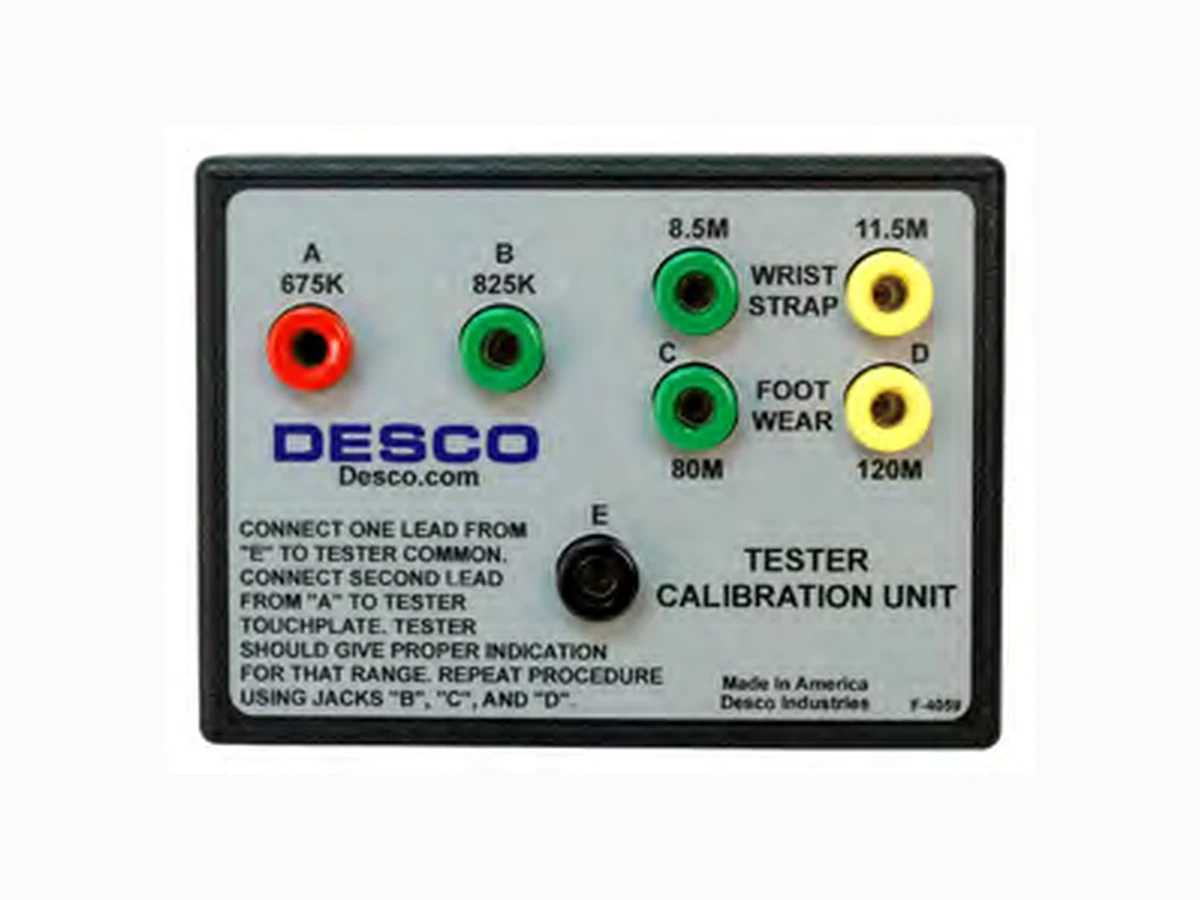
The Desco 07010 Calibration Unit is designed to verify whether a tester is operating within specifications. This product can be used as one of the tools to fulfill the ANSI/ESD S20.20 paragraph 6.1.3.2 “Compliance Verification Plan.” The 07010 Calibration Unit is a passive device and requires no power source. The Calibration Unit is manufactured with industry accepted test ranges for both wrist straps and foot grounders. The wrist strap pass range is set at 750K - 10M, while the foot ground test range is set at 750K - 100M. The Desco Calibration Unit is calibrated to NIST traceable standards. The Desco 07010 Calibration Unit is to be used with the following items:
| Item | Description |
|---|---|
| 19240 | Wrist Strap Tester |
| 19250 | Combo Wrist Strap / Footwear Tester |
| 19252 | Combo Wrist Strap / Footwear Tester with Stand |
| 19253 | Combo Wrist Strap / Footwear Tester with Foot Plate |
| 19350 | Wrist Strap Touch Tester, 120VAC |
| 19351 | Wrist Strap Touch Tester, 220VAC |
TB-2039 Page 1 of 4 July 2012
Made in the United States of America
Packaging
1 Calibration Unit 2 Test Leads with Banana Plug Terminals 1 Certificate of Calibration
Operation
WRIST STRAP TESTER
- Plug one of the included test leads into the black banana jack labeled “E” on the Calibration Unit. Connect the opposite end of the test lead into the yellow banana jack located on the 19240 Wrist Strap Tester.
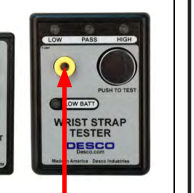
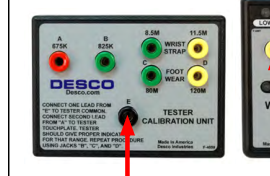
Figure 2. Connecting the test lead from banana jack “E” on the Calibration Unit to the banana jack on the Wrist Strap Tester
- Connect the second test lead to the red 675K banana jack labeled “A” on the Calibration Unit. Touch the opposite end of the test lead to test plate on the Wrist Strap Tester and press down to activate the test. Be sure not to touch the banana plug or test plate with your skin.
- Observe the response from the Wrist Strap Tester. The alarm should sound, and the LOW LED should illuminate red.
- Repeat the procedure for test points B (825K), C (8.5M) and D (11.5M). The expected test results can be found in the following table.
| Test Point | Resistance Value | Test Output |
| A | 675K | FAIL LOW |
| B | 825K | PASS |
| C | 8.5M | PASS |
| D | 11.5M | FAIL HIGH |
Page 2
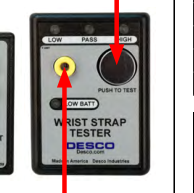
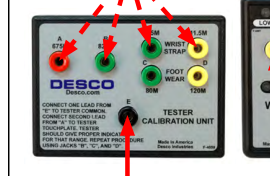
Figure 3. Verifying the calibration of the Wrist Strap Tester
COMBO WRIST STRAP / FOOTWEAR TESTER
Testing the Wrist Strap Circuit 1. Plug one of the included test leads into the black banana jack labeled “E” on the Calibration Unit. Connect the opposite end of the test lead into the yellow banana jack labeled “WRIST CORD” on the Combo Wrist Strap / Footwear Tester. Toggle the switch to the “WRIST CORD” position.
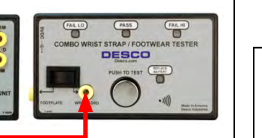
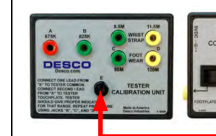
Figure 4. Connecting the test lead from banana jack “E” on the Calibration Unit to the WRIST CORD banana jack on the Combo Tester
- Connect the second test lead to the red 675K banana jack labeled “A” on the Calibration Unit. Touch the opposite end of the test lead to test plate on the Combo Tester and press down to activate the test. Be sure not to touch the banana plug or test plate with your skin.
- Observe the response from the Combo Tester. The alarm should sound, and the LOW LED should illuminate red.
- Repeat the procedure for test points B (825K), C (8.5M) and D (11.5M). The expected test results can be found in the following table.
TB-2039 Page 2 of 4
| Test Point | Resistance Value | Test Output |
| A | 675K | FAIL LOW |
| B | 825K | PASS |
| C | 8.5M | PASS |
| D | 11.5M | FAIL HIGH |
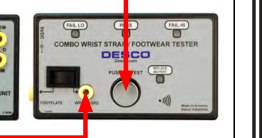
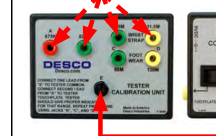
Figure 5. Verifying the calibration of the wrist strap circuit in the Combo Tester
Testing the Footwear Circuit 1. Plug one of the included test leads into the black banana jack labeled “E” on the Calibration Unit. Connect the opposite end of the test lead into the yellow banana jack labeled “FOOTPLATE” on the Combo Wrist Strap / Footwear Tester. Toggle the switch to the “FOOTPLATE” position.
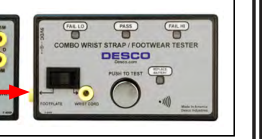
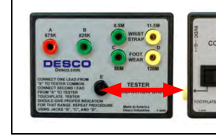
Figure 6. Connecting the test lead from banana jack “E” on the Calibration Unit to the FOOTPLATE banana jack on the Combo Tester
- Connect the second test lead to the red 675K banana jack labeled “A” on the Calibration Unit. Touch the opposite end of the test lead to test plate on the Combo Tester and press down to activate the test. Be sure not to touch the banana plug or test plate with your skin.
- Observe the response from the Combo Tester. The alarm should sound, and the LOW LED should illuminate red.
- Repeat the procedure for test points B (825K), C (80M) and D (120M). The expected test results can be found in the following table.
Page 3
| Test Point | Resistance Value | Test Output |
| A | 675K | FAIL LOW |
| B | 825K | PASS |
| C | 80M | PASS |
| D | 120M | FAIL HIGH |
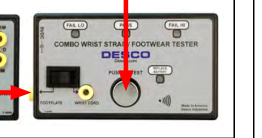
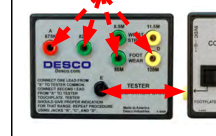
Figure 7. Verifying the calibration of the footwear circuit in the Combo Tester
WRIST STRAP TOUCH TESTER
- Plug one of the included test leads into the black banana jack labeled “E” on the Calibration Unit. Connect the opposite end of the test lead into one of the yellow banana jacks located on the Wrist Strap Touch Tester. Power the Wrist Strap Touch Tester.
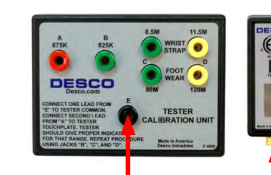
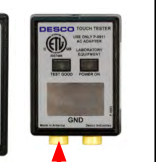
Figure 8. Connecting the test lead from banana jack “E” on the Calibration Unit to one of the banana jacks on the Wrist Strap Touch Tester
- Connect the second test lead to the red 675K banana jack labeled “A” on the Calibration Unit. Touch the opposite end of the test lead to test plate on the Wrist Strap Touch Tester to activate the test. Be sure not to touch the banana plug or test plate with your skin.
- Observe the response from the Wrist Strap Touch Tester. The alarm should sound, and the LOW LED should illuminate red.
- Repeat the procedure for test points B (825K), C (8.5M) and D (11.5M). The expected test results can be found in the following table.
TB-2039 Page 3 of 4
| Test Point | Resistance Value | Test Output |
| A | 675K | FAIL LOW |
| B | 825K | PASS |
| C | 8.5M | PASS |
| D | 11.5M | FAIL HIGH |
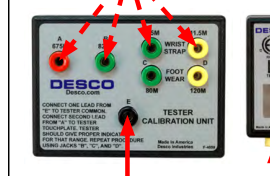
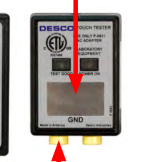
Figure 9. Verifying the calibration of the Wrist Strap Touch Tester
Specifications
Accuracy: ±2% Dimensions: 3.2" L x 4.4" W x .9" H (8.1 cm x 11.2 cm x 2.3 cm) Weight: 4 oz (.1 kg)
Page 4
Limited Warranty
Desco expressly warrants that for a period of one (1) year from the date of purchase Desco Calibration Units will be free of defects in material (parts) and workmanship (labor). Within the warranty period, a credit for purchase of replacement Desco Calibration Units, or, at Desco’s option, the Calibration Unit will be repaired or replaced free of charge. If product credit is issued, the amount will be calculated by multiplying the unused portion of the expected one year life times the original unit purchase price. Call our Customer Service Department at 909-627-8178 (Chino, CA) or 781-821-8370 (Canton, MA) for a Return Material Authorization (RMA) and proper shipping instructions and address. Please include a copy of your original packing slip, invoice, or other
proof of date of purchase. Any unit under warranty should be shipped prepaid to the Desco factory. Warranty replacements will take approximately two weeks. If your unit is out of warranty, call our Customer Service Department at 909-627-8178 (Chino, CA) or 781-821-8370 (Canton, MA) for a Return Material Authorization (RMA) and proper shipping instructions and address. Desco will quote repair charges necessary to bring your unit up to factory standards.
Warranty Exclusions
THE FOREGOING EXPRESS WARRANTY IS MADE IN LIEU OF ALL OTHER PRODUCT WARRANTIES, EXPRESSED AND IMPLIED, INCLUDING MERCHANTABILITY AND FITNESS FOR A PARTICULAR PURPOSE WHICH ARE SPECIFICALLY DISCLAIMED. The express warranty will not apply to defects or damage due to accidents, neglect, misuse, alterations, operator error, or failure to properly maintain, clean or repair products.
Limit of Liability
In no event will Desco or any seller be responsible or liable for any injury, loss or damage, direct or consequential, arising out of the use of or the inability to use the product. Before using, users shall determine the suitability of the product for their intended use, and users assume all risk and liability whatsoever in connection therewith.
TB-2039 Page 4 of 4